RWA Street is a street of independent funds on Robinhood Chain. Managers build portfolios of tokenized stocks, ecosystem tokens and memecoins. You invest by buying a fund's shares, and you withdraw in USDG.
You own
Shares of a fund, valued in USDG
Pay in
USDG directly, or ETH and FUND converted to USDG first
Withdraw in
USDG, whenever the fund can be valued. No exit fee.
Open a fund
Burn 50,000 FUND and add a seed of at least 1 USDG
Fund fees
Set by each manager: 0–3% a year, and 0–40% of gains
Network
Robinhood Chain (chain ID 4663), with ETH for gas
YOU’LL NEED
A browser-extension wallet, or the built-in browser of a wallet app
Robinhood Chain added to that wallet, with a little ETH for gas
USDG, ETH or FUND to invest
Is RWA Street live?
RWA Street is published. Fund creation and investing open automatically once FUND launches and the contracts connect to it. The landing page shows where the launch stands.
1
The site is published
Walk the Street, read these guides, browse the asset directory and set up your profile. Registration and investing stay closed until FUND is connected.
2
FUND launches
The founder launches FUND (token name RWA Street, ticker FUND) on PONS V2.
3
Contracts connect and open
The launch system checks the token against the reviewed launch, connects it to the contracts and opens fund creation and investing, typically within about 10 minutes.
The site reads this from Robinhood Chain (chain ID 4663). An open tab updates by itself; no new site version is needed. Opening can take longer while PONS moves FUND from its launch curve to its trading pool.
The landing line also follows the safety controls. During an emergency deposit pause it says deposits and new funds are paused, and after a platform wind-down starts it says RWA Street is winding down; in both, withdrawals keep working. See Reading the landing page.
After opening, administrative ownership of the contracts passes to the founder's wallet. What the owner can and cannot do is listed in Safety & exits. Every landing-page message is explained in How investing opens.
Official links
Pick your path
01
Invest in a fund
Buy shares in a manager's fund with USDG, ETH or FUND. Withdraw in USDG.
Paying in USDG costs only gas. ETH pays a small pool fee. FUND is sold on PONS first, which carries PONS trading costs. Each fund charges the two fees its manager set, and there is no entry or exit fee. Every cost
FUND
Token name RWA Street, ticker FUND, fixed supply of 1,000,000,000. Opening a fund burns 50,000 FUND, and holding 100,000 or more gives priority access. No fee share, yield or buybacks. The FUND token
What funds can buy
42 switched-on assets: 35 stock tokens and 7 ecosystem tokens and memecoins. The asset directory lists 201 entries for reference, but only switched-on assets can be bought. Assets
Withdrawals
No one can switch them off. A USDG withdrawal needs a valid price for everything the fund holds. Safety & exits
Risks in plain words
Every risk, with what protects you, is in Safety & exits.
Walk the Street
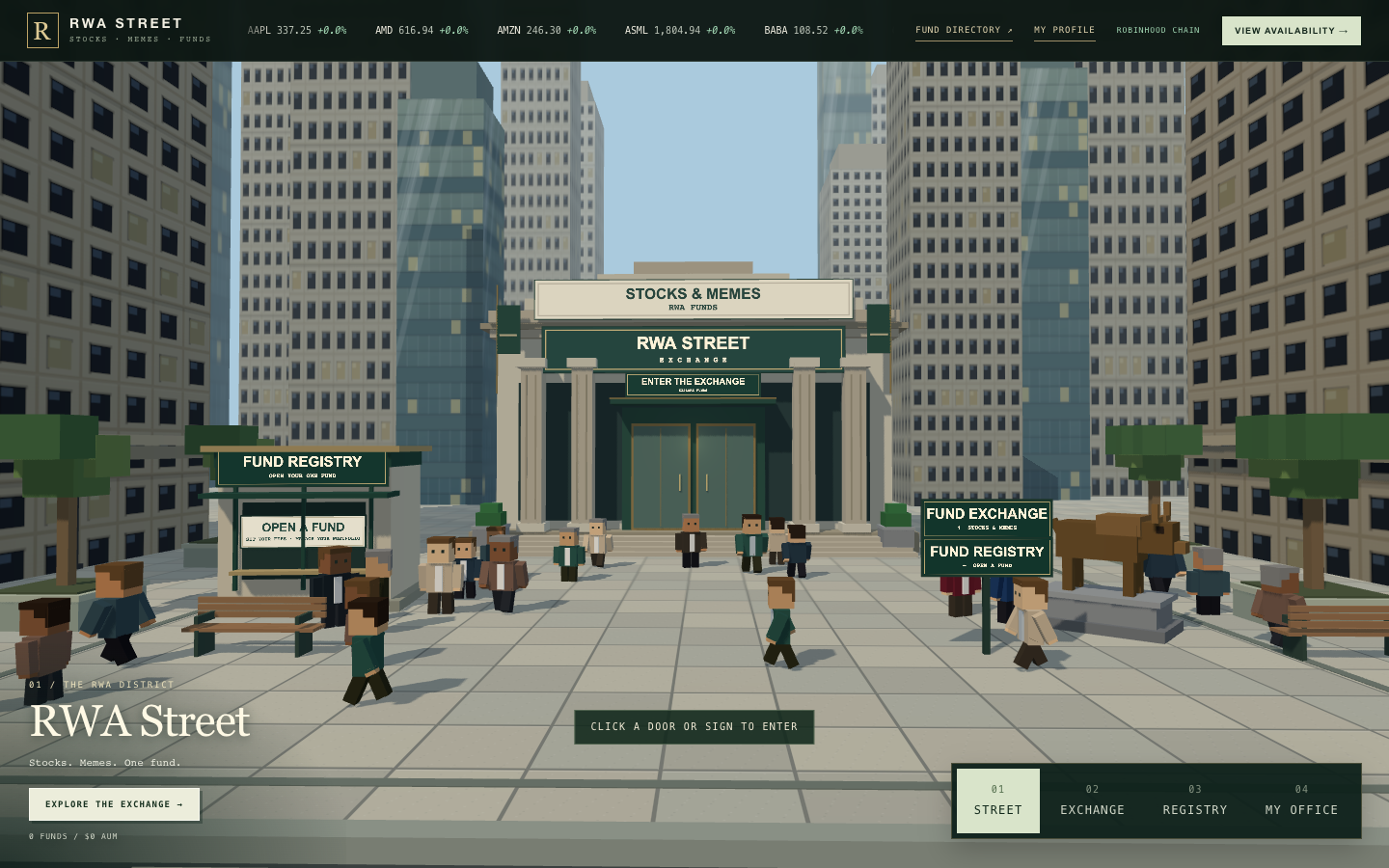
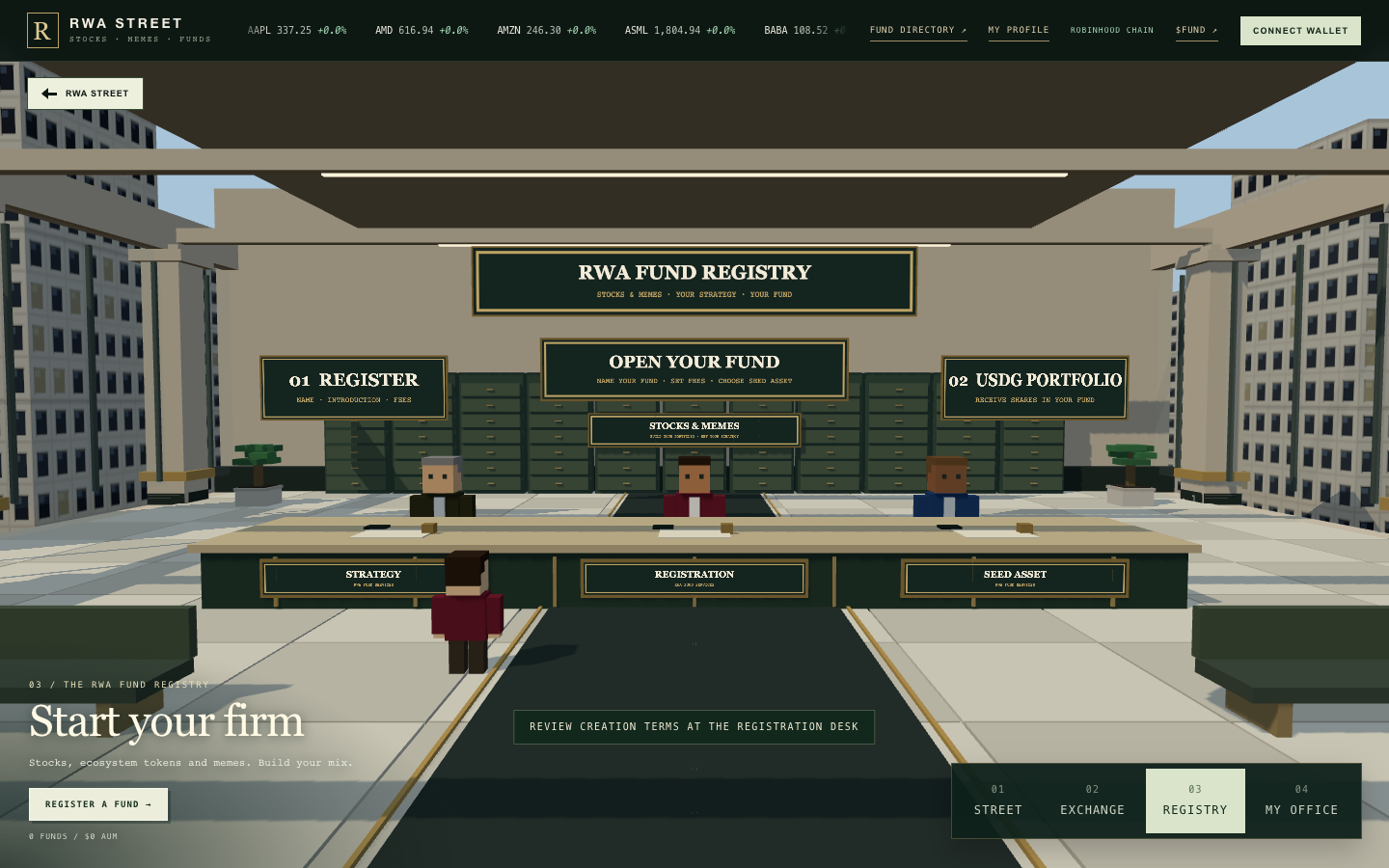
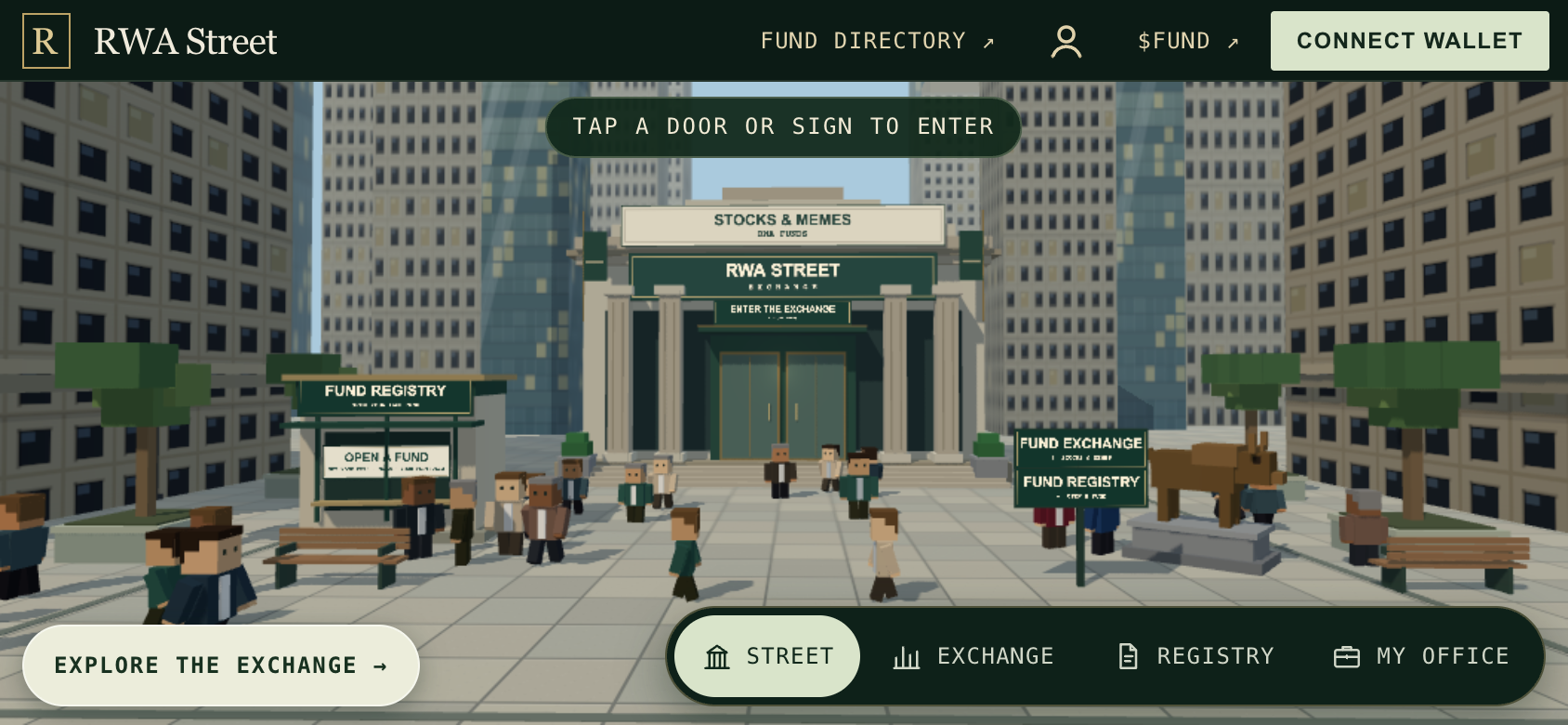
The site is a small district, and each building is a place to do one thing. On the landing page, select OPEN THE TERMINAL to see every fund on one page, or WALK THE STREET to enter the district. On the Street, use the numbered places (01 STREET, 02 EXCHANGE, 03 REGISTRY, 04 MY OFFICE) at the bottom right of the screen, or click a door or a sign. The TERMINAL / STREET / TABLE switch at the top moves between the three views of the funds, and TUTORIAL at the top starts a one-minute tour on the real screens: looking around the funds, opening a fund or investing in one, and withdrawing. The tour's form and tickets show example values, and nothing is signed.
The Street. The numbered places at the bottom right take you to the Exchange, the Registry and My Office.↗︎
Place
What you do there
Street
See what is open and where to go.
Exchange
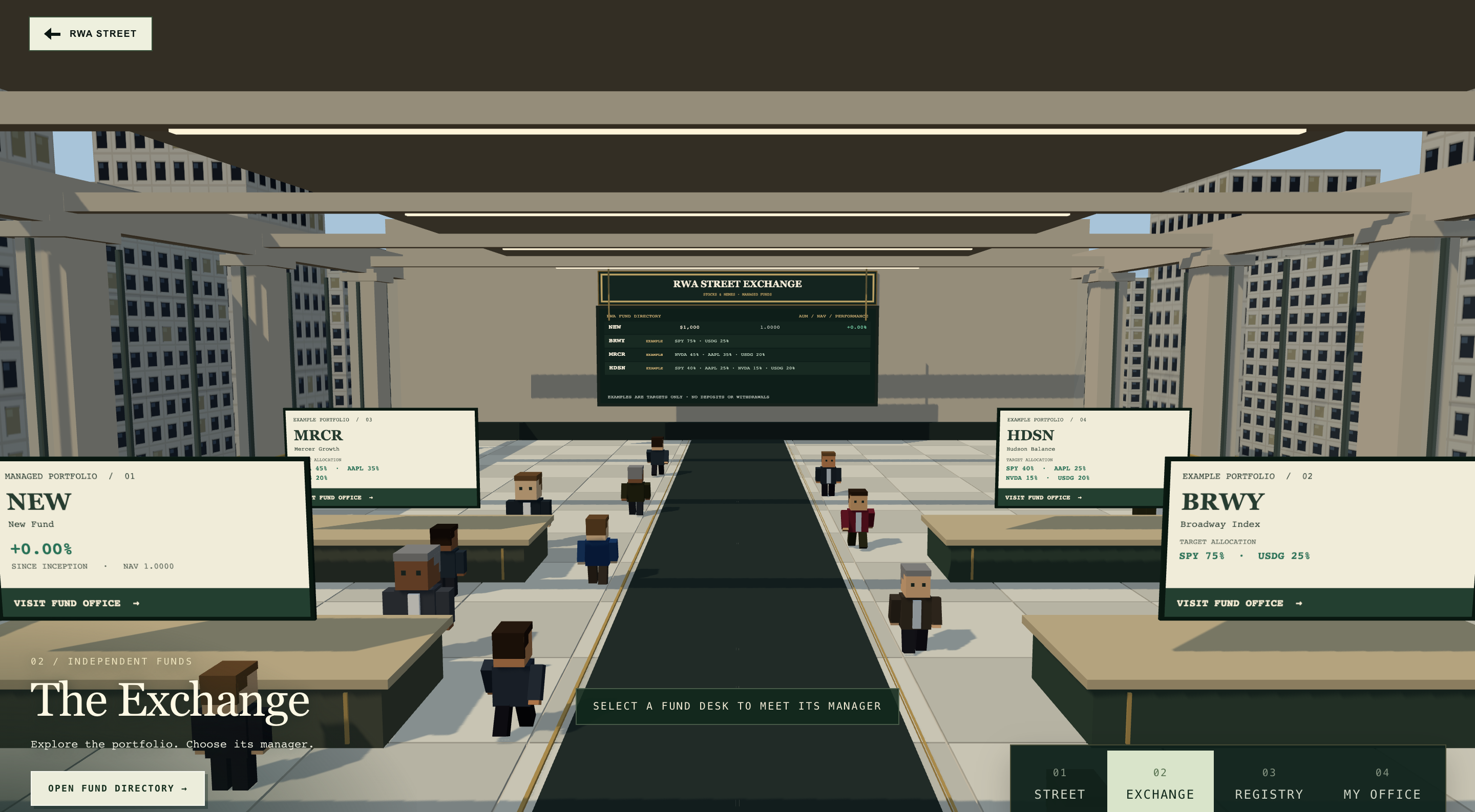
Walk the trading floor. Each desk is a fund: select one to meet its manager, then open the fund's page to read about it, invest or withdraw.
Terminal
Every fund on one page, as cards: who runs it, what it holds, how it is doing and the room left. Search by fund, ticker or manager, filter by type and sort. Open it with TERMINAL at the top of the screen.
Fund directory
The same funds as one wide table, with the fee-reference columns. Open it with TABLE at the top of the screen.
Registry
Open your own fund.
My Office
Run the fund you manage: trade, check holdings and edit its introduction.
My profile
Add a photo and optional X and FOMO links. Your photo is also the photo of every fund you manage.
On a phone held upright, the places are four tabs at the bottom of the screen: Street, Terminal, Registry and My Office. Turn the phone sideways to walk the 3D street. See Use it on your phone.
Example portfolios on the Exchange
Until real funds take their places, a few Exchange desks show example portfolios by RWA Street, marked EXAMPLE. An example is a target mix and fee terms only: no fund contract, no deposits, no balance, no returns. As funds open, they take the desks and the examples step aside. In the fund directory, examples always sit under their own Examples switch, apart from Registered funds.
The Exchange with one registered fund (left) and labelled example desks. Examples are target mixes only: no deposits, balances or returns.↗︎The four examples and their target mixes
Example
Target mix
Fee terms
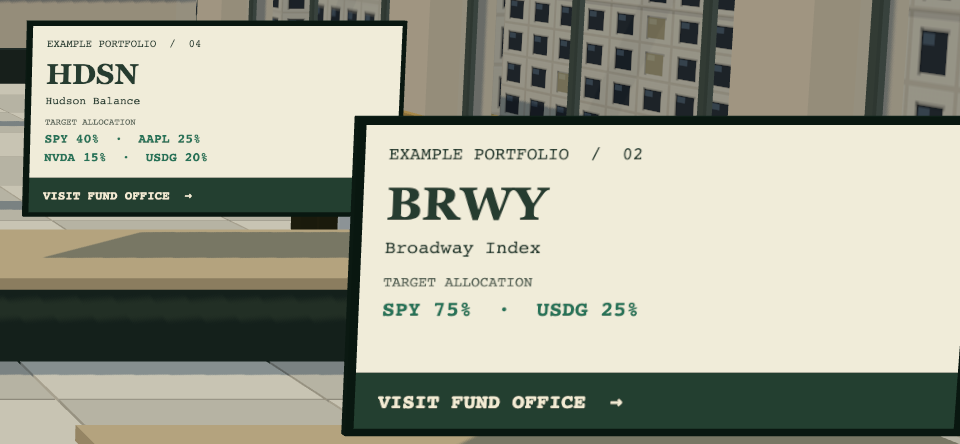
Broadway Index (BRWY)
SPY 75%, USDG 25%
0% a year, 20% of gains
Mercer Growth (MRCR)
NVIDIA 45%, Apple 35%, USDG 20%
0% a year, 20% of gains
Hudson Balance (HDSN)
SPY 40%, Apple 25%, NVIDIA 15%, USDG 20%
0% a year, 20% of gains
Liberty Reserve (LBTY)
USDG 80%, SPY 20%
0% a year, 20% of gains
Selecting an example shows its strategy, target allocation and fee terms. Its only button is About this example.
Close up: every example desk says EXAMPLE PORTFOLIO and shows only a target allocation.↗︎
Before you start
A wallet on Robinhood Chain, with a little ETH for gas.
USDG, ETH or FUND to invest.
To open a fund: 50,000 FUND for the creation burn, plus a seed of at least 1 USDG.
To sign in to My profile: a standard wallet (an externally owned account) with Robinhood Chain (4663) selected in the wallet. Smart-contract wallets cannot sign in.
Add Robinhood Chain to your wallet
Setting
Value
Network name
Robinhood Chain
Chain ID
4663
RPC URL
https://rpc.mainnet.chain.robinhood.com
Currency
ETH
Block explorer
https://robinhoodchain.blockscout.com
The site does not add or switch the network for you. If you see Switch your wallet to chain 4663, change the network in your wallet and connect again.
RWA Street works with browser-extension wallets and with the built-in browser of a wallet app. There is no QR-code connection. On a phone, open rwast.app inside your wallet app's browser.
If you see Wallet account changed. Reconnect before transacting, you switched accounts in your wallet. Connect again before you confirm anything.
Where to go next
Is it live?: how investing opens, and how to check the official FUND address.
Invest in a fund: find a fund, deposit and withdraw, step by step.
Open a fund: profile, portfolio, fees, seed and registration.
RWA Street opens by itself. When the founder launches FUND, the RWA Street contracts on Robinhood Chain check the token, connect it and open fund creation and investing, usually within about ten minutes.
Where to look
The status line on the landing page↗︎, under "Stocks. Memes. One fund." It is read live from Robinhood Chain (chain ID 4663), so an open tab updates without reloading.
Before it opens
Walk the Street, browse the Exchange and its example portfolios, read these guides and set up My profile↗︎. Nobody can create a fund or invest yet.
When it opens
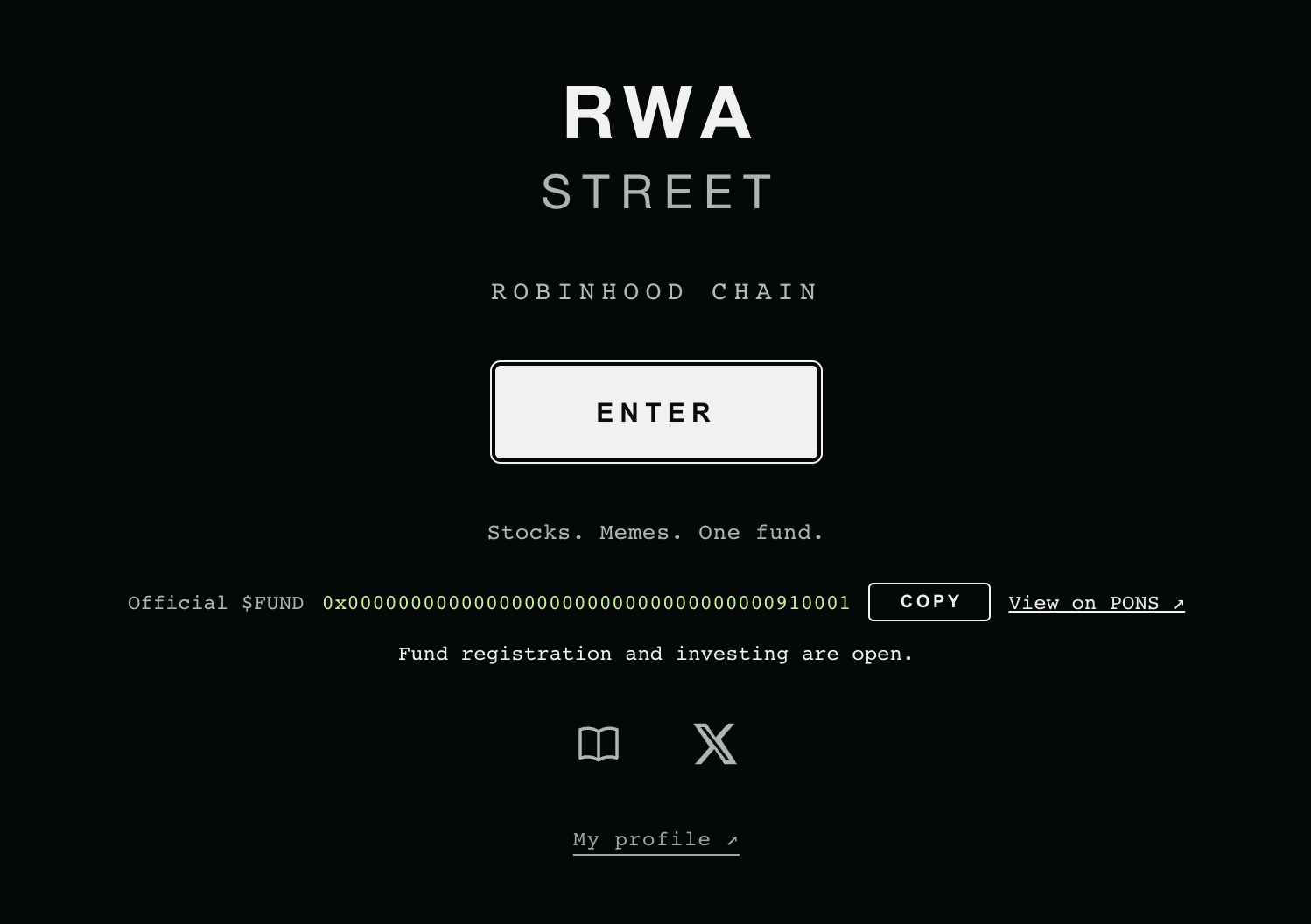
The landing page shows Official $FUND with the full token address, a COPY button and a View on PONS link, and says "Fund registration and investing are open."
The only official FUND
The address on the landing page. Token name RWA Street, ticker FUND, launched on PONS V2 by the founder, fixed supply of 1,000,000,000.
Afterwards
Ownership of the contracts passes to the founder's wallet in two public steps. No owner can move, sweep or withdraw the money inside a fund, and no one can pause withdrawals.
How investing opens
There is no opening date to wait for and no new website version to release. The production site is already published with registration closed. Everything below happens on Robinhood Chain, and the website reads each step from there.
1. The landing page waits for FUND
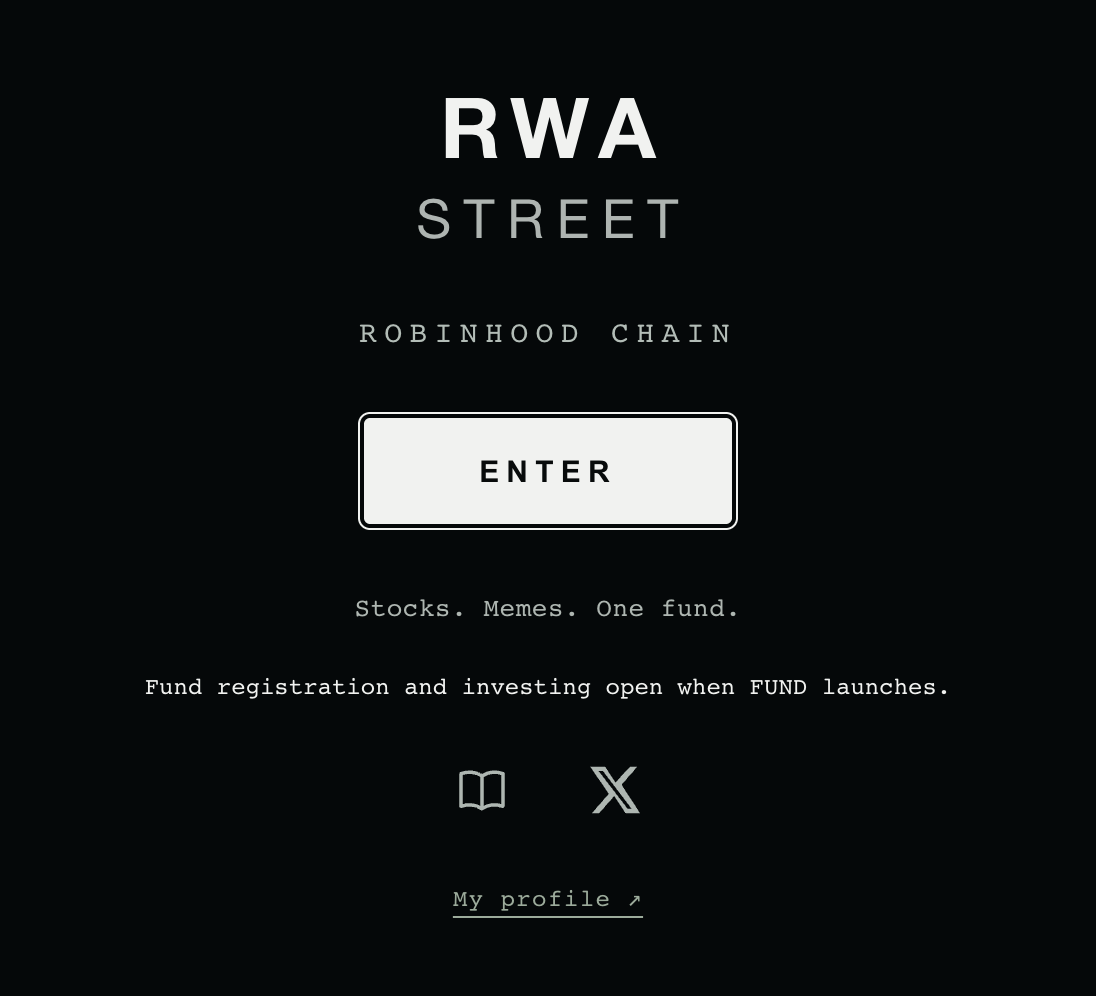
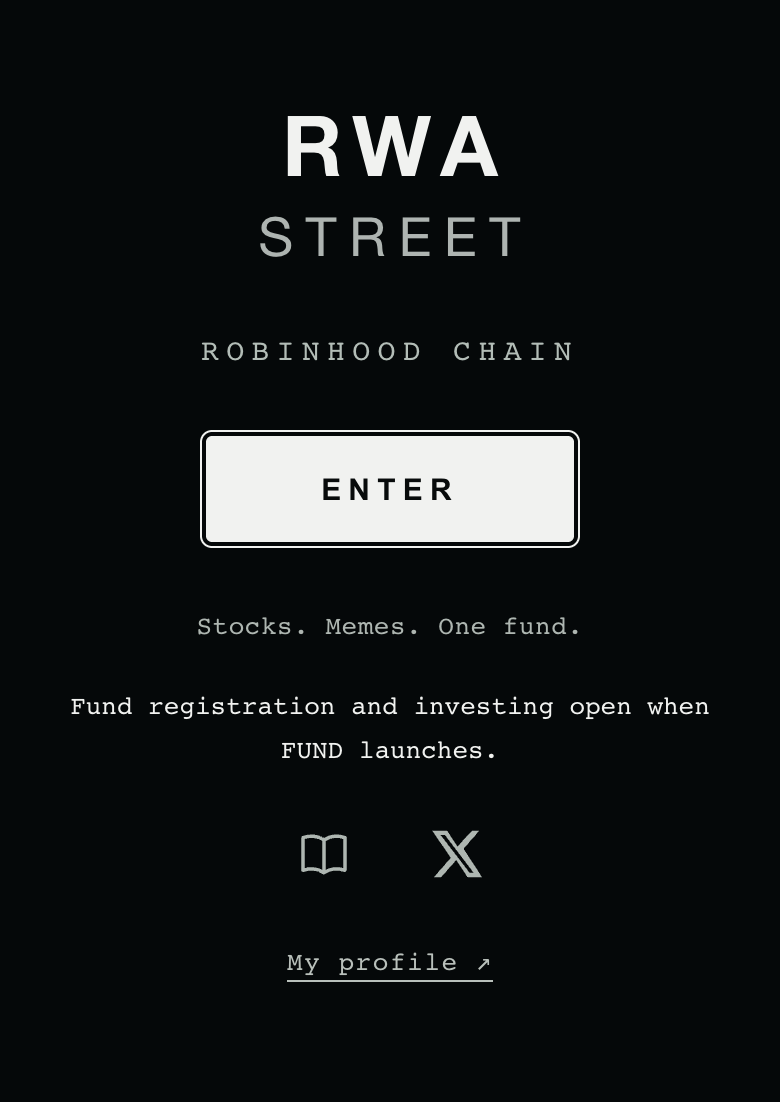
Before FUND exists, the landing page reads "Fund registration and investing open when FUND launches." No token address is shown, because there is no official token yet.
Before FUND launches, the landing page says registration and investing open when FUND launches.↗︎
2. The founder launches FUND on PONS
The founder launches FUND on PONS V2 from the founder's own launch wallet. Its token name is RWA Street and its ticker is FUND. PONS creates all 1,000,000,000 tokens at launch; nobody can mint more.
3. RWA Street checks and connects the token
The RWA Street launch system confirms that the new token really is the founder's PONS V2 launch, with the expected name, ticker and settings. It then connects that one token to the contracts in the places that use FUND: the 50,000 FUND creation charge, the FUND holder priority on fund capacity, and FUND as a way to pay into a fund. While this is happening the landing page reads "FUND has launched. Registration opens once the contracts finish binding it."
4. Fund creation and investing open
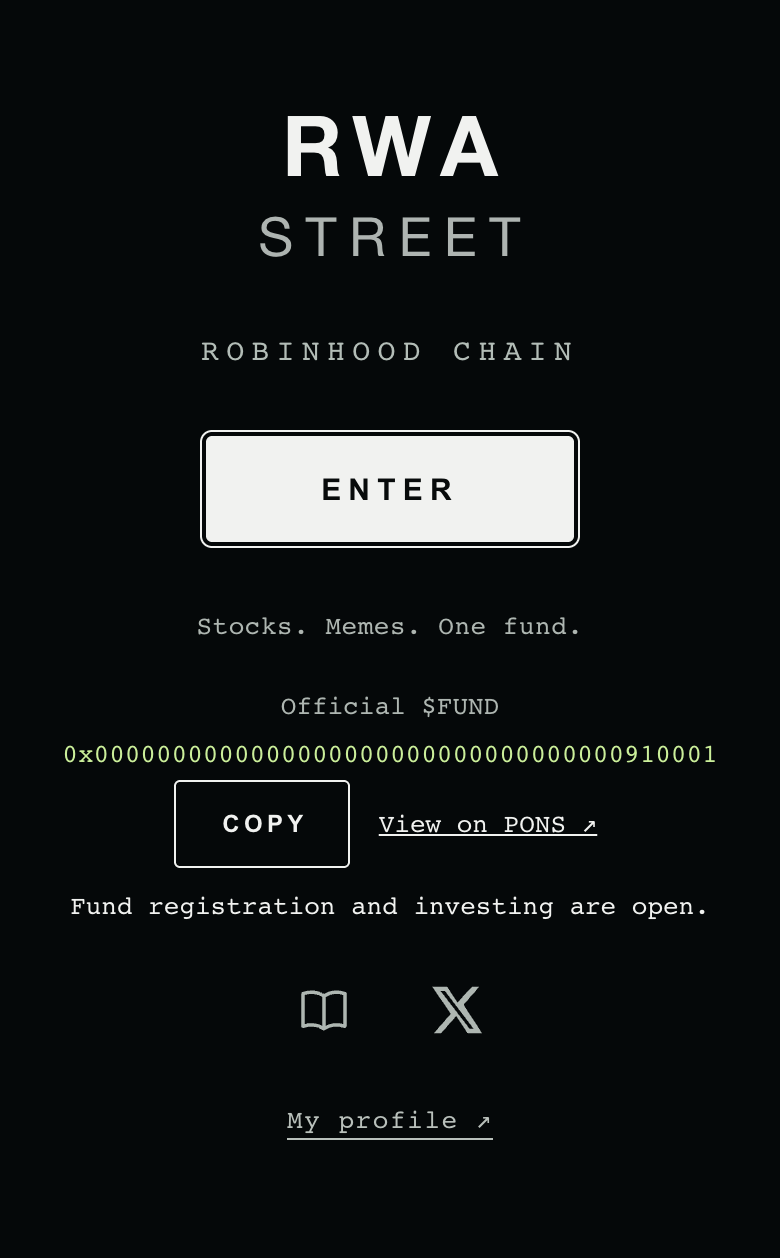
Once the token is connected, the contracts switch fund registration on. The landing page shows the official address with a COPY button and reads "Fund registration and investing are open." From that moment you can open a fund or invest in one.
Once open: Official $FUND, the address, COPY and View on PONS. The address in this picture is an all-zero test address, not FUND; the official one appears only on www.rwast.app.↗︎
5. Ownership moves to the founder's wallet
After opening, the launch system nominates the founder's wallet as the new owner of the RWA Street contracts, and the founder's wallet then accepts. See who owns the contracts below.
How long it takes
The target is about ten minutes from the moment FUND launches. It can take longer when:
PONS is moving FUND from its launch curve into its trading pool. The system waits for that move to finish.
Robinhood Chain prices need a fresh update before the contracts can value anything, for example right after a gap in the chain's regular heartbeat updates.
Network fees on Robinhood Chain are unusually high for a while.
In each case the system waits and continues by itself. You do not need to refresh the page or do anything; the landing page moves to the next state as soon as the chain does.
Reading the landing page
The landing page shows one status line. Inside the site, before registration opens, the top bar shows View availability where the wallet button will be (it reads Opening soon once the FUND address is shown). It opens a short sheet with a headline, the same line and the creation terms; the Registry desk opens the same sheet. On a phone the Street tab shows the same line; see use it on your phone.
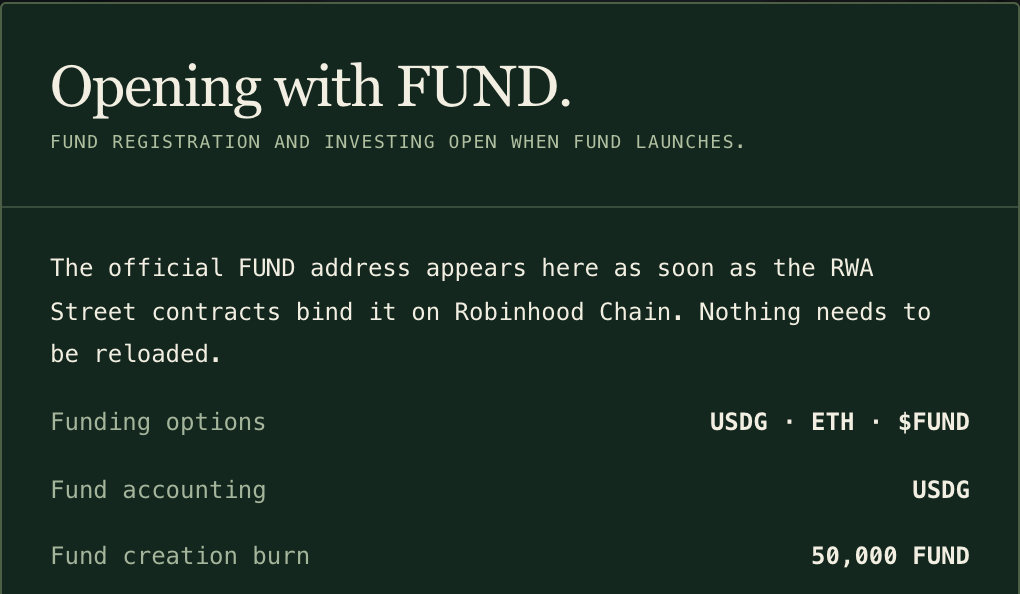
VIEW AVAILABILITY in the top bar opens this sheet: where things stand, and what opening a fund involves.↗︎
What the chain shows
Sheet headline
Landing line
FUND address shown?
What you can do
FUND not launched yet
Opening with FUND.
Fund registration and investing open when FUND launches.
No
Explore, browse examples, set up your profile
FUND launched, being connected
FUND has launched.
FUND has launched. Registration opens once the contracts finish binding it.
No
Wait; it continues by itself
FUND connected, registration about to open
FUND is live.
Fund registration opens after contract activation.
Yes
Check the address; registration follows shortly
Open
(no sheet; the Registry offers Register a fund)
Fund registration and investing are open.
Yes
Open a fund, invest, withdraw
Registration closed after funds exist
Registration paused.
New fund registration is paused. Existing funds keep operating.
Yes
Invest in and withdraw from existing funds; managers keep running their funds. Only new funds wait
Emergency deposit pause (the platform)
Deposits paused.
Deposits and new funds are paused across RWA Street. Withdrawals work as usual. (Before any fund is registered: "New funds and deposits are paused across RWA Street for now.")
Yes, once FUND is connected
Withdraw in USDG or in kind; managers keep trading. No fund takes deposits and no fund opens until the pause is lifted
Platform wind-down
Winding down.
RWA Street is winding down. Deposits and new funds are closed for good; withdrawals stay open. (Before any fund is registered: "RWA Street is winding down. No new funds will open.")
Yes, once FUND is connected
Withdraw in USDG or in kind. After the 7-day notice anyone can convert fund holdings to USDG, which stays in each fund
The token does not match the founder's launch
FUND unavailable.
FUND could not be verified against the reviewed launch. New fund registration and FUND conversion are unavailable.
No
USDG and ETH deposits into existing funds and all withdrawals are unaffected. Do not treat any token as official FUND
Wherever the address is shown (the landing page, the availability sheet and, on a phone, the Street tab), a COPY button beside it copies it exactly as shown and confirms with CA COPIED. Before the contracts bind FUND, while they are binding it, or when the token does not match, there is no address and no COPY. Once the address appears, the top bar also shows a $FUND ↗︎ link to the same PONS page.
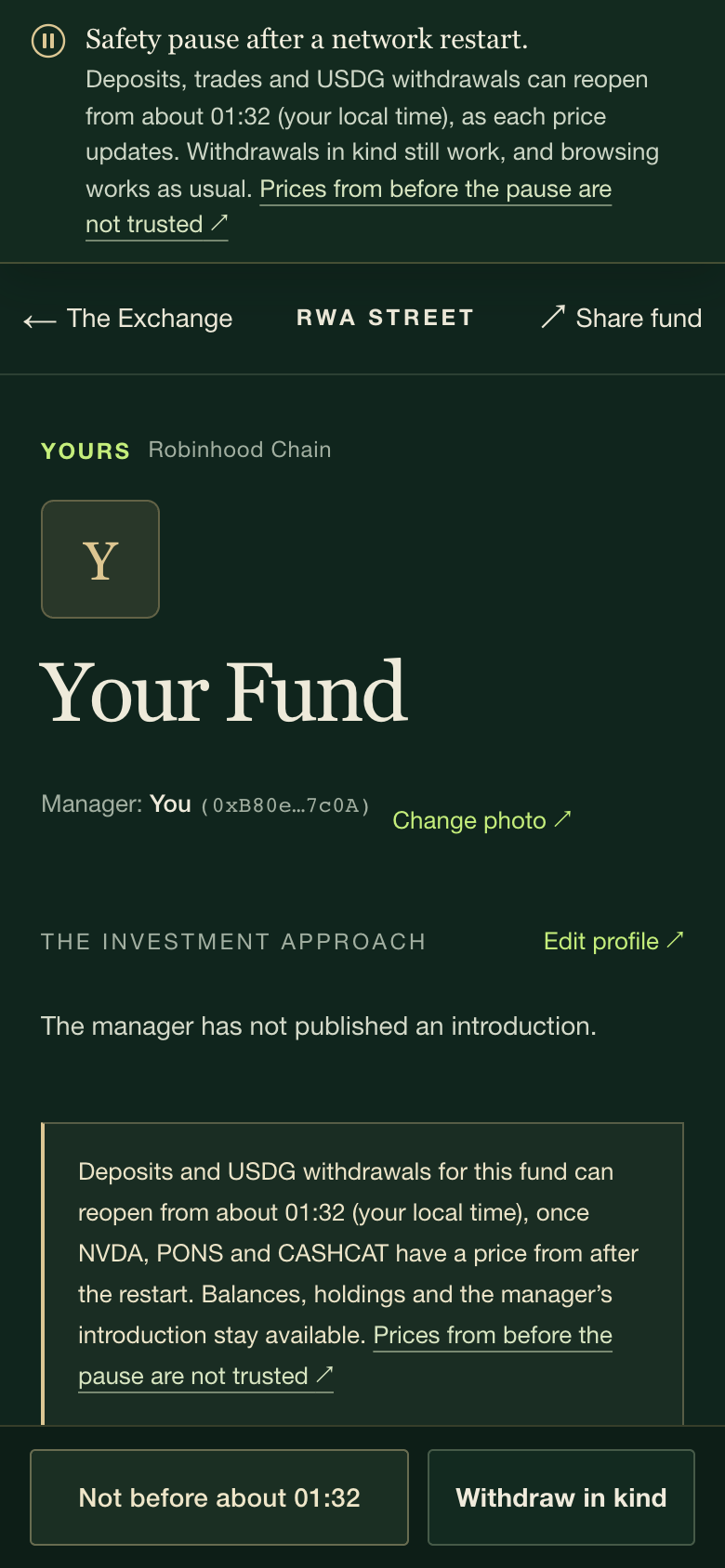
After a network restart the landing line gains a second part while prices wait. Before registration opens it reads "Safety pause after a network restart. Live prices return once the pause ends. Browsing works as usual." Once registration is open it names the earliest time registration can reopen, in your local time; once funds are registered, the earliest time deposits, trades and USDG withdrawals can reopen, and that withdrawals in kind still work. Inside the site the same words sit in a notice under the top bar. It goes away by itself. See Price checks.
The platform's own controls come first. During an emergency deposit pause or a platform wind-down (see safety controls below) the landing line says so in place of the launch state, and a notice under the top bar says what still works: withdrawals, in USDG or in kind, never stop. A wind-down notice also gives the local date and time conversions to USDG can begin. Either change is an ordinary owner transaction on Robinhood Chain that anyone can look up. Safety & exits explains what each state does.
Funds show these controls with their own labels: a platform pause shows Deposits paused · platform, and a wind-down shows Platform wind-down on followed by the date conversions can begin, then Platform wind-down · converting to USDG once they have begun. The directory shows them in short: PAUSED, WINDING DOWN and CONVERTING.
What works before opening
You do not need a wallet or FUND to look around.
The Street. Walk the district in 3D on a computer, or use the Street, Exchange, Registry and My Office tabs on a phone.
The Exchange. Until real funds take their places, the Exchange desks, its board and the phone Exchange list show four example portfolios: Broadway Index, Mercer Growth, Hudson Balance and Liberty Reserve. Each is labelled EXAMPLE and shows only a target allocation and fee terms. They have no balances, investors, returns or track record, and you cannot deposit into or withdraw from them. As registered funds open, they take the desks and the board first and the examples step aside one by one; in the fund directory the examples stay under their own Examples switch.
The asset directory. The asset directory lists 194 Robinhood-issued stock-token identities plus 7 ecosystem tokens and memecoins. Only switched-on assets can be bought: at launch that is the 35 stock tokens with price feeds and 7 ecosystem tokens and memecoins (PONS, CASHCAT, AI, Index, DELTA, SHROOM and TENDIES). Each asset is checked on its own, so one with a problem never stops the rest.
Creation terms. The Registry shows what opening a fund involves: funding in USDG, ETH or FUND, accounting in USDG, and the 50,000 FUND creation charge.
My profile.My profile↗︎ lets you sign in by signing a message with a standard wallet that has Robinhood Chain (4663) selected (no transaction and no gas), add a photo, and save optional X and FOMO links. When you manage a fund, your profile photo is that fund's photo. Links are supplied by the manager and are not verified accounts.
Nothing financial is possible yet: no fund registration, deposits, trades or withdrawals, because no fund exists before opening.
Verify the official FUND address
Anyone can launch a token called FUND, or even one named RWA Street. Only the address matters.
Open www.rwast.app↗︎ and find Official $FUND on the landing page. It shows the full contract address, and the COPY button beside it copies that address exactly as shown. The button appears only once the contracts have bound FUND.
Use the View on PONS link right next to it rather than a link from a message, a post or a search result.
Compare the whole address, character by character, with the token you are about to buy or approve. Matching the first and last few characters is not enough.
Check that the token is named RWA Street with ticker FUND.
If the landing page shows no address, or shows FUND unavailable, there is no official FUND to buy at that moment.
The address is read from Robinhood Chain, not typed into the website. Before showing it, the site checks that all the contract settings name the same token and that this token was launched on PONS V2 by the founder's launch wallet with ticker FUND. If anything disagrees, it shows no address at all.
Official announcements are posted on X at @RWASTREET↗︎. RWA Street will never ask for your seed phrase or private key.
Buying FUND on PONS carries PONS trading costs plus price impact; see fees & costs.
Who owns the contracts afterwards
Four RWA Street contracts have an administrative owner: the price source, the trading router, the fund factory and the deposit gateway. During setup and launch they are owned by a dedicated launch wallet. After fund creation and investing open, ownership moves to the founder's wallet in two steps:
The launch wallet nominates the founder's wallet as the new owner of all four contracts.
The founder's wallet accepts. Only then does it become the owner. Until it accepts, nothing changes.
Both steps are ordinary transactions on Robinhood Chain that anyone can look up.
Ownership is about platform settings, not about the money inside funds. Each fund belongs to its shareholders and is run by its own manager. The owner can list or delist assets, open or close new fund registration, set the creation charge for future funds, pause new deposits in an emergency and start a wind-down. The owner can also change the price feeds and trading routes the funds use, and those changes take effect immediately. That trust is disclosed in full in safety & exits.
The owner cannot move, sweep or withdraw any fund's assets, pause withdrawals, change a fund's fees, capacity or manager, or close or pause an individual fund.
Safety controls
These controls are built into the fund contracts on Robinhood Chain:
A manager can pause deposits into their own fund, and resume them later.
A manager can close their fund permanently. A closed fund never accepts deposits again, and its manager can only sell holdings toward USDG.
The owner can pause new deposits into every fund and the opening of new funds in an emergency. It can be lifted. Trading, fees and withdrawals continue during the pause.
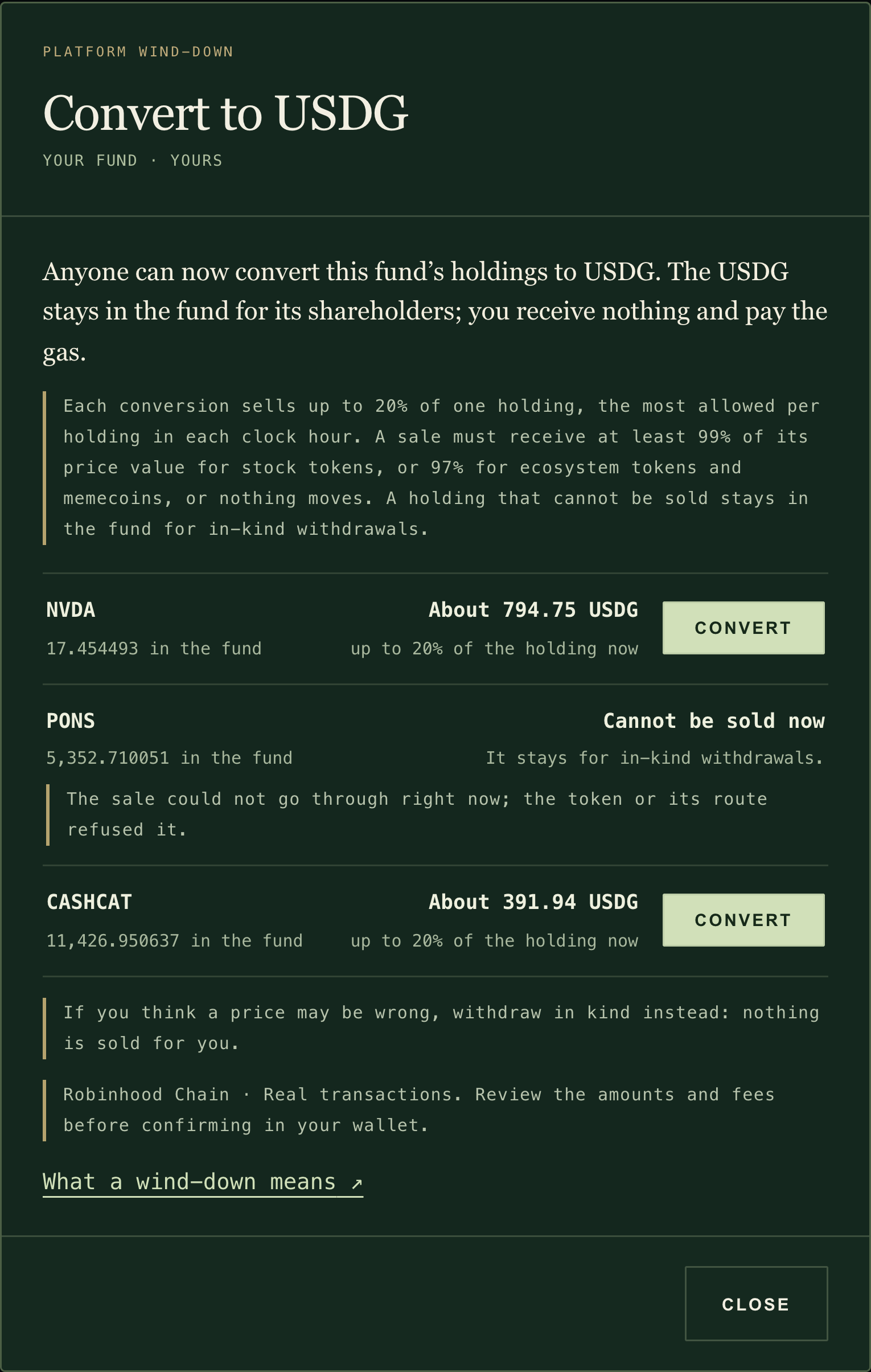
The owner can start a platform wind-down. It cannot be cancelled or shortened. New deposits and new funds stop at once, and every fund can only sell toward USDG. After a 7-day notice, anyone may convert a fund's holdings into USDG, at most 20% of each holding in each clock hour. The USDG stays in the fund for its shareholders; the person converting receives nothing.
Withdrawals can never be paused, by anyone, in any of these states.
You can always leave in kind: take your exact share of everything the fund holds, its USDG and each token, with no sale and no price needed. Freshly deposited shares wait about a day first; withdrawing in USDG is not affected.
The website shows every state and offers every exit: fund status badges, the manager's pause and close in My Office, withdrawal in kind on the withdraw ticket and, after a wind-down notice, the conversion to USDG on each fund page.
There is no function that moves investor money to the owner. Money leaves a fund only to a shareholder who is withdrawing, or through a trade whose proceeds return to the same fund.
Management and performance fees keep running while a fund is paused, closed or winding down. The full details, including fees on in-kind exits and what to do during a wind-down, are in safety & exits.
Before investing
Read the manager's approach, holdings and fees before you invest. A new fund starts with no history; its page shows only what has happened on chain.
Stock tokens carry market risk and the risks of their issuer.
Ecosystem tokens and memecoins can move sharply, can be held by a few wallets and can be hard to sell in size.
USDG has its own risks. Holding USDG in a fund is not a bank deposit.
Paying into a fund with FUND sells it on PONS first, which carries PONS trading costs plus price impact. USDG avoids this.
A withdrawal in USDG needs working prices and trading routes. If they are unavailable, it can fail and nothing moves; you can still leave in kind.
The 50,000 FUND creation charge is burned, not invested. If the fund creation fails, the whole transaction is undone and nothing is burned. FUND holders receive no share of fees, no staking yield and no buybacks. Burns do not guarantee any return or FUND price.
Read how funds work for how value, fees and withdrawals are calculated, and fees & costs for every cost in one place.
Investor guide03 / 11
Invest in a fund
AT A GLANCE
Find a fund, check there is room for you, pay in USDG, ETH or FUND, and withdraw in USDG whenever the fund can be valued, or in kind at any time.
You need
A browser wallet (or your wallet app's built-in browser) on Robinhood Chain, with a little ETH for gas
Pay in
USDG goes straight in. ETH and FUND are converted to USDG first.
You receive
Fund shares, priced at the fund's value per share
Is FUND required?
No. You only need 100,000 FUND or more to use the part of a fund reserved for FUND holders.
Withdraw in
USDG, or in kind: your exact share of everything the fund holds
YOU’LL NEED
A wallet connected to Robinhood Chain (chain ID 4663)
ETH for gas, even if you pay in USDG
The USDG, ETH or FUND you want to invest
Before you start
Investing opens automatically once FUND launches and the contracts connect to it. The landing page shows whether it is open. See Is it live?.
A wallet. Use a browser-extension wallet on a computer. On a phone, open www.rwast.app inside your wallet app's built-in browser; see Use it on your phone.
The right network. Your wallet must be on Robinhood Chain (chain ID 4663). The site does not add or switch the network for you. See Add Robinhood Chain to your wallet.
ETH for gas. Every approval, deposit and withdrawal is a transaction and costs a small amount of ETH.
Something to invest. USDG, ETH or FUND in the same wallet.
You do not need a profile, a social account or any FUND to invest in the part of a fund that is open to everyone.
1Find a fund
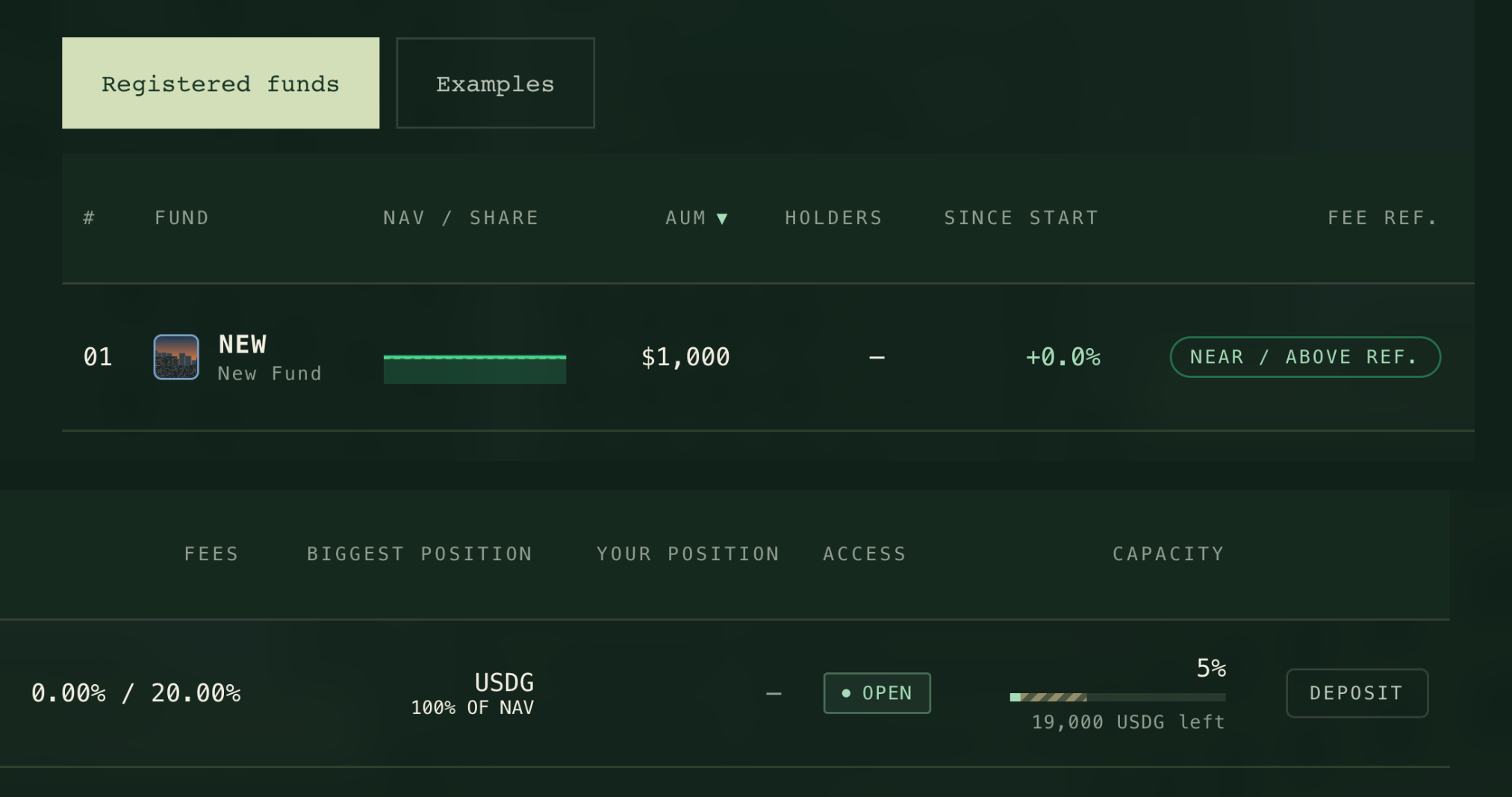
→Open THE TERMINAL (the first button on the landing page, or TERMINAL at the top of the screen) to compare every fund as a card: its manager, holdings, fees and room left. Rank the cards with Top by size, Top performers or New. TABLE shows the same funds as one wide table, pictured here. Select a fund to visit it.
Compare funds side by side. The directory is one wide table, shown here in two parts: from the fund to its fee reference, then fees, positions, ACCESS and capacity. Select a column heading to sort.↗︎After opening, with one newly created fund: search, sort and compare funds on the Exchange tab.↗︎
What you’ll seeOne row per fund: value per share, assets under management (AUM), holders, return since start, position against the performance-fee reference, fees, biggest position, your position, access and room left.
Sorting, filters, badges and examples (6)
Select a column heading to sort by it; select it again to reverse the order. Search by fund name or ticker.
Filters: ALL, NEAR / ABOVE REF., BELOW REF., MY INVESTMENTS and MY FUND. A dash means a figure is not available yet.
ACCESS reads OPEN (there is public room), FUND 100K (only the FUND-holder reserve is left), FUND ACCESS (you hold enough FUND for it), FULL, or UNAVAILABLE (the fund's room could not be read). It describes room only: a fund whose deposits are stopped can still read OPEN, and its fund page then greys out the deposit button.
Desks marked EXAMPLE, and the directory's Examples switch, show example portfolios, not funds; you cannot invest in them. What they are.
A new fund has no past returns. Its chart builds up from recorded values over time, so check how long the chart covers before comparing returns.
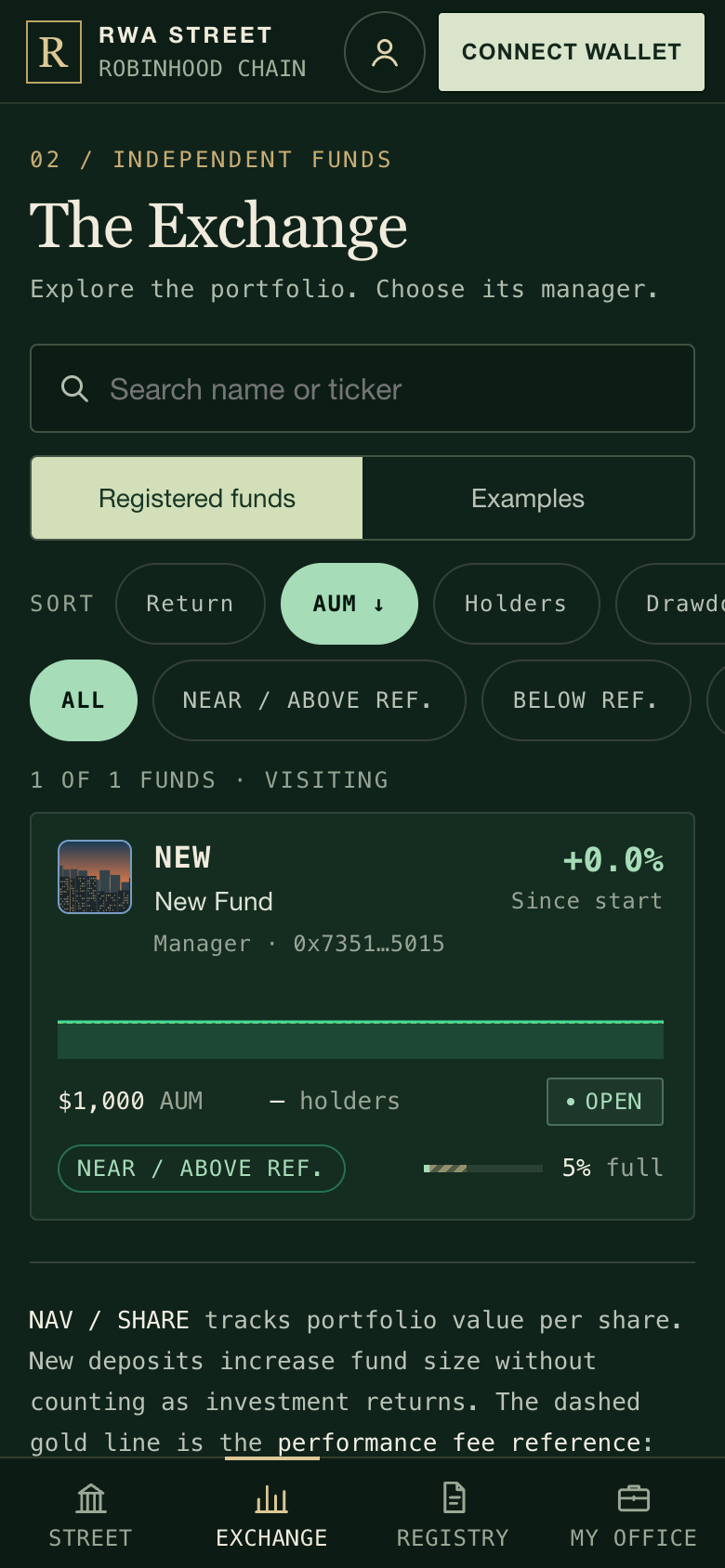
On a phone, the Exchange tab lists funds as cards. Tap a card to open the fund.
2Read the fund page
→Select the fund's name in the directory, or VISIT FUND OFFICE on its desk. On the fund's floor, select the fund's name on its panel to open the fund page. Read the introduction, the holdings and the fees.
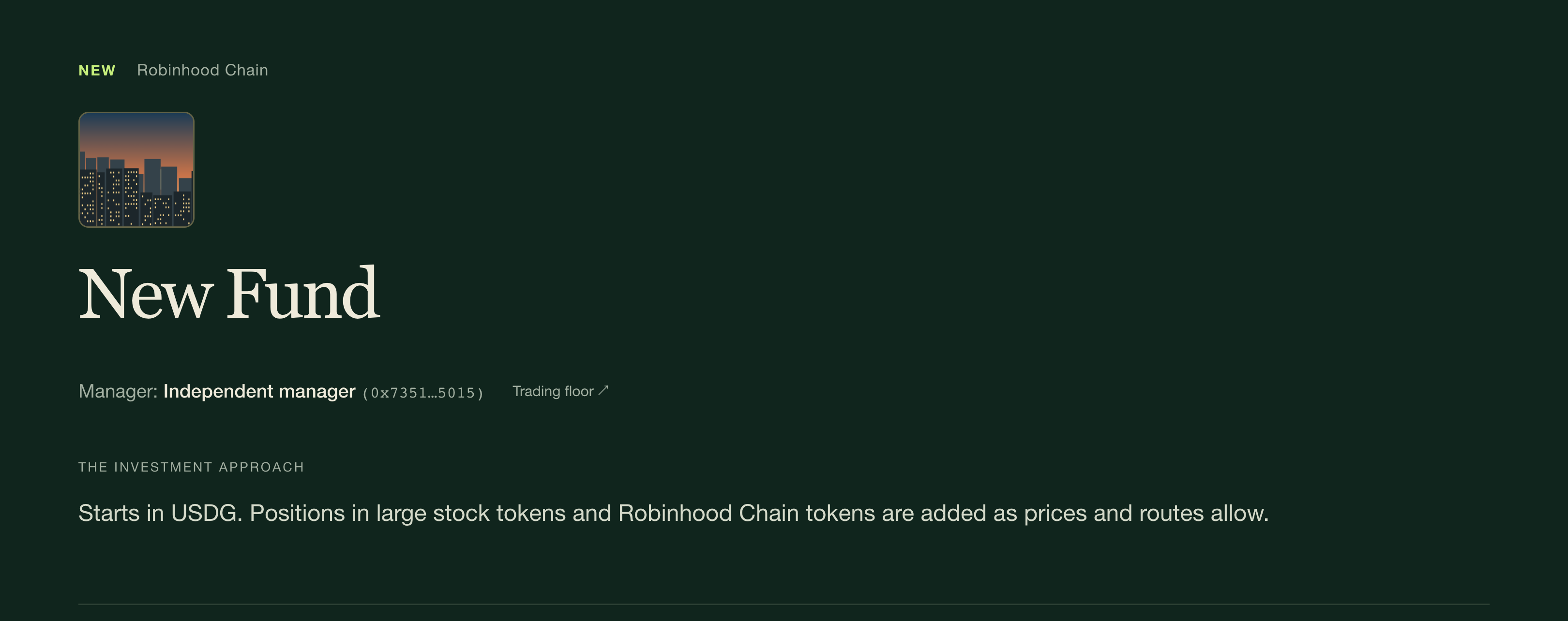
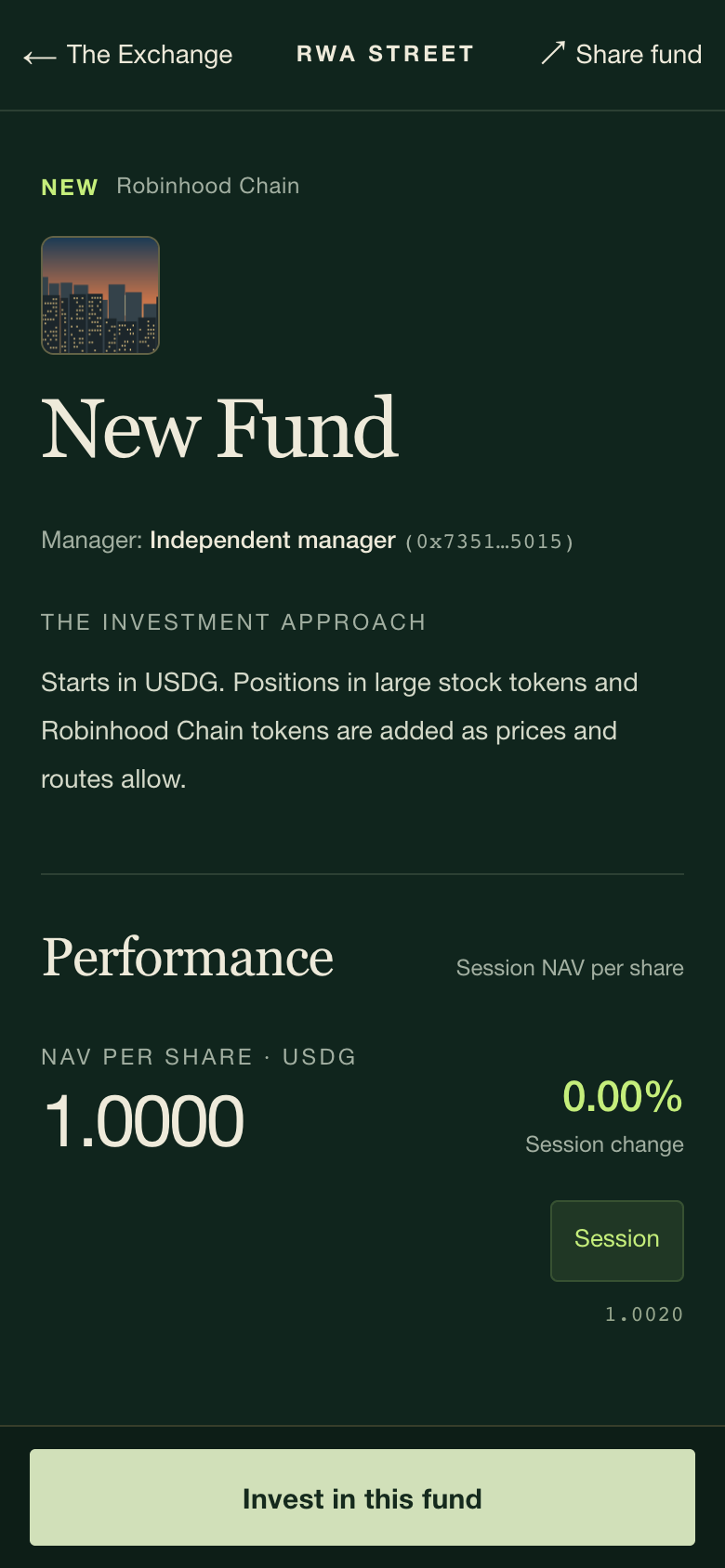
The top of a newly created fund's page: its photo, manager and approach. Performance, holdings and the invest card follow below.↗︎A newly created fund on a phone: Invest sits at the bottom of the screen.↗︎
What you’ll seeThe fund photo, the manager's nickname (or Independent manager when there is none) and wallet address, the introduction, value per share, current holdings, both fees and a capacity bar showing how much room is left.
Photos, links, holdings and manager changes (5)
The fund's photo is its current manager's profile photo. It changes if the fund gets a new manager, and funds run by the same manager share it.
Nicknames, photos and X or FOMO links are supplied by the wallet owner and are not verified. They do not prove identity, skill or an endorsement by RWA Street. Check the manager's wallet address and the actual holdings.
Holdings can differ from the introduction. The introduction describes an approach; it does not limit what the manager trades.
A manager can hand the fund to another wallet at once, without notice. The fees and capacity stay the same. See Who can do what.
If the fund holds a memecoin or an ecosystem token, it cannot be valued while that token's pool is quiet or moving fast. Deposits and USDG withdrawals then wait. See How prices stay honest.
3Check there is room for you
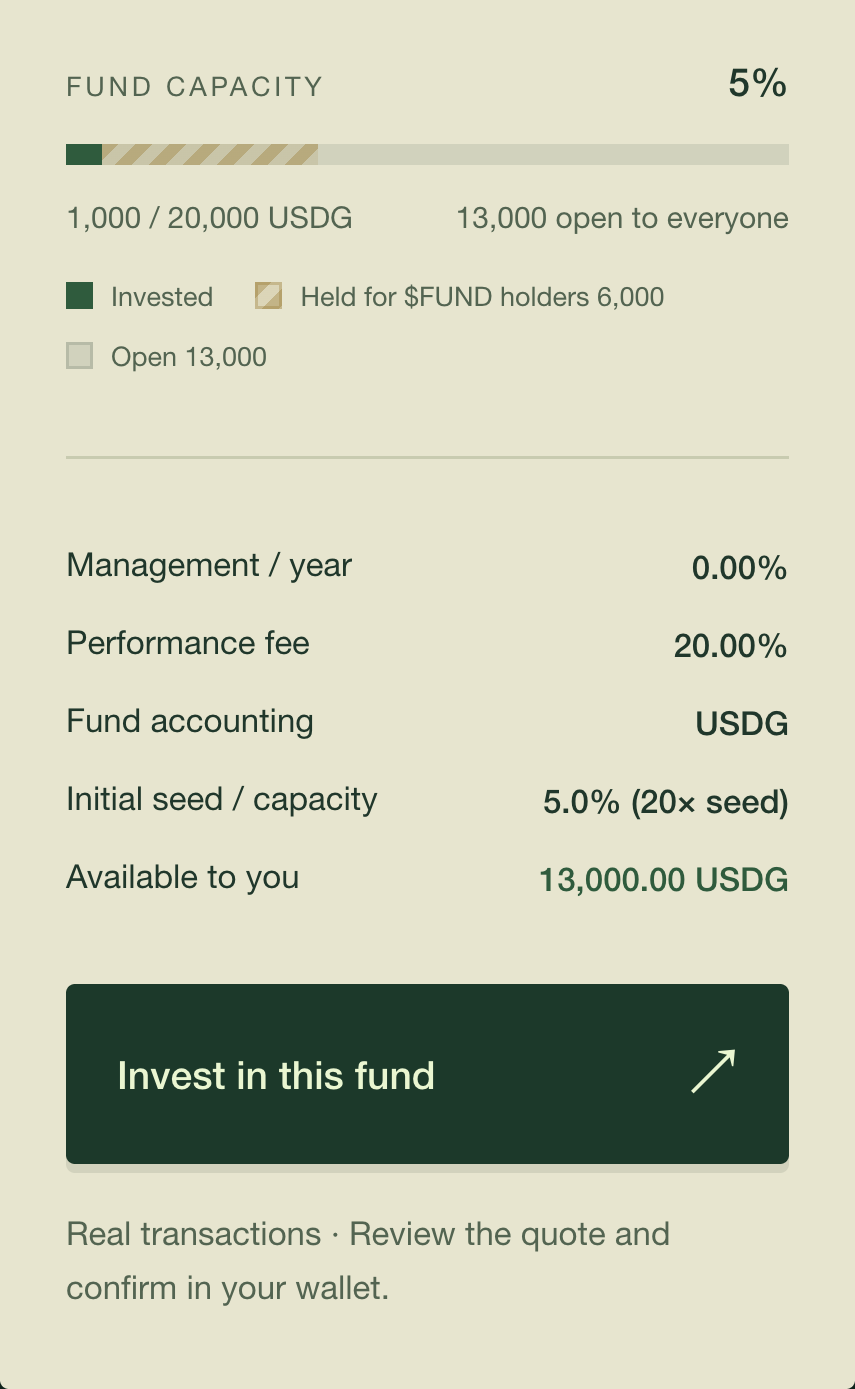
→On the fund page, look at the Fund capacity bar and the Available to you line. The deposit ticket shows the same figure as Available to you here.
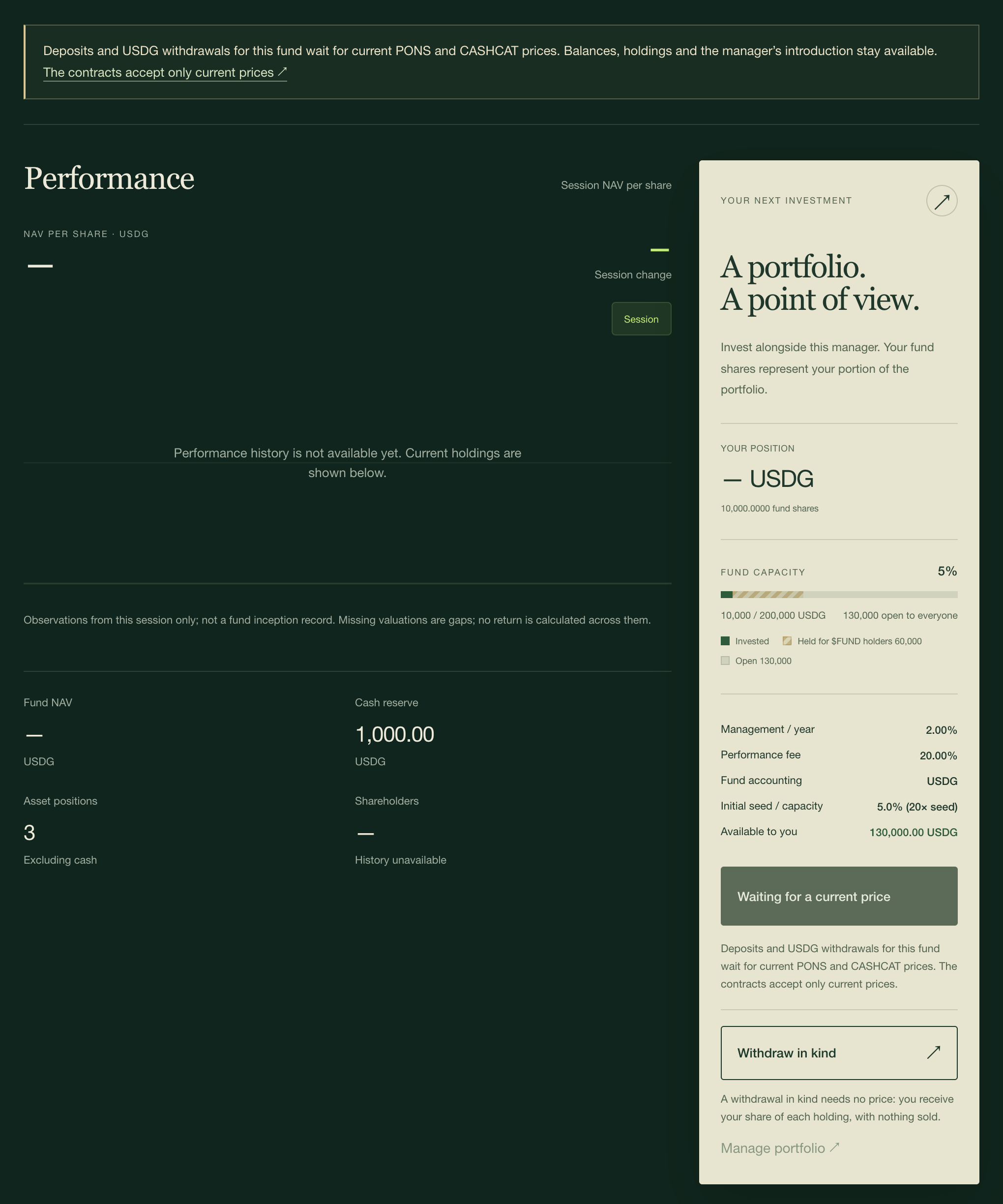
The invest card: how full the fund is, how much is held for FUND holders, and how much is available to you.↗︎
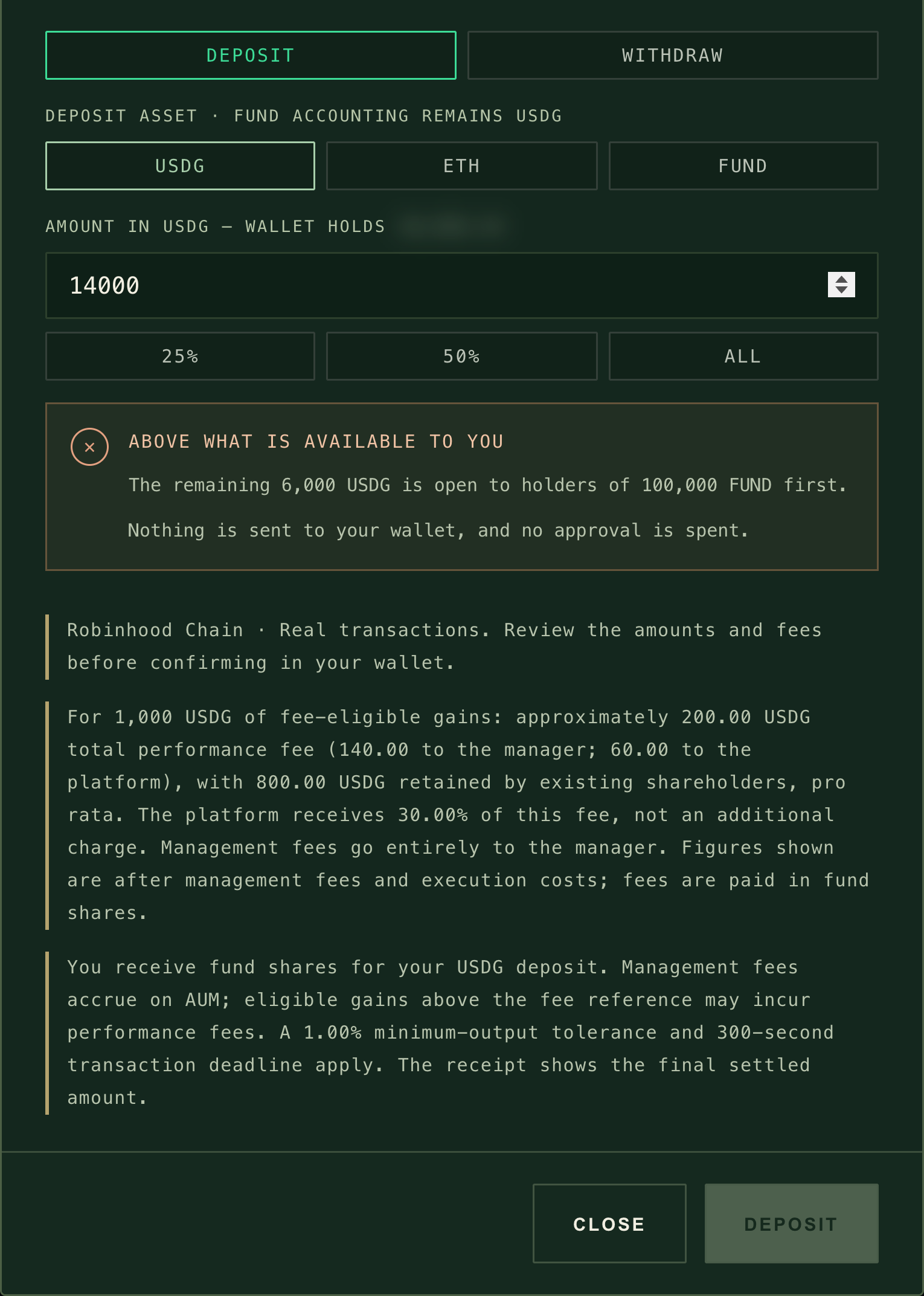
What you’ll seeIf an amount is too high, the ticket shows ABOVE WHAT IS AVAILABLE TO YOU with the reason, and your wallet is never asked.
When room runs short (3)
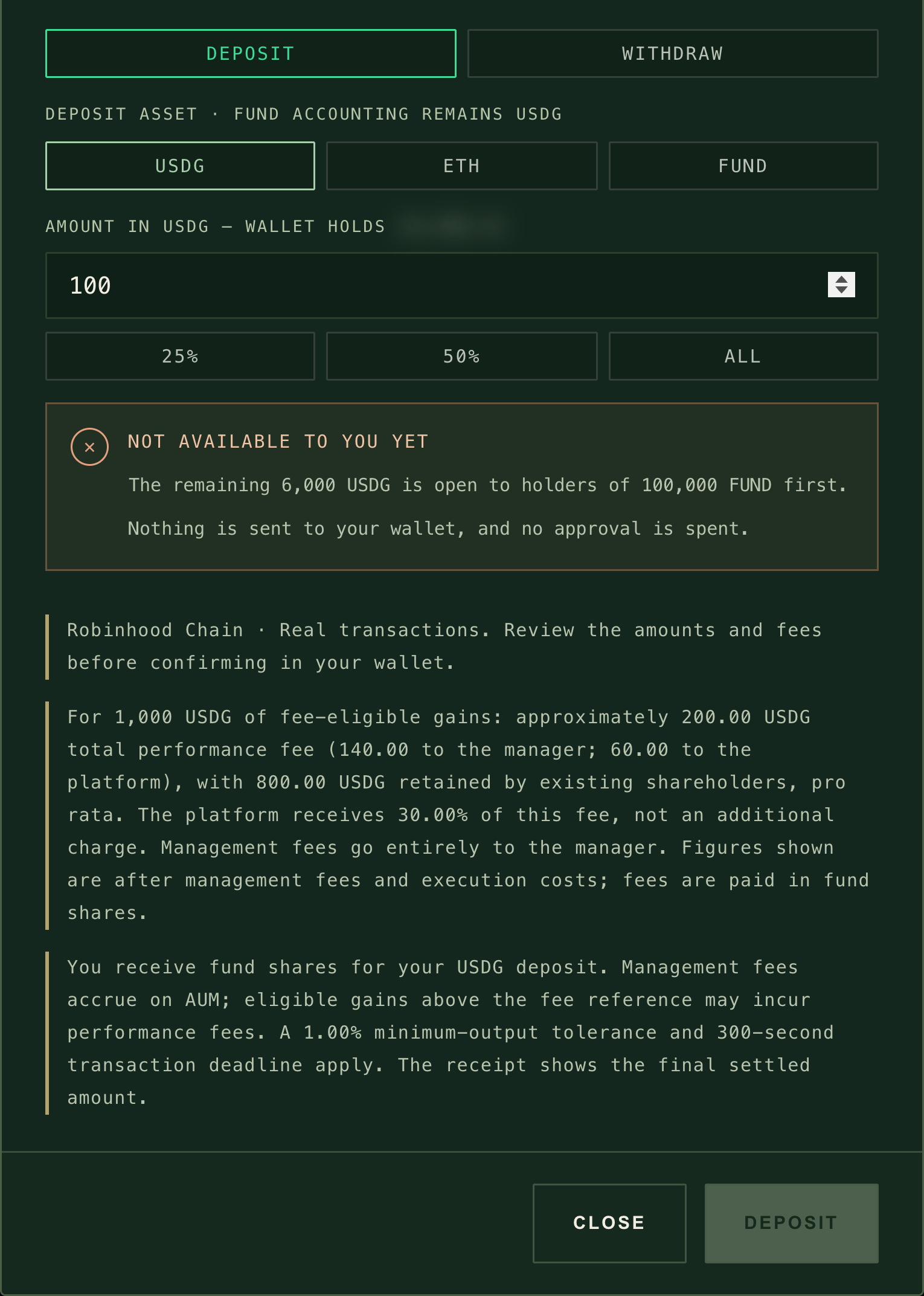
Type more than your room and the ticket says so before you sign (picture below).
Another investor's deposit can use the last of the room before yours settles. The fund contract checks again when your transaction runs, and refuses it if the room is gone. You lose only the gas.
Above your room: this wallet may put in 13,000 USDG, and the rest is held for FUND holders. The ticket says so before you sign. Wallet balances are blurred in these pictures.↗︎
Every fund has a size limit, set when it opens: its seed times a multiple the manager chose (20× to 100×). The limit counts the money paid in, not market gains. 70% is open to everyone and 30% is first reserved for FUND holders.
A fund seeded with 1,000 USDG at 20× can take 20,000 USDG in total
70%30%
Public room, open to everyone70% · 14,000 USDG
FUND-holder reserve30% · 6,000 USDG
The manager's 1,000 USDG seed counts toward the public room, so 13,000 USDG is left there for investors. This is the fund in the screenshots on this page.
The reserve is for wallets holding at least 100,000 FUND. It opens to everyone 3 days after the public room first fills.
Holder allowance. With 100,000 FUND you may use 10% of the reserve; the share grows in a straight line to the whole reserve at 1,000,000 FUND. With 250,000 FUND and the 6,000 USDG reserve above, you may put in up to 1,500 USDG.
It is counted once per wallet, for the life of the fund. Withdrawing does not give your reserve allowance back.
The 3-day clock starts the first time the public room fills. Withdrawals do not restart it, the manager cannot restart it, and a pause in deposits does not stop it.
Withdrawals free room. The room freed is the amount originally paid in for those shares, which can differ from the USDG paid out.
4Choose how you pay
→Select Invest in this fund on the fund page (or DEPOSIT in its directory row), pick USDG, ETH or FUND, and enter an amount. The 25%, 50% and ALL buttons fill it from your wallet balance.
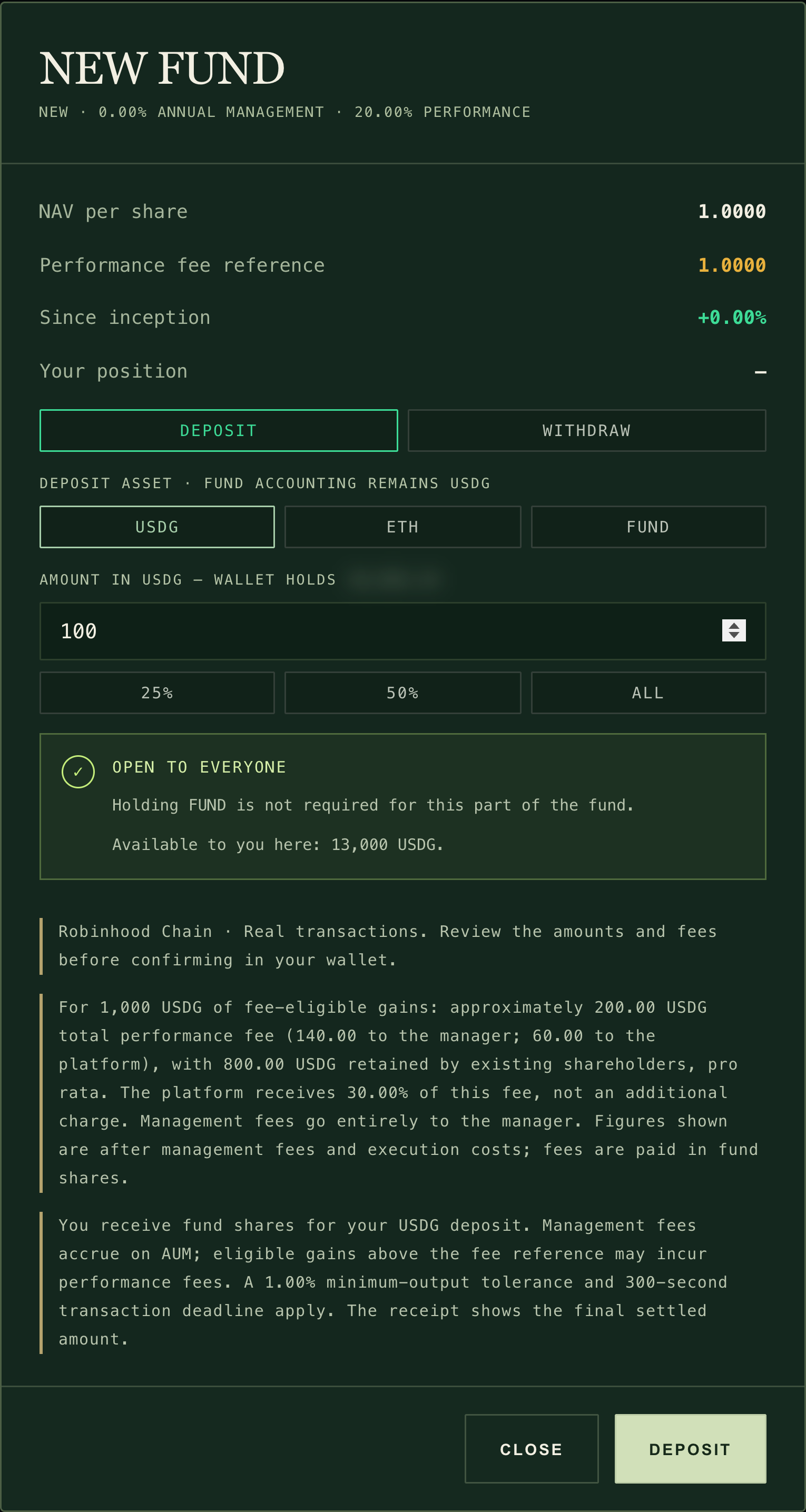
USDG goes straight into the fund. The whole ticket: the fees, your wallet balance (blurred here), how much you can deposit, a worked performance-fee example and DEPOSIT.↗︎On a phone, the ticket opens as a sheet from the bottom. The amount is the reader's own input.↗︎
What you’ll seeThe fund's fees, a green check with OPEN TO EVERYONE (or OPEN TO YOU · $FUND HOLDER ALLOCATION), and Available to you here in USDG.
Paying with USDG, ETH or FUND (7)
USDG deposits directly. You pay only gas.
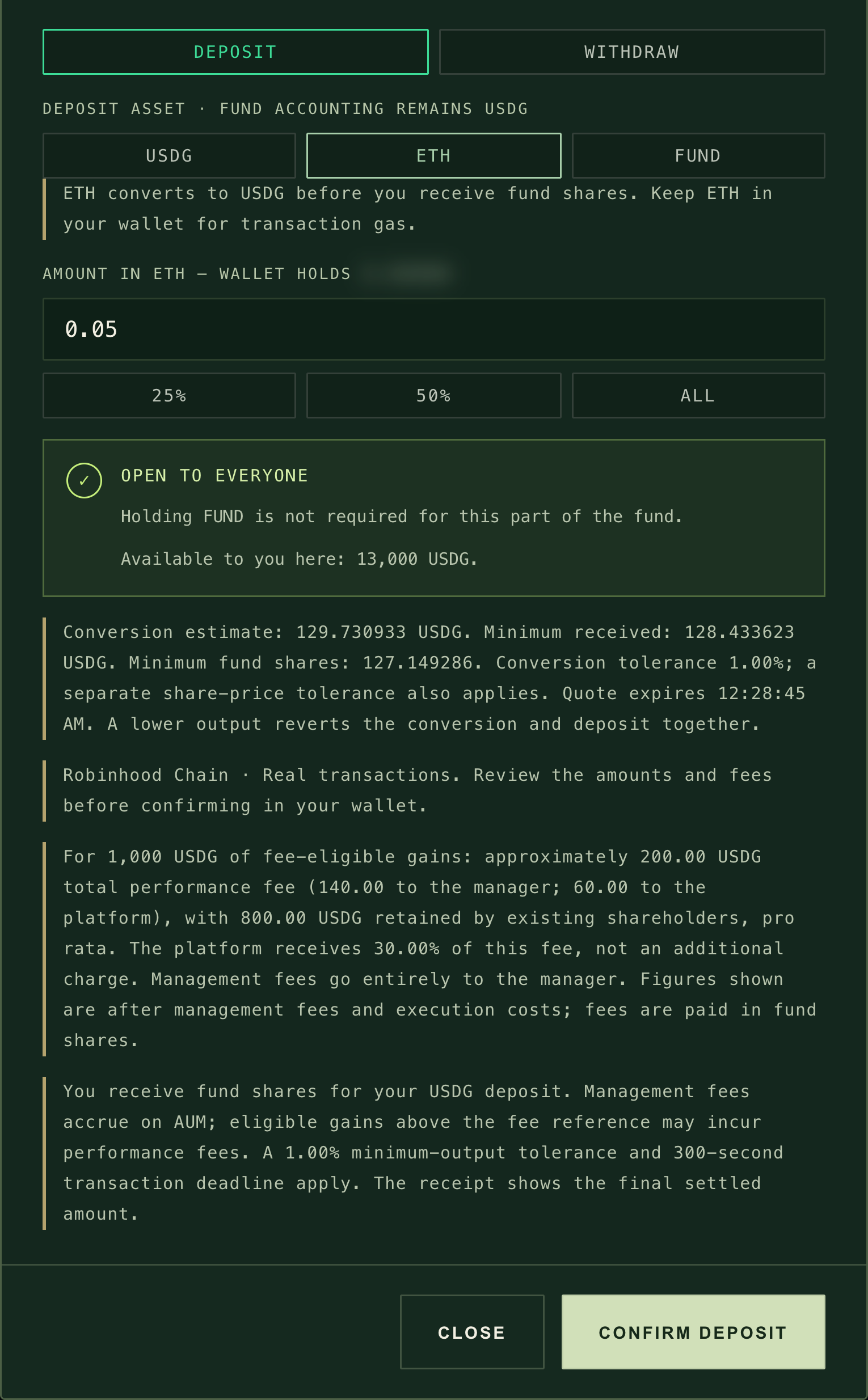
ETH and FUND are sold for USDG first, inside the same transaction as your deposit. Choose REVIEW CONVERSION to see the estimate, the minimum USDG, the minimum fund shares and the time the quote expires. Then choose CONFIRM DEPOSIT.
If the conversion would pay less than the minimums, the conversion and the deposit are undone together and nothing is lost but gas. The site allows 1% below the quote on the conversion and applies a separate limit on the share price.
A quote lasts about five minutes. If it expires, or you change the amount, review again.
Keep some ETH back when you pay in ETH, so you can still pay gas.
While FUND is still on its PONS launch curve, the FUND estimate is indicative; the minimums still protect you. While PONS moves FUND to its trading pool, paying with FUND is paused. Use USDG or ETH meanwhile.
If a FUND payment reaches into the holder reserve, your eligibility is checked on the FUND left in your wallet after the payment. Paying with FUND can take you below 100,000 FUND and out of the reserve.
Converting ETH: the estimate, the minimums and when the quote expires.↗︎
5Confirm and check your receipt
→If your wallet asks for an approval, confirm it. Then confirm the deposit itself and wait for Deposit confirmed.
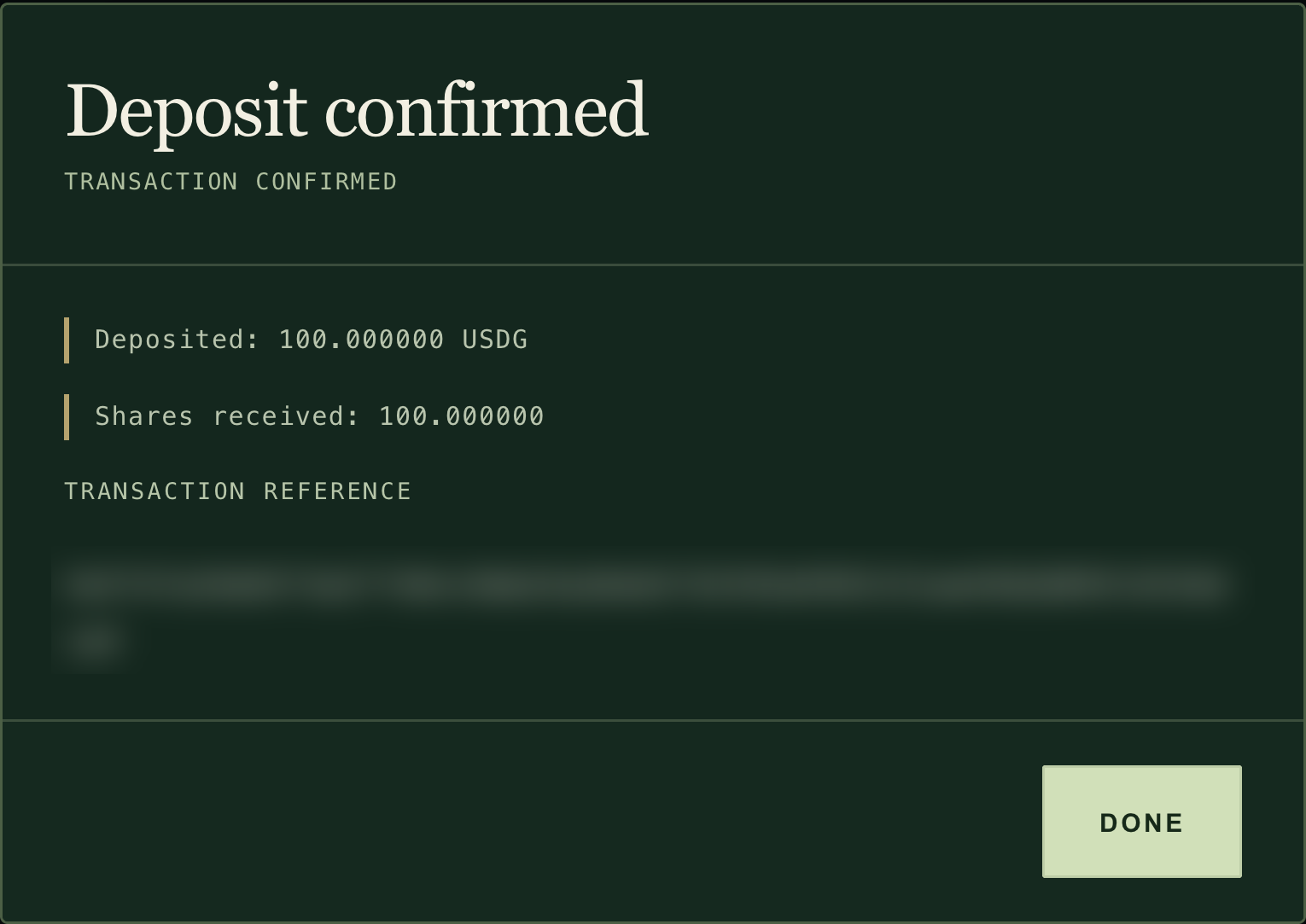
The receipt shows the USDG invested and the shares you received. The transaction reference is blurred here; your own receipt shows yours.↗︎
What you’ll seeThe receipt lists Deposited (USDG) and Shares received, plus Spent when you paid in ETH or FUND, and a transaction reference. Your own receipt shows your transaction's reference, which you can look up on the Robinhood Chain block explorer↗︎.
Approvals, pending transactions and your new shares (5)
An approval alone deposits nothing. It only lets the fund take your token. If you see Approval confirmed, reopen the ticket, check the amounts and submit the deposit.
If a transaction is still pending, the site says so and offers CHECK STATUS. Do not submit the same action again while it is pending.
Your money arrives in the fund as USDG cash. The manager decides when to invest it.
Your position then shows on the fund page and under MY INVESTMENTS in the directory. The fund page button changes to Deposit / withdraw.
Fund shares are your stake in that fund's portfolio, with its gains and losses. They are not FUND, and they carry the fund's fees. See Fund fees.
6Withdraw
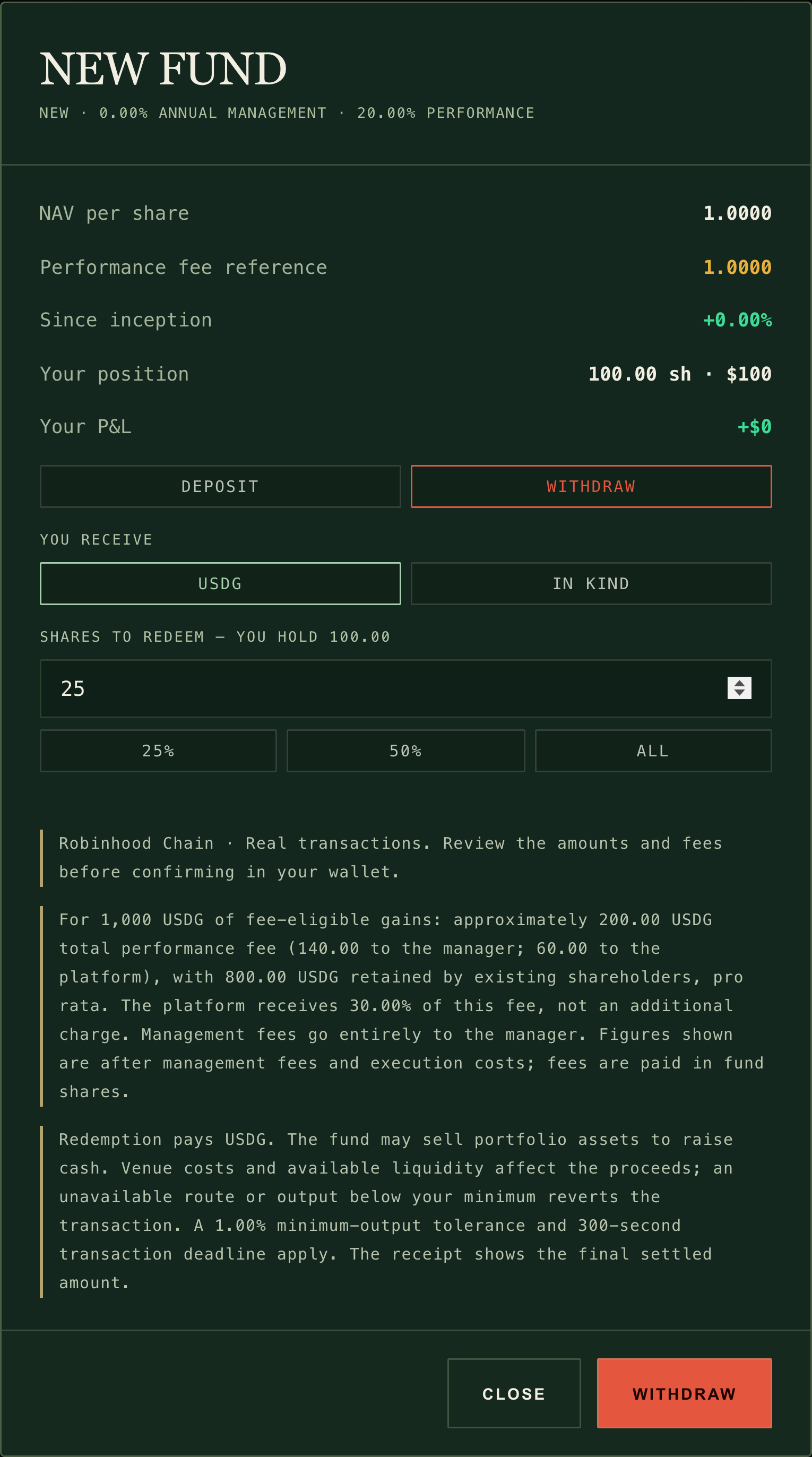
→Open the ticket (Deposit / withdraw on the fund page, or Withdraw at the bottom on a phone), select WITHDRAW, keep USDG under You receive, enter the fund shares to redeem, and confirm. To take your share of every holding instead, choose IN KIND (see Two ways to withdraw).
Redeem shares for USDG, whatever you paid in with, or choose IN KIND. The note above WITHDRAW says how a USDG redemption is paid.↗︎
What you’ll seeThe shares you hold, the current value per share and your position's value. When you confirm, the site sets a minimum USDG 1% below the current estimate and a five-minute deadline.
How a USDG withdrawal is paid (7)
You always receive USDG, whether you paid in USDG, ETH or FUND.
If the fund's USDG cash covers your withdrawal, nothing is sold.
If not, the fund sells the same small fraction of every holding. Each sale must receive at least 99% of the price-feed value for stock tokens, or 97% for ecosystem tokens and memecoins. If any sale cannot, the whole withdrawal is refused and nothing moves.
Selling costs pool fees and price impact, shared by you and the holders who stay.
A USDG withdrawal needs a valid price for everything the fund holds. While a holding has no current price the fund page names it beside a Waiting for a current price button; while prices recover after a chain outage the button reads Not before about the earliest time it can reopen (or Paused for safety while that time is not known yet). Either way, withdrawals in USDG wait. A withdrawal in kind does not: the fund page offers Withdraw in kind under the waiting button, and on a phone beside it in the bar.
The value on the page is an estimate, not a guaranteed amount. The receipt shows what was actually paid.
Withdrawals are never paused by a manager or by the platform. Room limits never block them either.
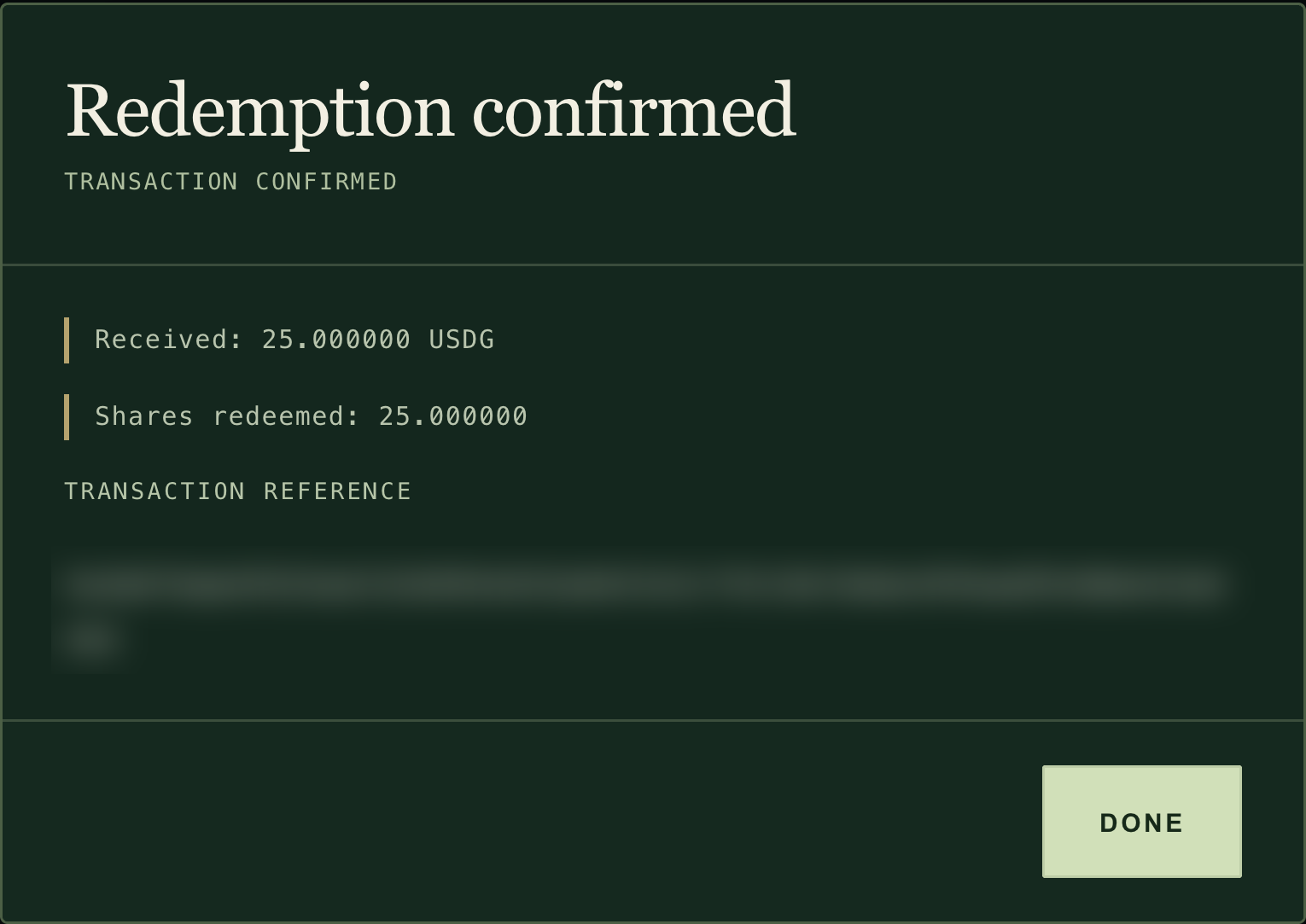
The receipt shows the shares redeemed and the USDG paid. The transaction reference is blurred here; your own receipt shows yours.↗︎
Memecoins can pause a fund. A fund that holds a memecoin or an ecosystem token cannot be valued while that token's pool is quiet or jumping, and its deposits and USDG withdrawals wait meanwhile; a withdrawal in kind still works. Check the holdings if you may need your money back in USDG quickly. The price rules
Two ways to withdraw
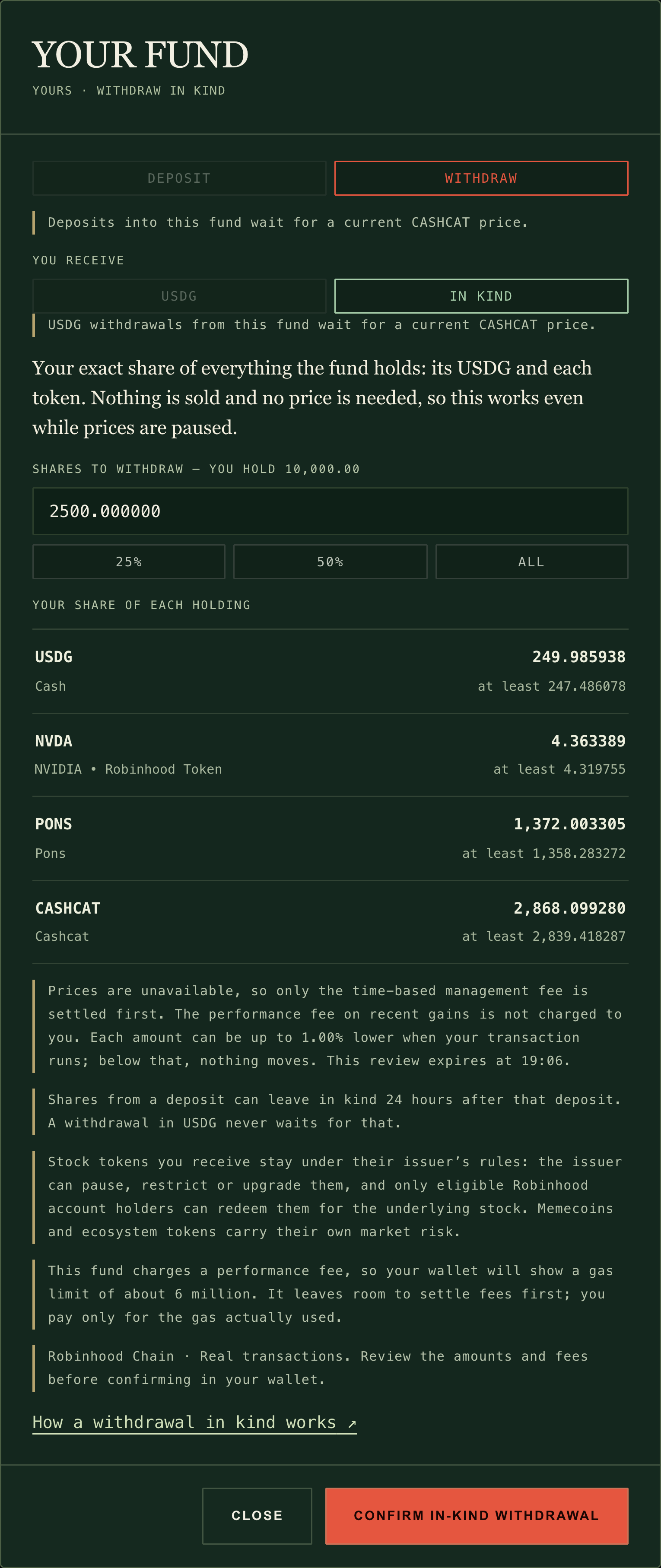
You can withdraw in USDG, as above, or in kind: your exact share of the fund's USDG and of every token it holds, with nothing sold and no price needed, so it still works when a USDG withdrawal has to wait. Withdraw in kind has the full rules.
To withdraw in kind, open the ticket, select WITHDRAW, then choose IN KIND under You receive. While prices wait, the fund page offers Withdraw in kind directly. Enter the shares and select REVIEW IN KIND: the review lists every token you will receive and the least of each. If a token cannot be sent to your wallet right now, tick its box to leave your share of it in the fund, or come back later. Then select CONFIRM IN-KIND WITHDRAWAL and confirm in your wallet. Shares from a deposit in the last 24 hours wait before they can leave in kind; the review says until when, and a USDG withdrawal skips that wait.
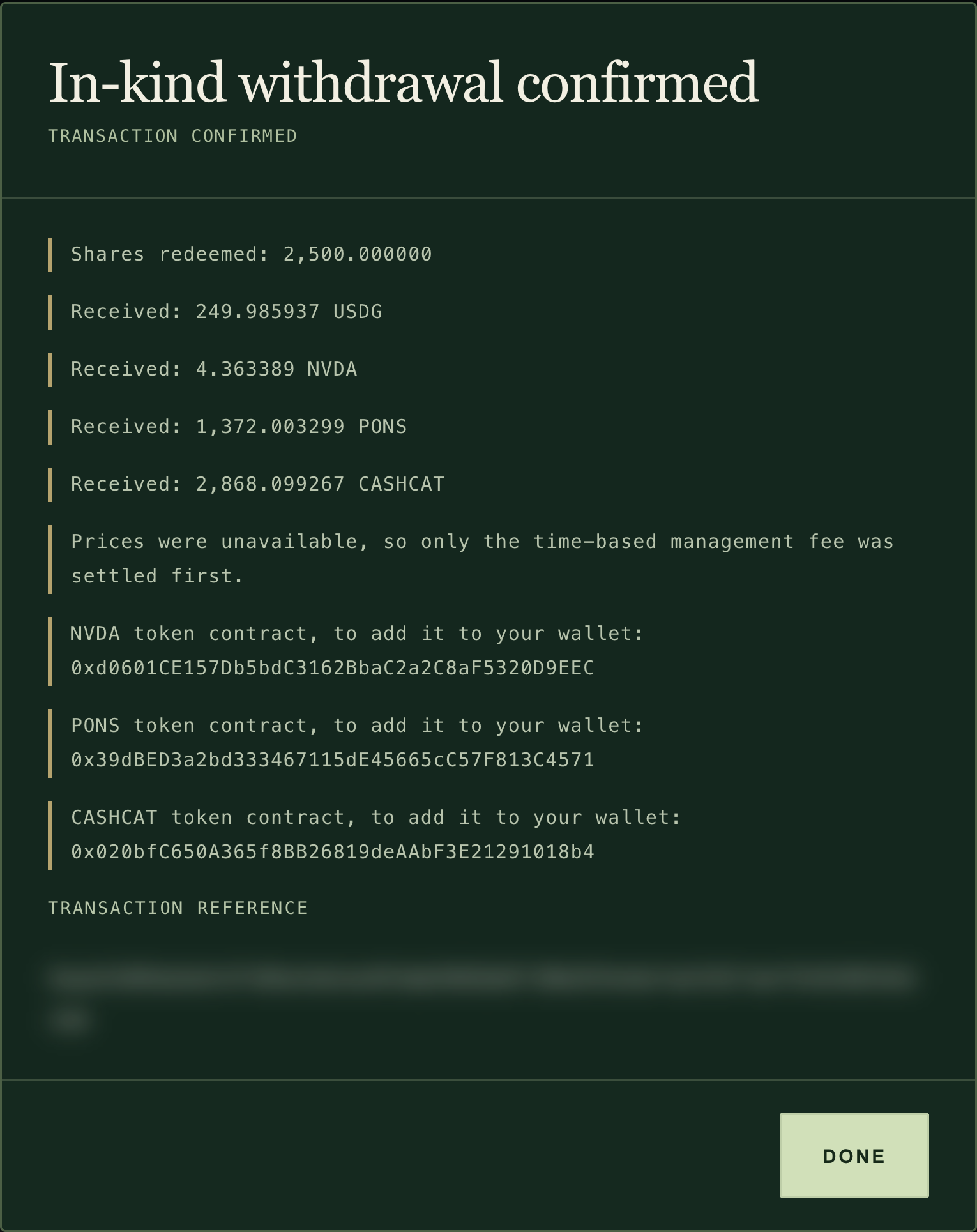
In kind: your share of every holding, with nothing sold.↗︎The receipt lists each token you received, with its contract address for your wallet.↗︎
The fund page and your tickets show a fund's status; the directory shows the same in short (PAUSED, CLOSED, WINDING DOWN, CONVERTING):
Badge
What it means for you
Deposits paused
The manager has paused new deposits. You can still withdraw.
Deposits paused · platform
The platform has paused new deposits in every fund. You can still withdraw.
Closed — withdraw only
The manager has closed the fund for good. It only sells toward USDG. You can still withdraw.
Platform wind-down on (date)
RWA Street is winding down. No new deposits. You can still withdraw.
Platform wind-down · converting to USDG
After the notice, anyone can convert holdings to USDG. You can still withdraw in USDG or in kind.
A manager can pause deposits or close a fund, and the platform can pause deposits or wind down. None of these can stop a withdrawal. See Fund status.
Share a fund
Select Share fund at the top of the fund page to copy its link. If your browser does not allow copying, the site shows the link for you to copy.
If something goes wrong
What you see
Why
What to do
Connect an Ethereum wallet to transact
No browser wallet was found
Use a browser-extension wallet, or open www.rwast.app in your wallet app's built-in browser.
Wallet account changed. Reconnect before transacting
You switched accounts in your wallet
Reconnect, then reopen the ticket.
ABOVE WHAT IS AVAILABLE TO YOU
The amount is more than your room: the public room is nearly full, or only the holder reserve is left
Lower it to your Available to you here figure, or wait.
NOT AVAILABLE TO YOU YET, or the fund page button reads Hold 100,000 FUND, and the capacity bar shows no room open to everyone
Only the FUND-holder reserve is left and your wallet holds less than 100,000 FUND
Wait until the reserve opens to everyone (the fund page shows the countdown), or hold enough FUND.
Capacity reached, or FULL
The fund has taken its full size
Wait until withdrawals free room, or choose another fund.
Valuation unavailable
A holding has no valid price (for example a quiet memecoin pool)
Wait, then reopen the ticket, or withdraw in kind, which needs no price. See How prices stay honest.
Paused for safety, or Not before about a time
Robinhood Chain restarted after a pause, and prices from before it are not trusted
Wait: nothing opens before the time shown (your local time), and after it each held asset's price must update first. Nothing to reload. To leave now, withdraw in kind. See Price checks.
Waiting for a current price
One asset the fund holds has no current price (named beside the button)
Wait for that price; other funds are unaffected.
A withdrawal is refused although the fund is valued
A holding could not be sold close to its price
Try a smaller amount that the fund's cash covers, or wait.
Conversion review expired, or The transaction review expired
The quote is more than about five minutes old
Review again for a fresh quote.
The share price moved beyond your reviewed minimum, or Redemption proceeds are below your reviewed minimum
Prices moved before your transaction ran
Nothing moved except gas. Review again.
Approval confirmed
The approval went through, but the deposit has not been sent
Reopen the ticket, check the amounts and submit the deposit.
Not enough ETH for the amount and transaction gas
Your wallet cannot pay gas
Add ETH, or pay in a smaller amount of ETH.
FUND conversion opens when FUND launches
FUND has not launched or is not connected yet
Pay in USDG or ETH.
FUND conversion is paused, or FUND conversion is unavailable
PONS is moving FUND to its pool, or the token could not be verified
Run your own fund on RWA Street. You pick the stocks, ecosystem tokens and memecoins it holds, set your fees once, and investors buy shares of what you build.
Your wallet
Becomes the fund's manager, on Robinhood Chain (chain ID 4663). Only it can trade, publish the introduction, pause or close the fund.
Creation charge
50,000 FUND, burned once. It is not an investment and is not returned. If creation fails, nothing is burned.
Seed
At least 1 USDG of your own money, paid in USDG, ETH or FUND. It always lands in the fund as USDG.
Fees you set once
Management 0% to 3% a year; performance 0% to 40% of gains, split 70% to you and 30% to the platform.
Capacity
20, 40, 50, 60, 80 or 100 times your seed. 30% is first reserved for FUND holders.
Portfolio
Up to 16 switched-on assets. Whatever you do not allocate stays in USDG.
YOU’LL NEED
50,000 FUND for the burn, plus your seed
ETH for gas: registration, approvals, trades and introduction updates are transactions
A standard wallet if you want a profile photo
This guide walks through every step, from your profile to your first trade, then covers what to know once the fund is running.
You choose once, at registration
Range
Fund name and share ticker
Up to 32 and 8 characters. Permanent.
Management fee
0% to 3% a year, in 0.25-point steps
Performance fee
0% to 40%, in 5-point steps. Split 70% to you, 30% to the platform.
Capacity multiple
20, 40, 50, 60, 80 or 100 times your seed
Starting portfolio
Up to 16 different assets. Whatever you do not allocate stays in USDG.
When can I start? Fund registration opens automatically once FUND launches and the contracts connect to it on Robinhood Chain. Until then the Registry lets you explore the form but not submit it. See Is it live? for the current state. You can set up your profile at any time.
1. Set up your profile
Your profile photo becomes your fund's photo everywhere investors see it, so start here. Open My profile from the top bar, or go to your profile settings↗︎.
Select Robinhood Chain (4663) in your wallet, then select Connect wallet & sign in and connect the wallet you will manage the fund with. On any other network the site asks you to switch your wallet to Robinhood Chain and sign in again.
Sign the login message in your wallet. Signing proves you control the wallet. It sends no transaction, costs no gas and moves no funds. Profiles work with standard wallets (externally owned accounts), not smart contract wallets.
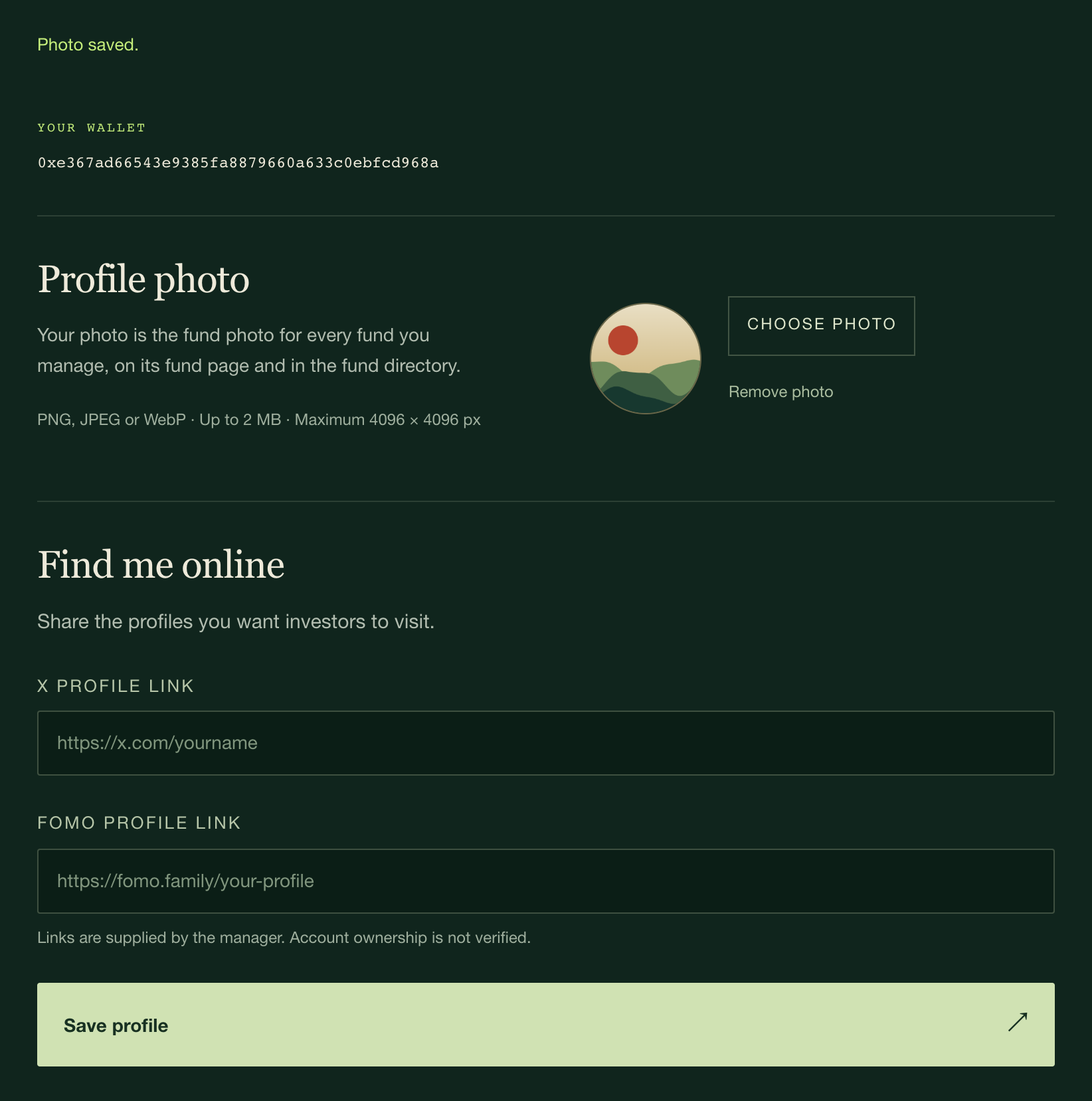
Select Choose photo. Use a PNG, JPEG or WebP image of up to 2 MB and at most 4096 × 4096 pixels. It uploads straight away; wait for "Photo saved." The server makes a thumbnail and strips embedded metadata before anyone sees it.
Optionally add your X profile link and FOMO profile link, then select Save profile.
My profile: a photo and optional X and FOMO links. Links are not verified.↗︎
Pick a photo that still reads when it is small and square: it appears as a small square in the fund directory. Remove photo deletes it and Sign out ends the session.
Good to know: your photo and links are public. Your manager nickname is not part of the profile: it is published on chain with the fund's introduction (steps 2 and 8). X and FOMO links are shown with the note "Manager-supplied links · Not verified". Adding a link does not prove you own that account; RWA Street never asks for your X or FOMO password and shows no verification badge. Photo and link changes cost no gas and never touch your fund's holdings, shares, fees or permissions.
2. Name and introduce your fund
Go to the Registry district and select Register a fund. Connect your manager wallet if you have not already.
The Registry is where you open a fund.↗︎
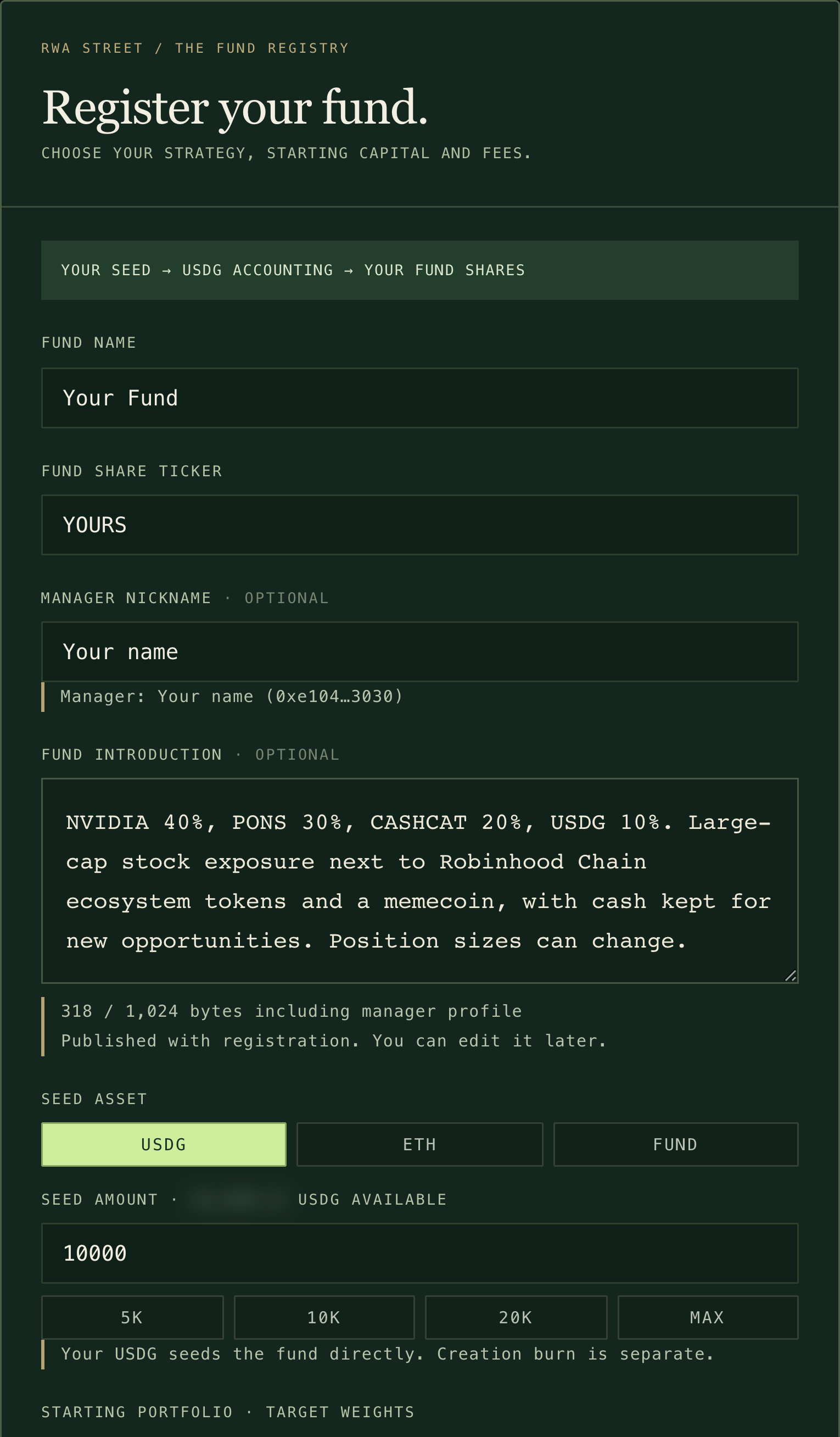
Fill in the first part of the form:
Fund name (up to 32 characters) and Fund share ticker (up to 8 characters). Both are written into the fund's share token and cannot be changed later.
Manager nickname (optional). It appears beside your wallet address. Leave it empty and investors see Independent manager with your address.
Fund introduction (optional). Explain what you plan to hold, why, your time horizon and how you think about risk.
The nickname and introduction together can use up to 1,024 bytes; the counter under the introduction shows how much you have used. Both are published on chain with registration and you can edit them later (step 8).
Name your fund, choose a ticker and explain your approach. The seed line shows your wallet balance (blurred here).↗︎
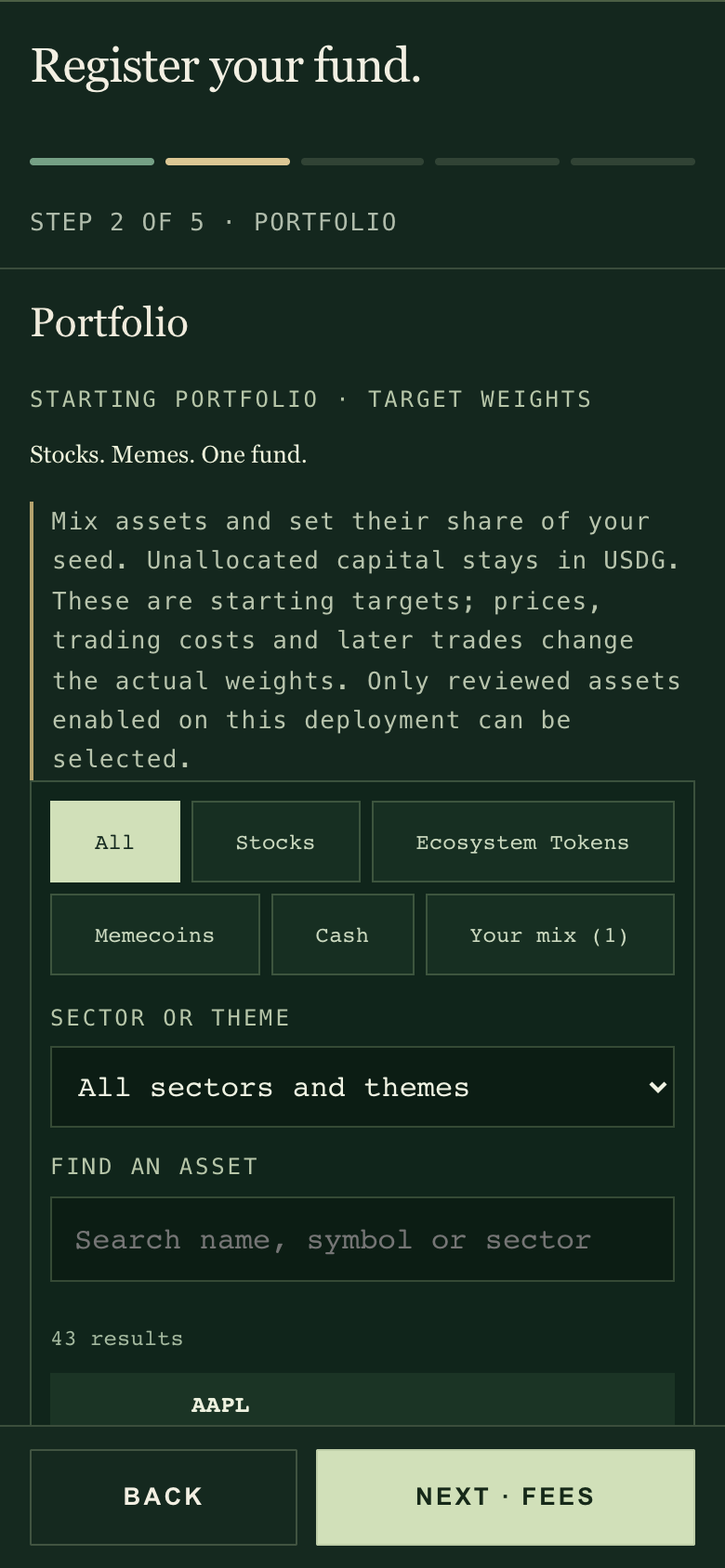
On a phone, registration opens as a full-screen sheet in five steps: Name & introduction, Portfolio, Fees, Seed & capacity, and Review & open. A progress bar shows where you are ("Step 2 of 5 · Portfolio"). Next names the following step and stops with a clear reason if something is missing. You can tap back to any step you have already reached, and turning the phone keeps your step and your answers.
After opening: on a phone, registration runs in five steps.↗︎
The site opens one fund per manager wallet. If your wallet already manages a fund, the Registry takes you to My Office instead.
3. Build the starting portfolio
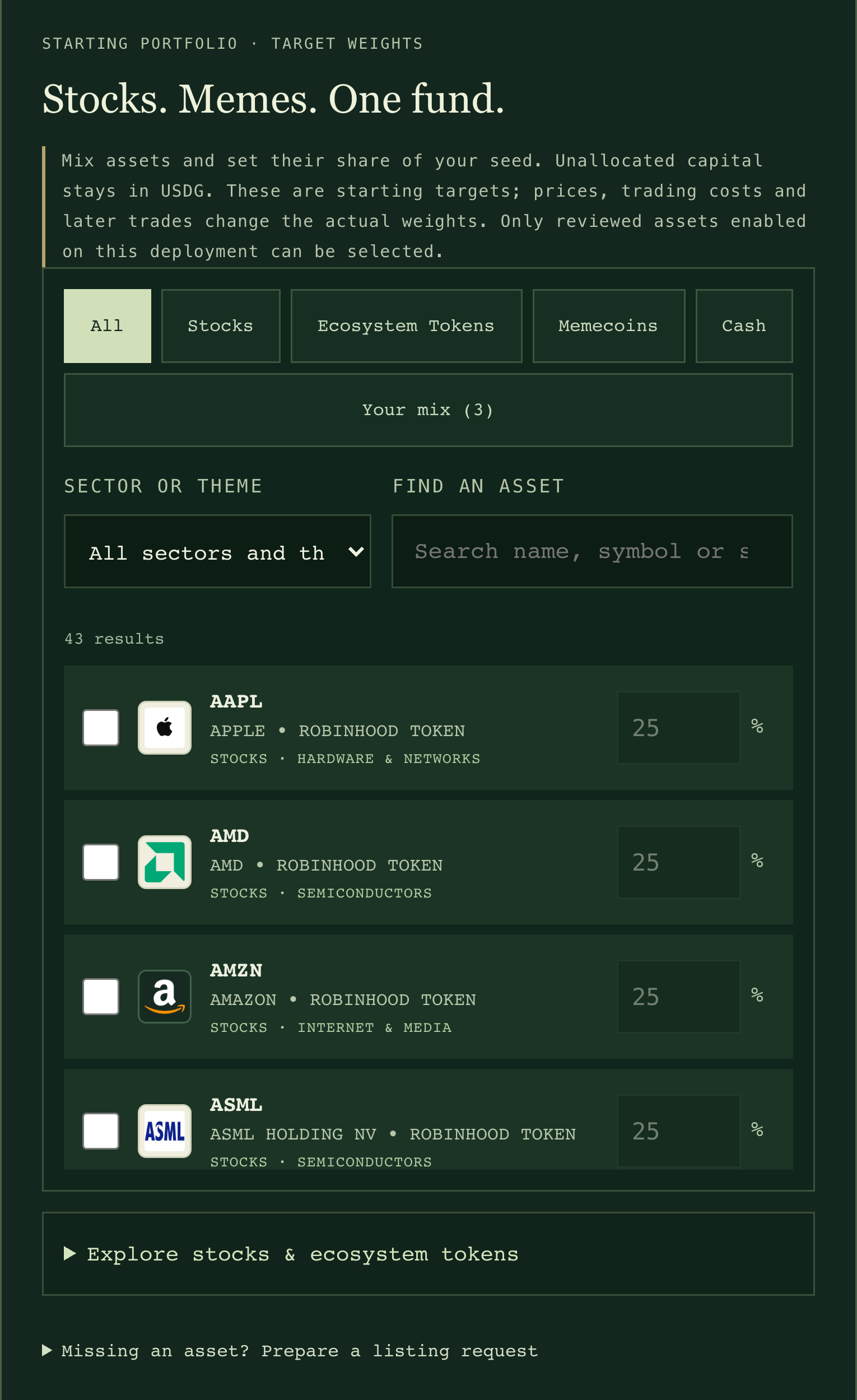
Under Starting portfolio, the tabs at the top are All, Stocks, Ecosystem Tokens, Memecoins and Cash (USDG), then Your mix with the number you have picked. Narrow the list by sector or theme, or search by name or symbol. Tick an asset and type its target weight. Your mix shows only what you have picked.
Pick from assets switched on for funds. The rest stays in USDG.↗︎
Only assets switched on for funds appear here. At launch that is the 35 stock tokens with price feeds plus 7 ecosystem tokens and memecoins (PONS, CASHCAT, AI, Index, DELTA, SHROOM and TENDIES). The asset directory catalogs 194 stock-token issuer identities, but only switched-on assets can be bought.
Only assets with a valid price right now are listed. One whose price is stale is hidden until its price recovers; the rest stay available. The pool check comes later, at the review.
All also lists USDG cash, so its count is one more than the switched-on assets that currently have a valid price: 43 results when all 42 do.
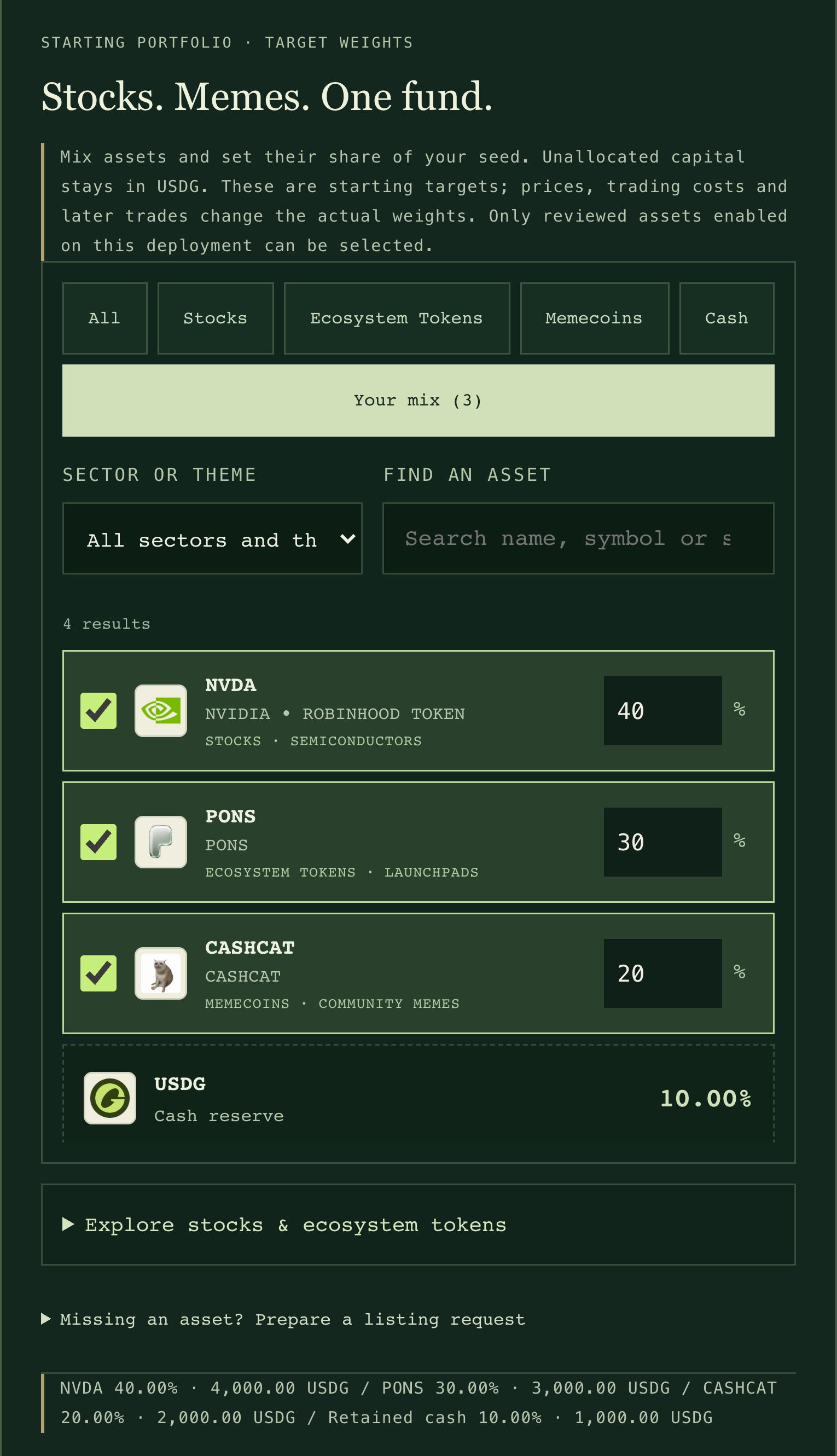
Weights can have up to two decimals and cannot add up to more than 100%. Whatever you leave unallocated stays in the fund as USDG cash.
A fund can hold up to 16 different assets at once, plus USDG.
Your mix: starting weights and the cash left in USDG.↗︎
The fund buys these assets with your seed during registration; you do not bring the tokens yourself. Weights are starting targets, not rules: trading costs shift the final amounts a little, and the fund never rebalances on its own.
Before you add memecoins or ecosystem tokens: they are valued from their own trading pools, and a pool that goes quiet or jumps cannot be valued. While your fund holds such a token, that means your whole fund cannot be valued: deposits, USDG withdrawals and your trades wait until the pool recovers. The exact rules are in How prices stay honest.
4. Set fees and capacity
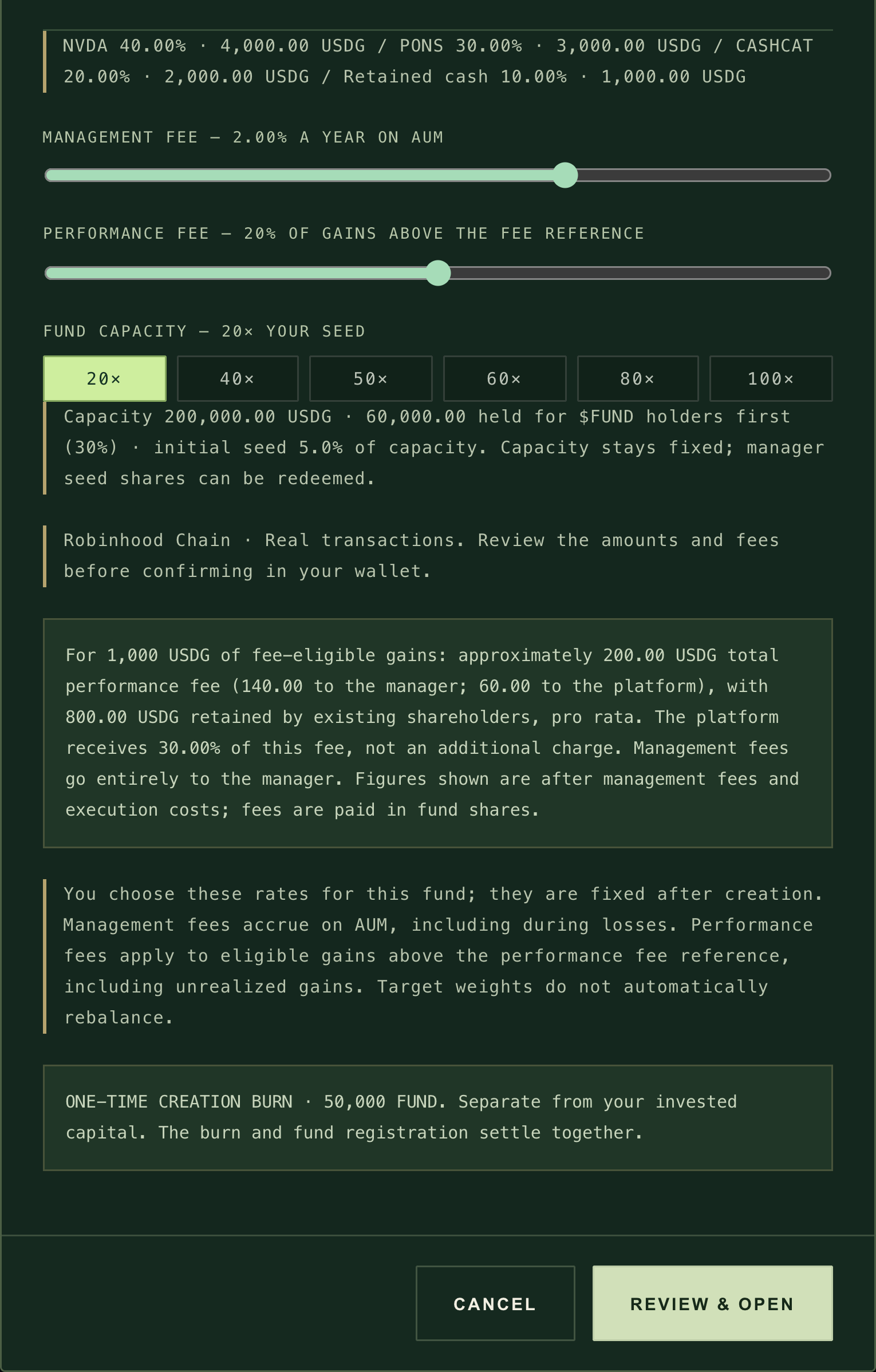
Set fees and capacity; both are fixed once the fund opens. Below them: a worked performance-fee example and the one-time 50,000 FUND creation burn, then REVIEW & OPEN.↗︎
Management fee: 0% to 3% a year. It goes entirely to you, builds up over time on the fund's value and applies in losing periods too.
Performance fee: 0% to 40% of gains. It applies only to gains above the fund's fee reference (its high-water mark), including gains not yet sold. It is split 70% to you and 30% to the platform; the platform's share comes out of the rate you choose, not on top of it.
Example: 20% performance fee on 1,000 USDG of eligible gains
Capacity: 20, 40, 50, 60, 80 or 100 times your seed. This is the most money the fund will accept, counted as contributions (what people put in), not market value. Your seed counts toward it. With a 1,000 USDG seed at 20×, capacity is 20,000 USDG. The screenshots on this page follow a fund called Your Fund, seeded with 10,000 USDG at 20×, so its capacity is 200,000 USDG (140,000 public, 60,000 reserved).
70% is public. Anyone can deposit until it is full.
30% is reserved for FUND holders first. Once the public part fills, only wallets holding at least 100,000 FUND can use the reserve. Their allowance grows with their balance, up to the whole reserve at 1,000,000 FUND.
Three days after the public part first fills, whatever is left in the reserve opens to everyone. Withdrawals do not reset this clock.
Price moves do not use up capacity. When an investor withdraws, the amount they originally put in is freed again.
Your seed is an ordinary investment: you can withdraw it or transfer your shares later. The ratio between your seed and capacity is not a locked stake and does not describe how much of the fund you own. Fees and capacity are fixed for the life of the fund.
5. Review and register
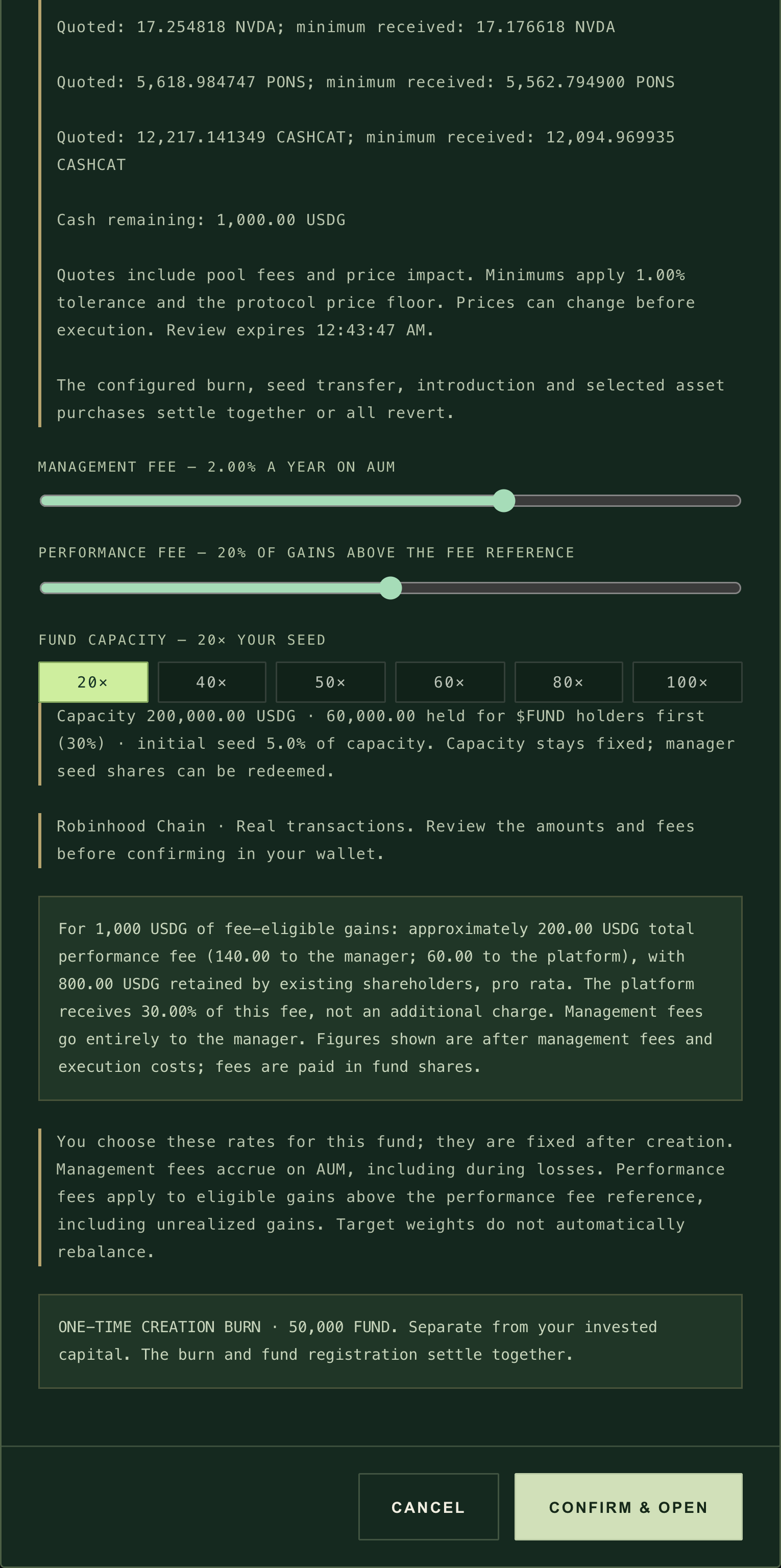
Select Review & open. The site reads live quotes and shows the full picture before anything is sent:
the fund name, ticker, your nickname and introduction;
both fee rates, with the performance-fee split worked out;
for each starting asset, the quoted amount and the minimum received;
the USDG cash left over;
the one-time creation burn of 50,000 FUND, separate from your investment;
when the review expires (five minutes after it was made).
The review: each quote and its minimum, the cash that stays in USDG, the expiry and the line saying everything settles together or reverts; below it your fees and capacity, the one-time 50,000 FUND creation burn, separate from your investment, and CONFIRM & OPEN.↗︎
Minimums include a 1% tolerance for price movement and must also clear the fund's own price floor. If the review expires or you change anything, the site asks you to review again.
Paying the seed in ETH or FUND. The site converts it to USDG first and shows the expected USDG, the minimum USDG and the minimum fund shares. Your starting weights are worked out on the minimum; anything extra stays as cash.
ETH costs only its pool fee and price impact. FUND carries PONS trading costs at conversion, plus price impact; USDG avoids this. Why
If you seed in FUND, keep enough for both the seed and the separate 50,000 FUND burn. Buying FUND on PONS for the burn carries PONS trading costs too.
Select Confirm & open. Your wallet may first ask for approvals: FUND for the burn, and USDG (or FUND) for the seed. Each approval is a separate small transaction. Then you confirm the registration itself. It is one transaction: registration, the burn, your seed and every starting purchase settle together, or none of them do.
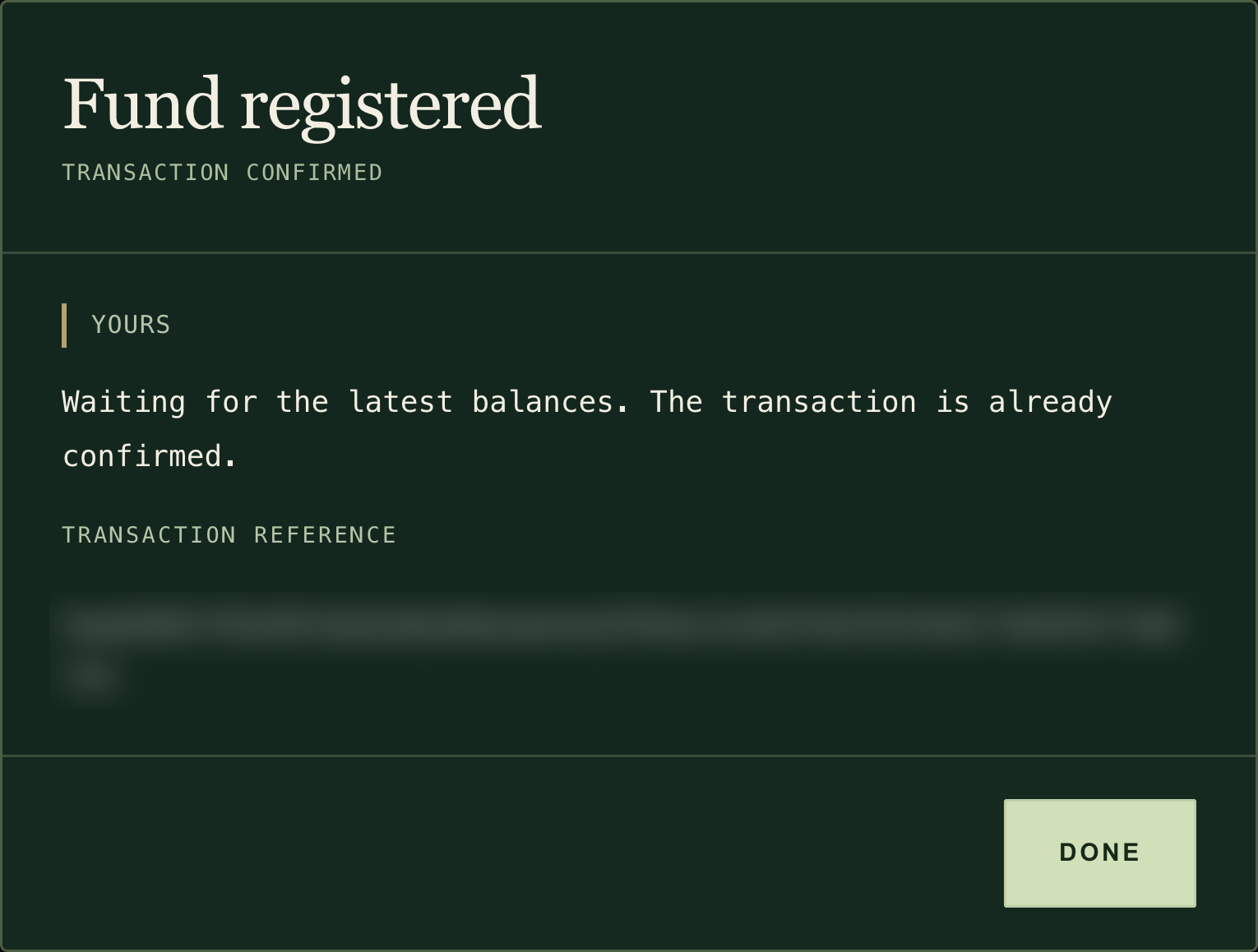
The receipt confirms the registration and gives the transaction reference. If the fund's balances are still loading, it says so; the transaction is already confirmed. The transaction reference is blurred here; your own receipt shows yours.↗︎
If something fails: a failed registration reverts completely. Nothing is burned, no fund is created and your seed stays in your wallet. You still pay gas for the attempt, and any approvals you already gave remain in place. If an approval confirms but the registration is not sent (for example, the page reloaded), the site says "Approval confirmed": reopen the form, review the current amounts and submit again. Nothing is ever resent automatically. Other messages you may see:
"Portfolio review expired": review the allocations again.
"Not enough gas in the wallet": add ETH and retry.
"Available liquidity is outside the fund's price protection" (stock tokens) or "Available ecosystem liquidity is outside the fund's price protection" (ecosystem tokens and memecoins), each followed by "Reduce the order or try again later.": lower that asset's weight or try again later. For ecosystem tokens and memecoins it can also read "The first conversion leg is outside the fund's price protection", because they are bought through ETH.
"Wallet is short on ...": lower the seed or top up the wallet.
6. Open your office
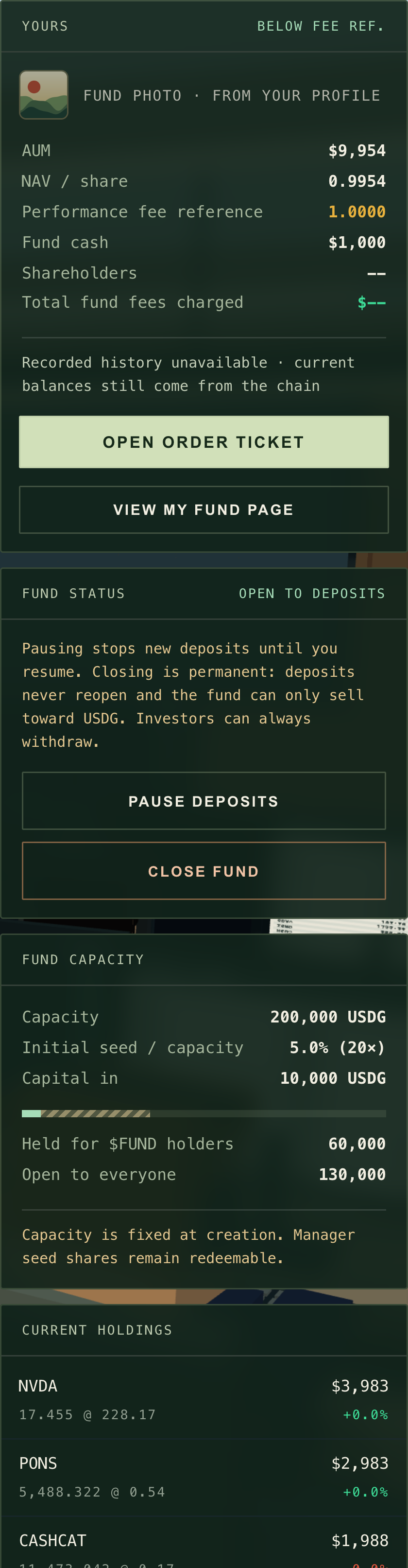
After registration the site takes you to My Office. If the new fund's data is still loading, it shows the Registry first; open My Office a moment later. Here you see your fund card with its photo, value and cash, Open order ticket and View my fund page, the FUND STATUS card with PAUSE DEPOSITS and CLOSE FUND (see Pause or close your fund), its capacity and its holdings. Investors can now find your fund in the Exchange and invest from its fund page.
My Office: your fund card and order ticket, the FUND STATUS card, capacity and holdings.↗︎
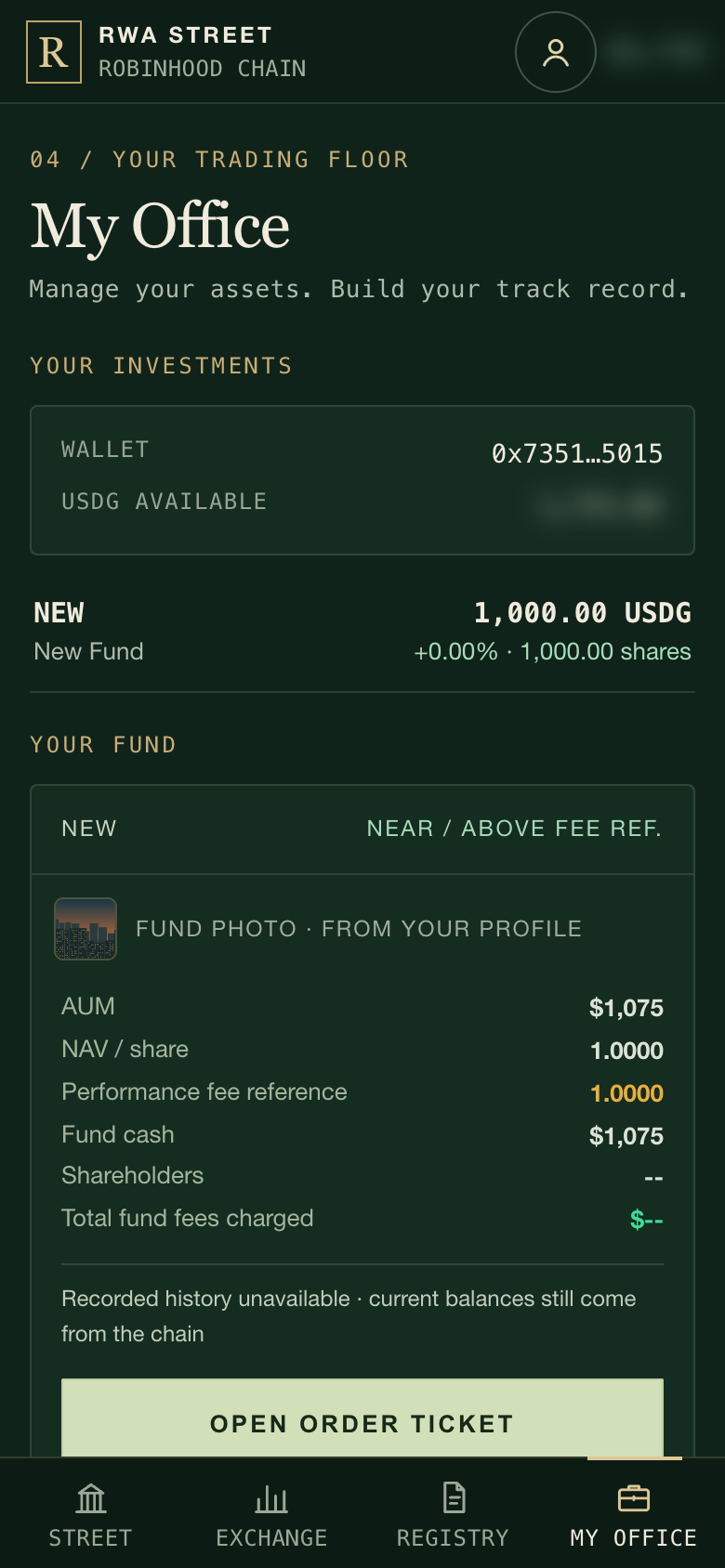
On a phone, My Office is the fourth tab at the bottom. It lists your own investments first, then the fund you run with the same office panel and order ticket.
My Office after opening, for the manager of a newly created fund. Wallet figures are blurred here.↗︎
Use Share fund on your fund page to copy a direct link to it.
7. Trade
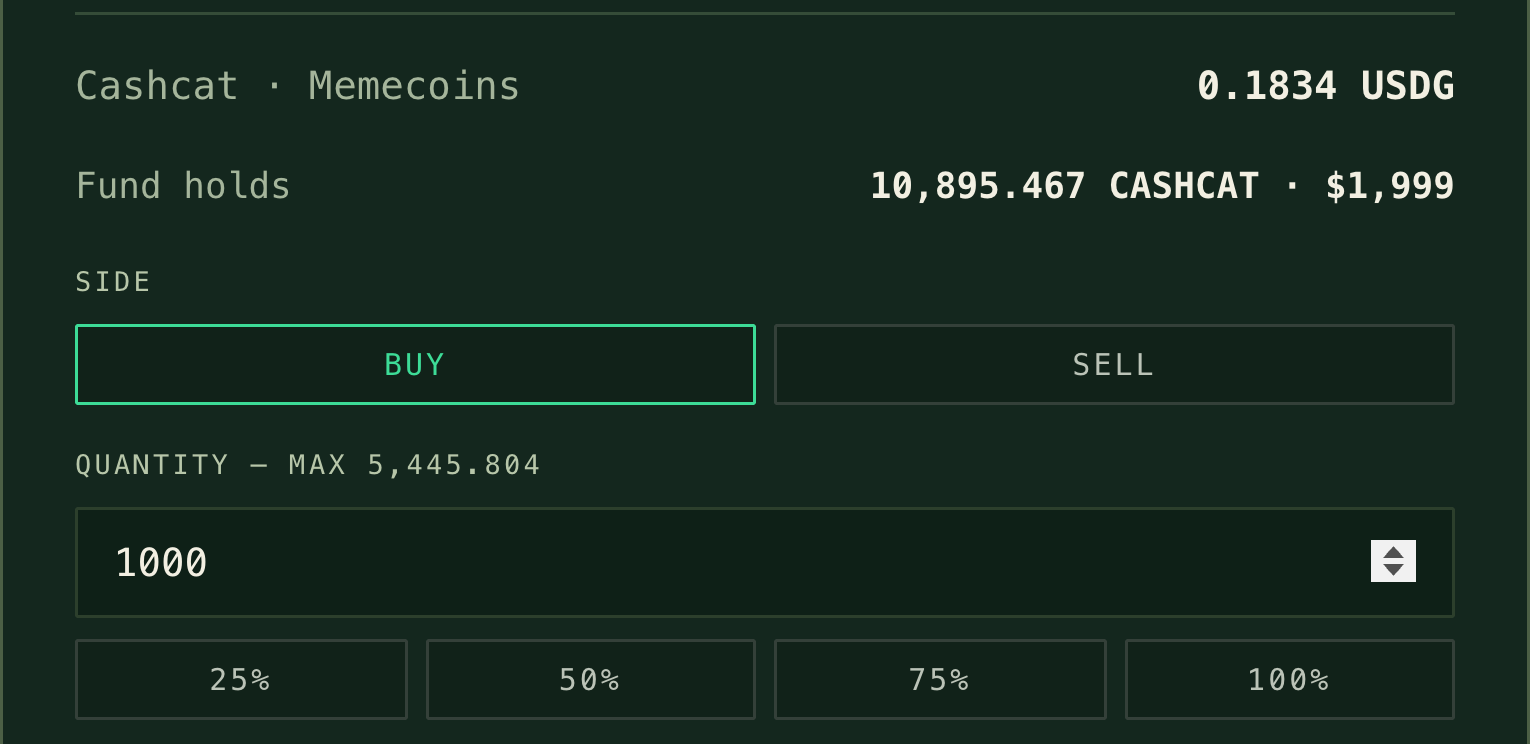
Open the order ticket from My Office, or with Manage portfolio on your fund page. Every trade is between USDG and one asset: buying spends the fund's USDG, selling turns holdings back into USDG. To move from one asset to another, sell and then buy.
Choose an asset and Buy or Sell.
Enter a quantity, or use the 25% / 50% / 75% / 100% buttons.
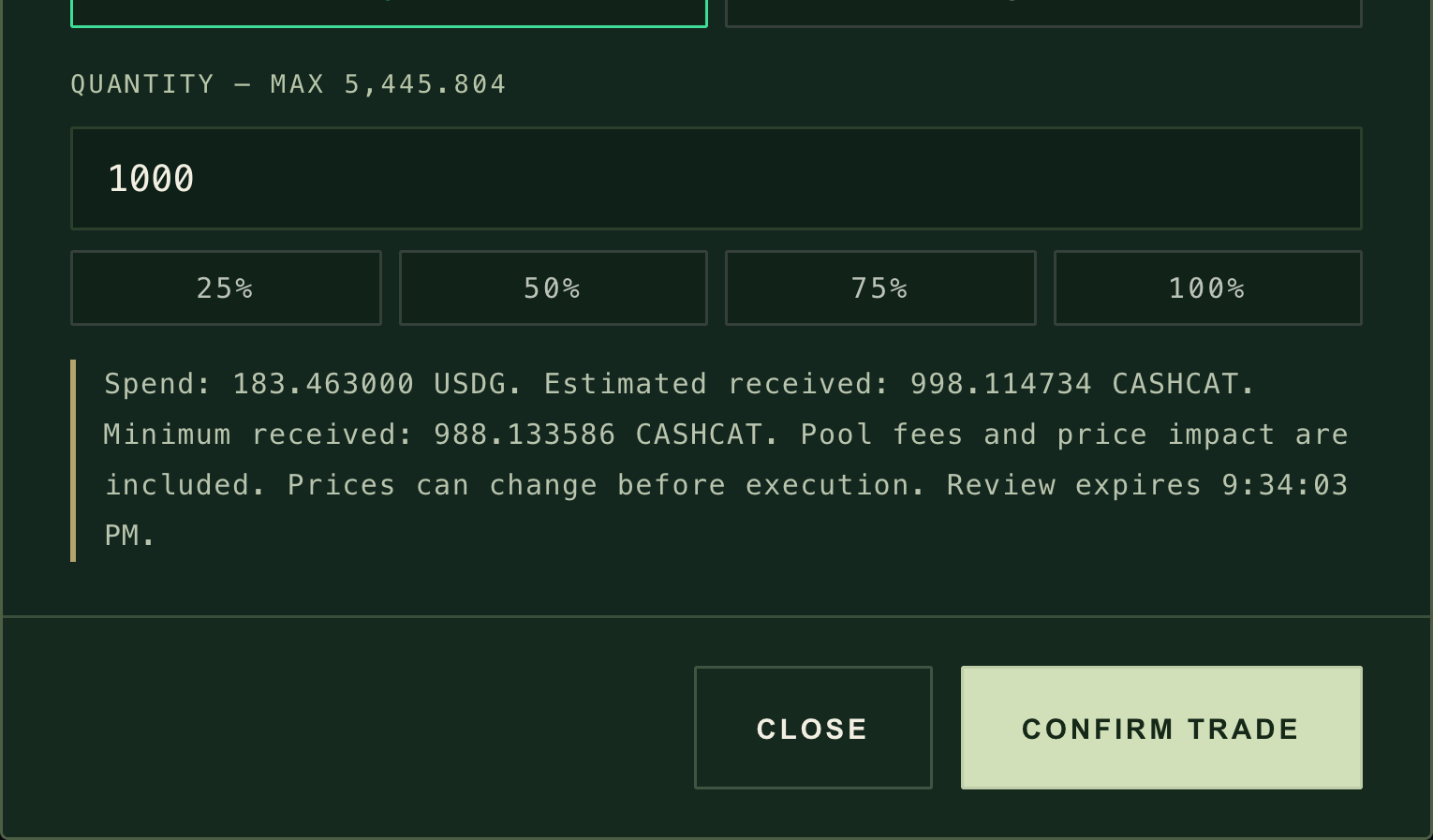
Select Review trade. The ticket shows what the fund spends, the estimated amount received, the minimum received and when the review expires (five minutes).
Select Confirm trade and approve it in your wallet.
Choose an asset and a direction.↗︎Review the quote and the minimum received before you trade.↗︎
Price protection. Every trade must receive at least 99% of the price-feed value for stock tokens, or 97% for ecosystem tokens and memecoins. An order big enough to push the pool further is refused with a message ending "...is outside the fund's price protection". Split it into smaller orders.
When trading waits. The website's order ticket needs a current value for the whole fund. If an asset the fund holds has no current price, Open order ticket opens a short sheet instead, "Trading waits for a current price.", naming that asset, and nothing is sent; open the ticket again once the price is back. After a Robinhood Chain restart the sheet reads "Trading is paused for safety." with the earliest time trading can reopen, in your local time, and the notice under the top bar gives the same time; after it, each price must update first. A newly bought asset must already have a working price.
New money arrives as USDG. Deposits add cash and you decide when to invest it. Investors who withdraw in USDG are paid from cash first; if there is not enough, the fund sells a slice of every holding, and the cost of those sales is shared by everyone in the fund. Keeping some cash makes small withdrawals cheaper.
If the platform stops listing an asset, you can no longer buy or sell it by hand. It can still leave the fund through withdrawals.
8. Keep your introduction current
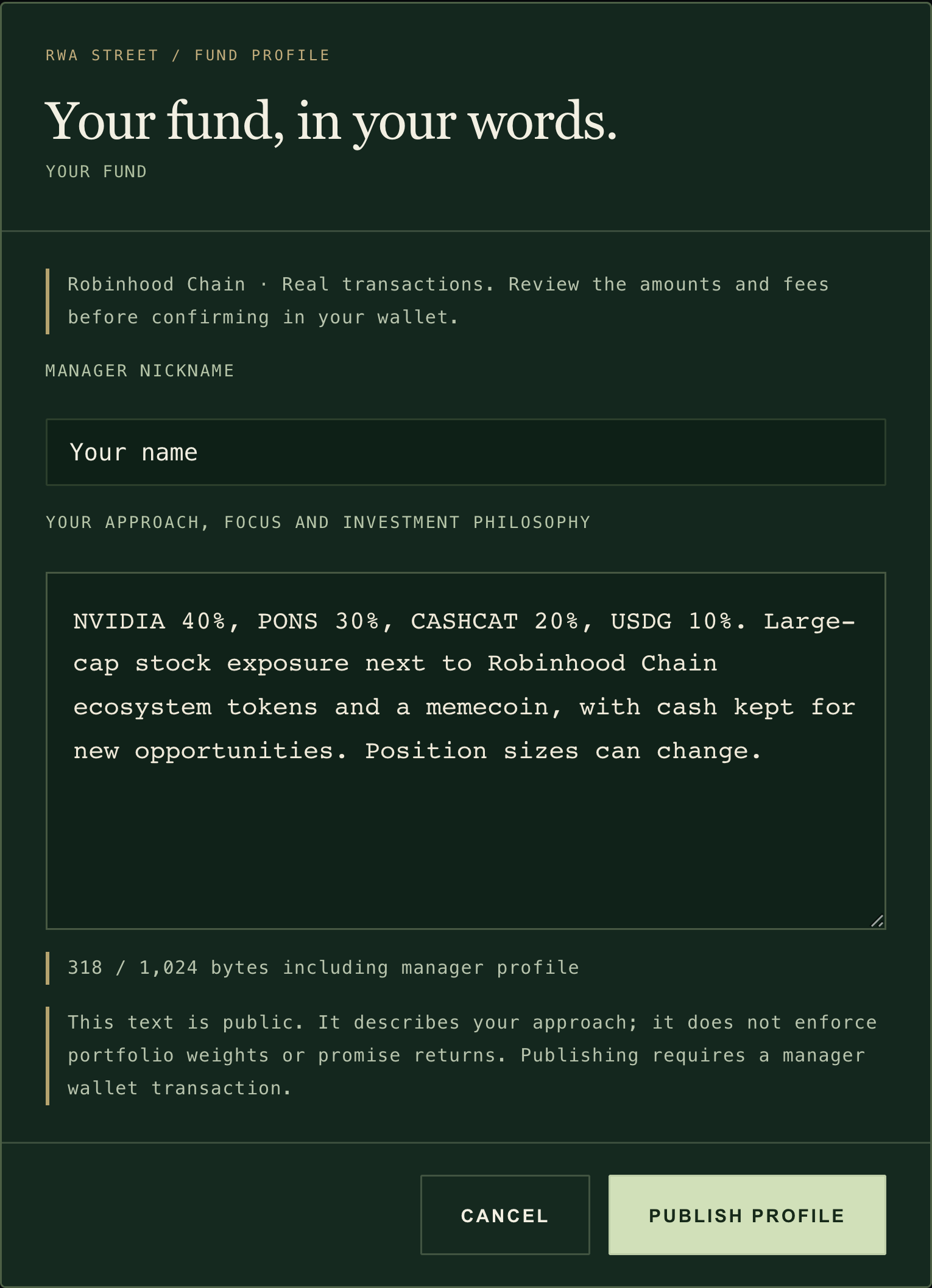
On your fund page, select Edit profile under "The investment approach". Update your nickname and introduction, then select Publish profile. It is a transaction on Robinhood Chain, sent from the manager wallet, and costs gas. The same 1,024-byte limit applies.
Publishing an introduction is a transaction and costs gas.↗︎
Your introduction is public and describes your approach. It does not enforce holdings or promise returns, so keep it honest and up to date.
9. Your photo is your fund's photo
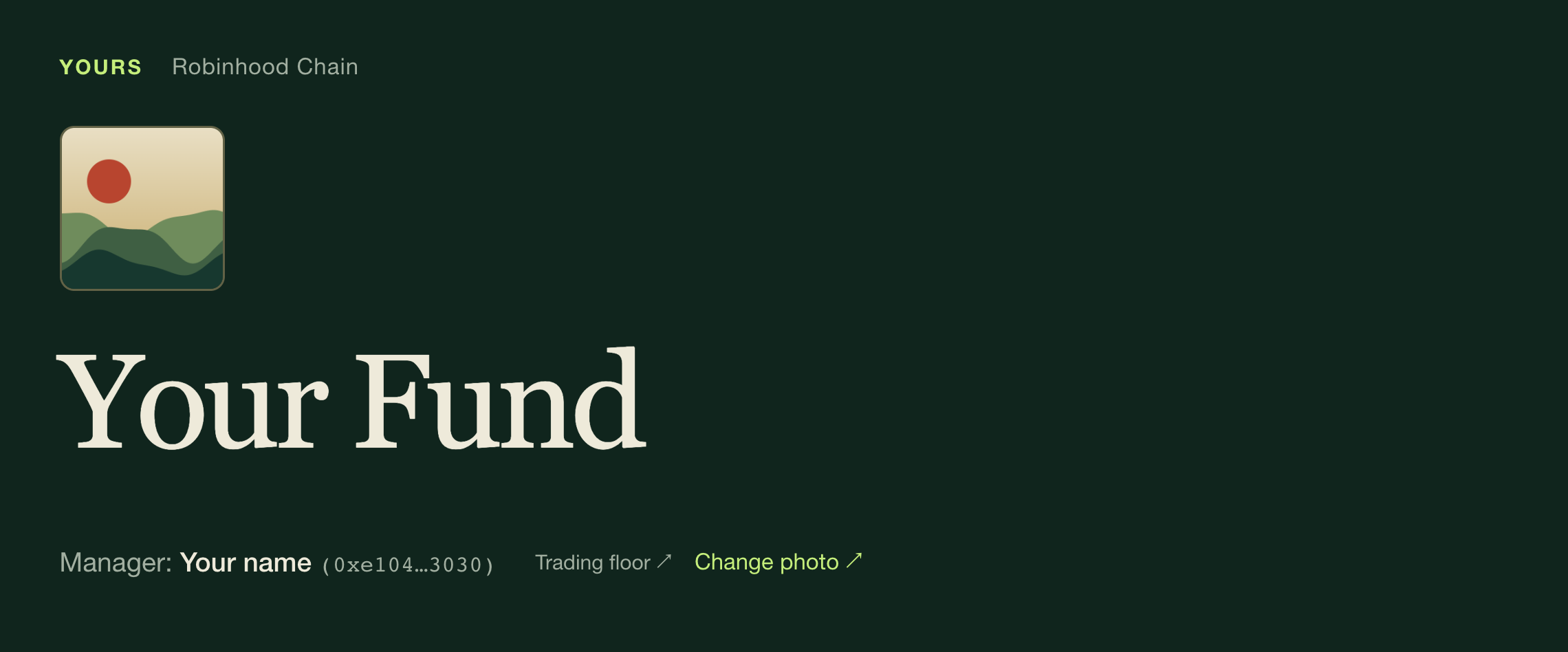
A registered fund has one image: the profile photo of its current manager. Once you add a photo in My profile, it appears on every fund you manage. There is nothing to upload per fund. On your own fund page, Change photo opens your profile.
A fund's photo is its current manager's profile photo.↗︎
Where investors see it
If you have no photo
Top of the fund page, above the fund name
The first letter of your displayed name
Beside the ticker in the fund directory
The fund's own colour
The fund panel on the trading floor
The first letter of your displayed name
Your fund card in My Office
The first letter of your displayed name
A new or removed photo shows at once in your own browser and within about a minute or two for visitors who already have the page open. Nobody else can change it: not investors, not other wallets holding shares. If the profile service is ever down, your fund keeps working normally and simply shows the fallback until it recovers.
Pause or close your fund
As manager you have two controls over new money. Neither can ever stop an investor from leaving.
Pause deposits
Close the fund
New deposits
Stopped until you resume
Stopped for good
Can you undo it?
Yes, resume any time
No. Closing is permanent.
Your trading
Unchanged
Sell only: you can only sell holdings for USDG
Fees
Keep accruing as normal
Keep accruing on the same terms
Investor withdrawals
Always open, in USDG or in kind
Always open, in USDG or in kind
After a handover
The next manager can resume
The next manager inherits the closed fund
The FUND holder clock keeps running. Pausing does not stop the three-day timer that opens the reserved 30% to everyone once the public part has filled.
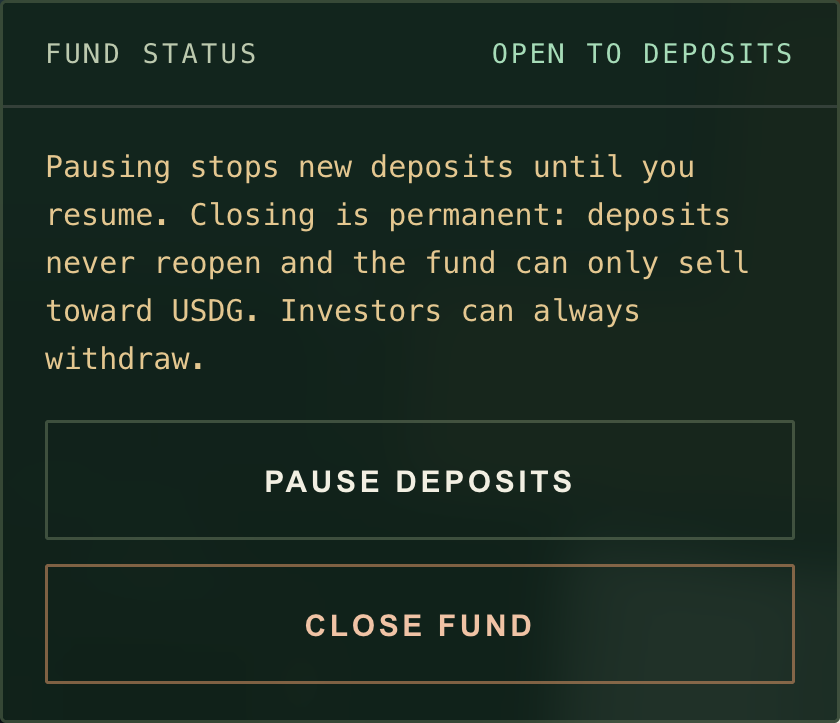
In My Office, the FUND STATUS card shows whether your fund is open to deposits, paused or closed, and whether the platform has paused deposits or is winding down.
PAUSE DEPOSITS asks you to confirm, then stops new deposits; the same button then reads RESUME DEPOSITS.
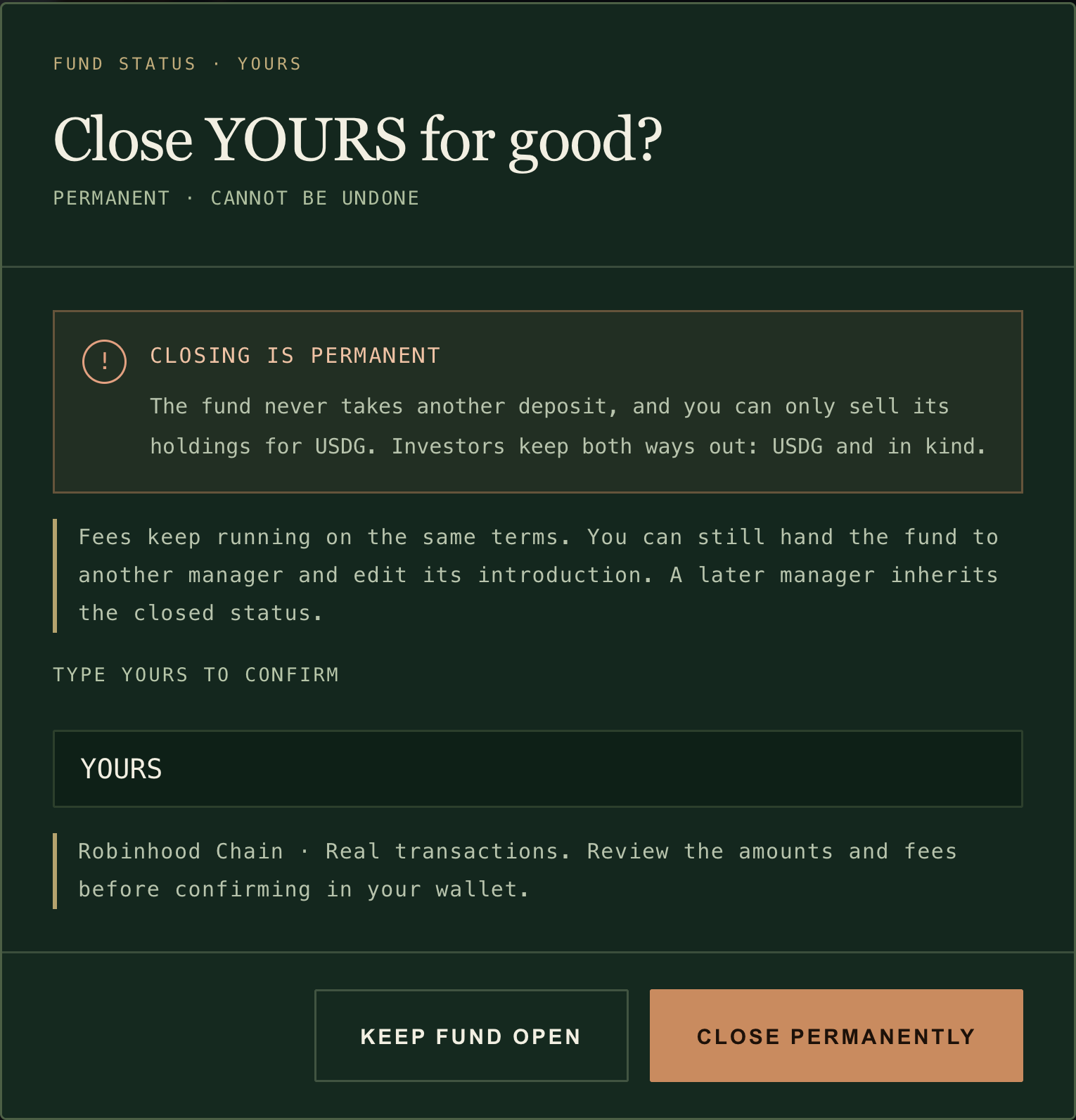
CLOSE FUND opens a confirmation. Type your ticker to enable CLOSE PERMANENTLY, or choose KEEP FUND OPEN.
During a platform wind-down there is nothing left to pause, so only CLOSE FUND remains.
Pause deposits or close your fund from My Office.↗︎Closing is permanent. Investors can always withdraw.↗︎
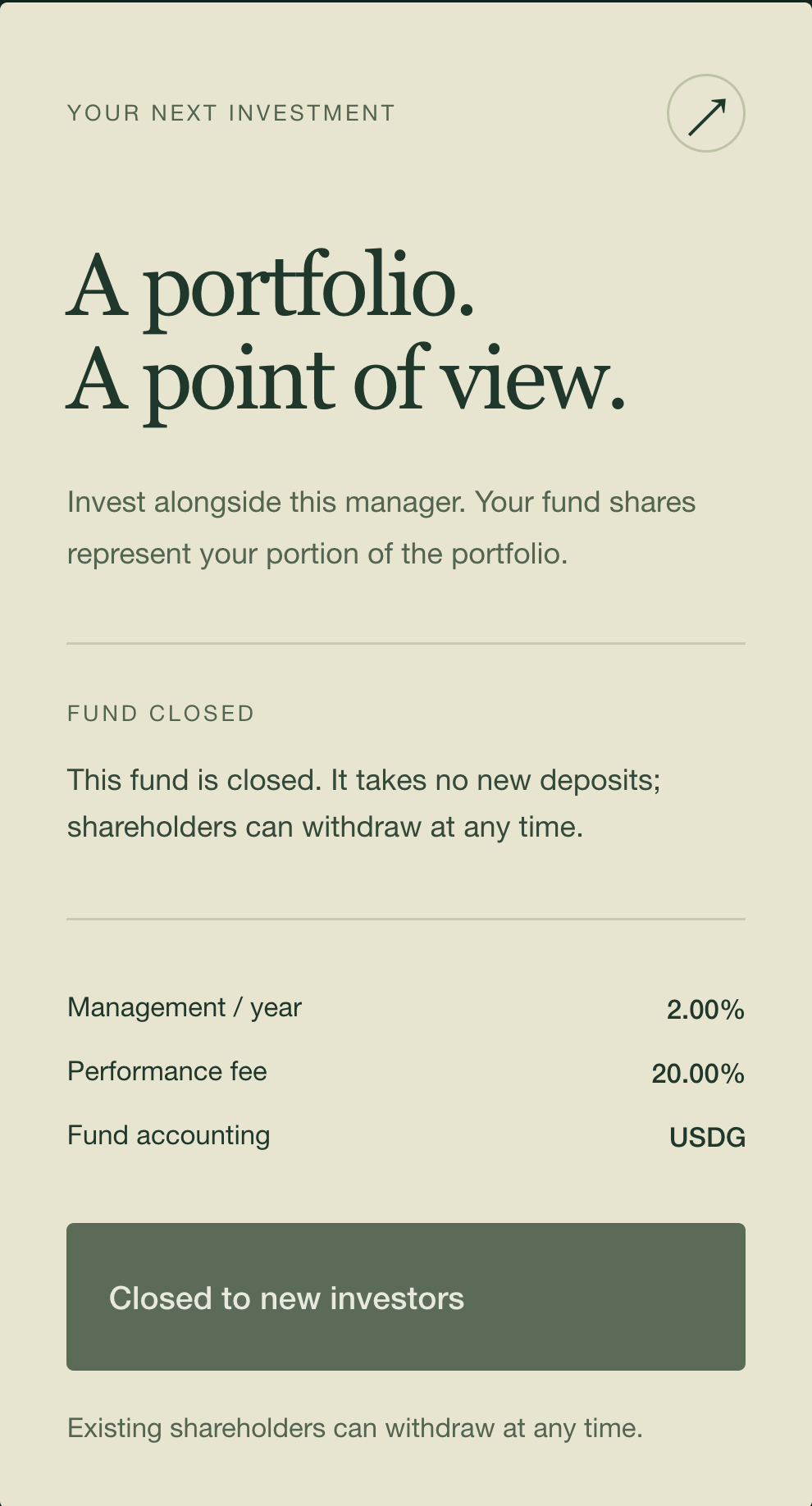
After closing, the fund page shows Closed — withdraw only, the directory shows CLOSED, your order ticket only sells, and your investors see Withdraw with both ways out. Anyone without shares sees Closed to new investors.
A closed fund takes no deposits. Its shareholders can withdraw at any time.↗︎
Platform-wide controls. Separately from your own switches, the platform can pause deposits into every fund (and new registrations) in an emergency, and undo that later; trading and withdrawals continue. If RWA Street ever winds down, there is a public seven-day notice during which every fund can only sell. After it, anyone can convert fund holdings into USDG in small steps, with the proceeds staying in the fund. Either state shows in a notice under the top bar and on your FUND STATUS card. See Safety & exits.
Hand the fund to another wallet
You can make another wallet the manager with the contract function setManager, called from your manager wallet (how). It takes effect immediately, in one step: there is no acceptance by the new wallet and no delay. Only the new wallet can hand it back. The website has no button for this.
Fees, capacity, holdings and status stay exactly as they are. A closed fund stays closed.
Fees earned up to the handover are settled to you first. So if the fund charges fees, the handover needs a working fund value; a fund charging 0% and 0% can be handed over at any time.
Fee shares you already hold stay yours. Future management and performance fees go to the new manager.
The fund's photo becomes the new manager's profile photo. Your photo stays on any funds you still manage.
The introduction stays, marked on the fund page as published by a previous manager, until the new manager publishes a new one. Your nickname stops showing at once.
Check the new address carefully. Sending management to a wrong address cannot be reversed.
Things to know about performance fees
Fees are paid in new fund shares, settle whenever the fund is valued for an action, and wait for a small buffer above the fee reference. The fine print:
Performance fee details (4)
A small buffer first. A performance fee is taken only once value per share is more than 0.6% above the fee reference. It is then charged on the whole gain above the reference, and the reference moves up to the new value. If value falls, no performance fee is due until it climbs back above the reference.
When fees settle. Fees are worked out and paid whenever the fund is valued for an action: any deposit, withdrawal, trade or fee update. Anyone can trigger a fee update on the fund contract. A fund that charges neither fee is never valued just for fees. A fund with a management fee is valued whenever time has passed since the last settlement, so those actions need a price for everything it holds.
In-kind exits while prices are down. Investors can always leave "in kind", taking their share of every holding instead of USDG. If they do so while the fund cannot be valued, only the management fee is settled, and the performance fee on gains since the last settlement is skipped for their shares. Only you and the platform lose that fee; the investors who stay are not affected. Regular trading and deposits keep fees settled, which keeps this gap small.
Fees are shares. Your fee shares are ordinary fund shares. You can hold them, transfer them or withdraw them like any investor.
Keeping prices honest
Your fund's value, fees and every trade depend on live prices, and the system refuses to use a price that is old or out of line. When a fund cannot be valued, deposits, USDG withdrawals and trades wait; in-kind withdrawals never do. Every rule, with its numbers, is in How prices stay honest.
Phone guide05 / 11
Use it on your phone
AT A GLANCE
RWA Street works on a phone held upright: four tabs at the bottom, the 3D street at the top of the first tab, and every ticket and form as a sheet you can reach with your thumb. Turning the phone sideways is optional.
Connect a wallet
Open www.rwast.app inside your wallet app's built-in browser, on Robinhood Chain (chain ID 4663)
Look around
Street tab: the live street, what is open and where to go
Compare funds
Exchange tab: search, sort chips and fund cards
Invest or withdraw
Open a fund, then use the bar at the bottom of the screen
Open a fund
Registry tab: a five-step sheet, one step per screen
See what you own
My Office tab: your investments and the fund you run
See the whole street
Turn the phone sideways (optional)
No 3D on your phone?
Everything still works over a still picture of the street
Open it in your wallet
RWA Street talks to the wallet that is built into the browser you are using. A phone's normal browser (Safari, Chrome and similar) has no wallet inside it, so you can read everything there but cannot connect. To invest, open a fund or sign in to your profile, use the built-in browser of your wallet app (often a tab called Browser or Discover).
In your wallet app, choose Robinhood Chain (chain ID 4663). Add it in the wallet's network settings if it is not listed yet. The site does not switch networks for you.
Keep a little ETH on Robinhood Chain for gas. Every deposit, withdrawal, approval and fund creation is a transaction that needs it.
In the wallet's built-in browser, go to https://www.rwast.app.
The landing page shows RWA STREET, ROBINHOOD CHAIN, the OPEN THE TERMINAL and WALK THE STREET buttons, a live status line, links to these docs and to @RWASTREET on X↗︎, Take the one-minute tour and My profile.
Tap OPEN THE TERMINAL or WALK THE STREET, then tap CONNECT WALLET at the top right and approve the connection in your wallet.
On a phone, before FUND launches, the landing page shows the same status.↗︎
The status line is read from Robinhood Chain, exactly as on a computer. Before FUND launches, the button at the top right says VIEW AVAILABILITY (or OPENING SOON once FUND is connected to the contracts) and opens a status sheet instead of connecting. Once FUND is connected to the contracts, the landing page and the Street tab show the official FUND address with a COPY button and a View on PONS link. COPY is a thumb-sized button that copies the address exactly as shown; it never appears before the contracts have bound FUND. That address is the only official one. See Is it live? for how opening works.
Once open, the address and COPY sit under the status line. The address in this picture is an all-zero test address, not FUND.↗︎
If connecting fails:
"Connect an Ethereum wallet to transact": you are in a normal browser. Open the site in your wallet app's browser.
"Switch your wallet to chain 4663": your wallet is on another network. Switch to Robinhood Chain and tap CONNECT WALLET again.
"Wallet did not respond": the wallet did not answer within 45 seconds. Check the wallet for a pending request, then try again.
WALLET DISCONNECTED with RECONNECT WALLET: the wallet changed account or network while the page was open. Reconnect before doing anything else.
The four tabs
The tab bar sits at the bottom: Street, Terminal, Registry and My Office. The gold line marks where you are. Tap the tab you are already on to jump back to the top of it. On a fund's page the tab bar gives way to that fund's action bar; the back link at the top returns you to the Terminal or the fund directory, wherever you came from.
At the top of every tab: the R mark (with the network you are on, on wider phones), the ? that starts the one-minute tour, your profile button and your wallet button.
The pictures on this page come from a few moments. The first landing page, the Street tab and the still street show the site before FUND launches. The Exchange, fund, deposit, registration and My Office pictures show it after opening, with one newly created fund that has no history yet, so the button reads CONNECT WALLET instead of VIEW AVAILABILITY. The open landing page carries an all-zero test address in place of FUND's, and one picture shows a safety pause after a network restart. Each caption says which.
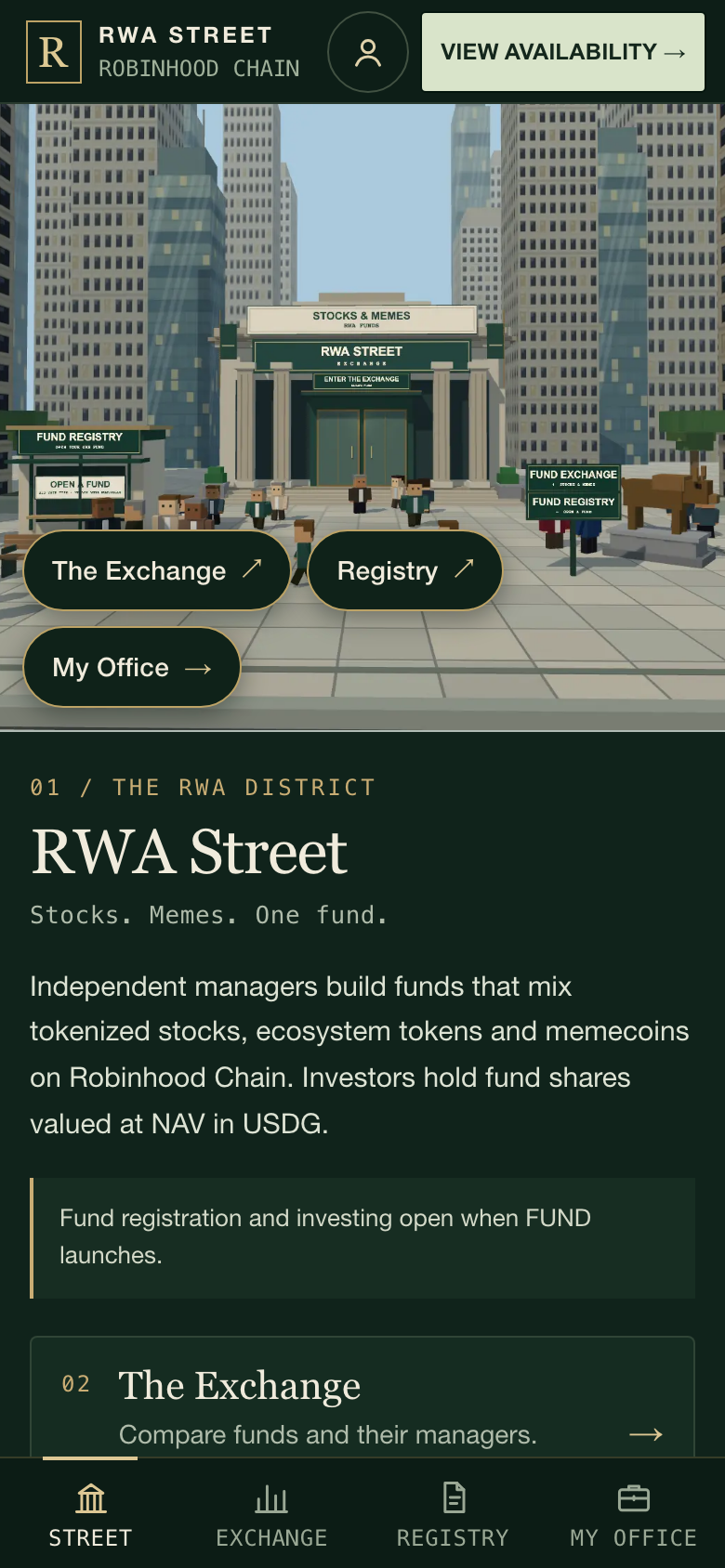
Street, before FUND launches: what is open and where to go.↗︎
Street
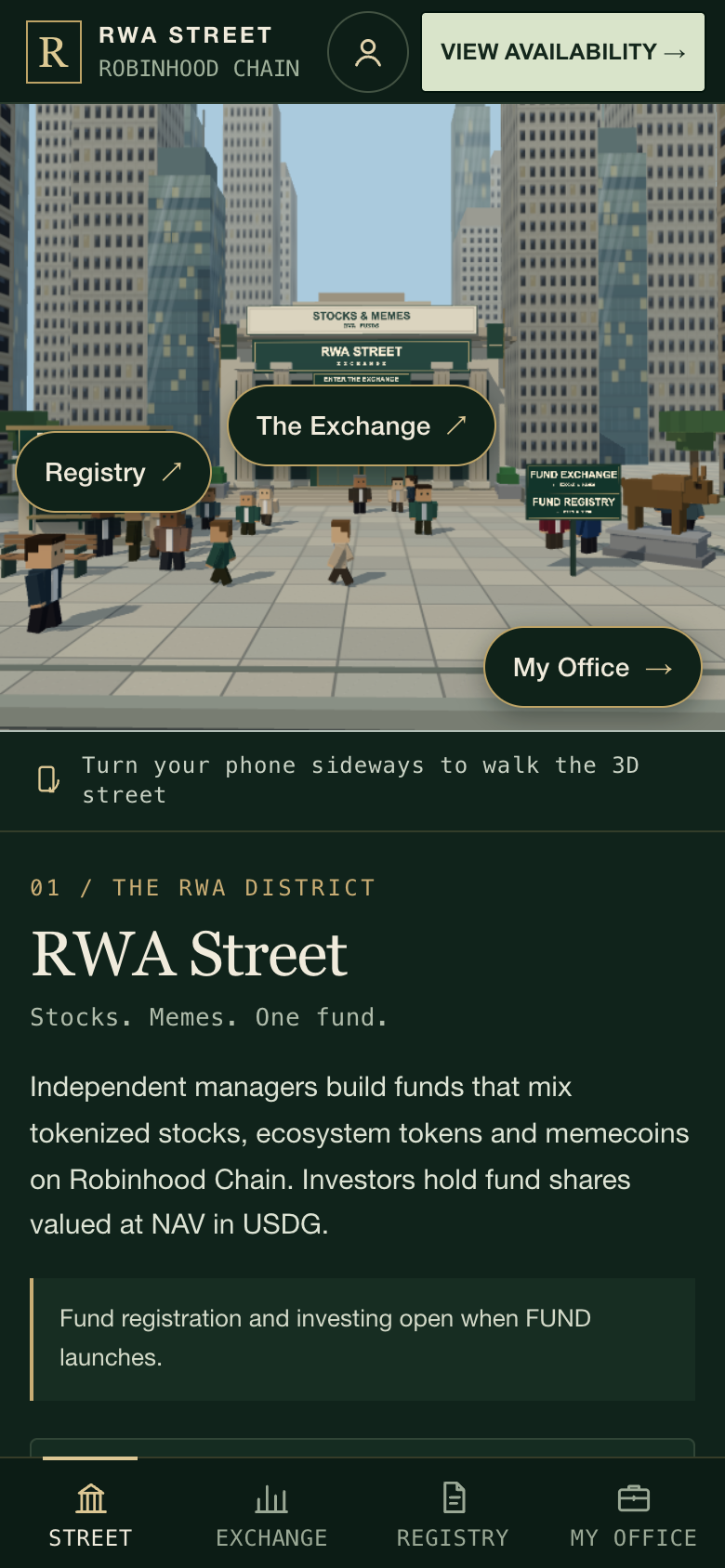
The live 3D street fills the top of the screen. Labels float over the buildings: The Exchange ↗︎ and Registry ↗︎ open those tabs, and My Office → sits in the corner.
A quiet line under the street suggests turning the phone sideways to walk the 3D street. It is only a suggestion. See Turn it sideways.
On your first visit, a line under the street offers the one-minute tour: "New here? Take the one-minute tour." It is offered once.
The status line tells you what you can do right now, for example "Fund registration and investing open when FUND launches." Once FUND is connected, the official address appears under it.
Three cards lead to 02 The Terminal, 03 The Registry and 04 My Office. Each shows a live line such as the number of funds, "Registration open" or "Registration closed", "You manage" with your ticker, or how many investments you hold.
At the bottom: Tutorial, Docs, @RWASTREET on X and My profile.
The fund directory (the Terminal's Table view), after opening, with one newly created fund above the examples: search, sort and compare funds.↗︎
Terminal
Every fund on one page. A board at the top shows what is running right now: how many funds, how much is in them, how many are open to deposits and which is newest. Each card shows who runs the fund (the manager's photo and nickname, with their own X and FOMO links marked "Not verified"), its name, ticker and type, the manager's approach, NAV per share, the change since start and over 24 hours once recorded, the top holdings, AUM, fees and how full the fund is (the hatched part of the bar is the room held for $FUND holders first), with one status such as OPEN, $FUND HOLDERS FIRST, DEPOSITS PAUSED or CLOSED. Rank the funds with Top by size, Top performers or New, search by fund, ticker or manager, filter by Stocks, Memes & tokens or Mixed, or keep only funds open to deposits. Tap a card to open the fund's page. The last card is the next unclaimed fund number, Start your fund, which leads to the Registry. The example portfolios follow the funds in their own section. Before FUND launches, the Terminal says the same as the landing page and shows unclaimed fund numbers above the examples.
Table view, under the Terminal's heading, opens the fund directory, laid out as cards:
Search by fund name or ticker.
SORT chips: Return, AUM, Holders and Drawdown. Tap a chip to sort; tap it again to reverse the order. The arrow on the chip shows the direction.
Filter chips: ALL, NEAR / ABOVE REF., BELOW REF., MY INVESTMENTS and MY FUND. "REF." is the fund's performance fee reference; see How funds work.
Each fund card shows the ticker and name, the manager, the return since the fund started, a small chart with a dashed line at the fee reference, assets under management (AUM), number of holders, whether the fund is open and how full it is. A registered fund's photo is its manager's profile photo; without one, the square keeps the fund's colour.
Tap a card to open the fund's page.
A new fund starts with no history, so its card shows only what has happened on chain since it opened. A dash means a figure is not available yet.
The directory also keeps the four example portfolios from RWA Street. Each one is clearly labelled Example portfolio and shows only a target mix (for example "Target · SPY 75% · USDG 25%") and example fees. Examples hold no assets and have no balances, returns or investors, and you cannot deposit into them. The Registered funds / Examples switch at the top chooses which list you see. The list opens on the examples only while no fund is registered; after that it opens on registered funds, and the examples are one tap away.
Registry
Where managers open a fund. The tab lists the five registration steps and the main terms: funding options USDG · ETH · $FUND, fund accounting in USDG, the creation burn (50,000 FUND; the registration review reads the live amount from the contracts) and the performance fee split 70% manager · 30% platform.
After opening: on a phone, registration runs in five steps.↗︎
The button at the bottom changes with the situation: Register a fund when registration is open, Open my office if you already manage a fund, and View availability while registration is closed. Tapping Register a fund opens the five-step sheet shown above. See Open a fund from your phone.
My Office after opening, for the manager of a newly created fund: your investments and the fund you run.↗︎
My Office
Your investments: after you connect, a wallet card with your address and your USDG balance, then one row per fund you hold: ticker, name, current value in USDG, return and number of shares. Tap a row to open that fund.
If you have no fund shares yet, a button takes you to the Exchange. Funds accept USDG, ETH or FUND.
Your fund: if you manage a fund, its office appears here: the fund card, the order ticket for buying and selling assets, and your profile. The section is hidden if you do not manage a fund.
Invest from your phone
Open the fund
On the Exchange tab, tap a fund card.
Read the fund page: value per share, chart, holdings, fees, the manager's introduction and capacity. Scroll as far as you like; ← The Exchange at the top takes you back.
Tap Invest in this fund in the bar at the bottom of the screen.
A newly created fund after opening: on a phone, Invest sits at the bottom of the screen.↗︎
The bar mirrors the fund page's own invest button, so it always says what you can actually do:
The bar shows
What it means
Invest in this fund
The fund has room for you. Tap to open the deposit ticket.
Invest — $FUND holder access
Only the part reserved for FUND holders has room, and your FUND balance qualifies. Tap to open the deposit ticket.
Deposit and Withdraw
You already hold shares. Withdraw opens the ticket on its Withdraw side.
Capacity reached (greyed out)
The fund is full. Check back later.
Hold 100,000 FUND (greyed out)
Only the part reserved for FUND holders has room, and your wallet holds less than 100,000 FUND. It opens to everyone 3 days after the public part first fills. See The FUND token.
FUND balance unreadable (greyed out)
The site could not read your FUND balance to check holder access. Wait and try again.
Waiting for a current price or Waiting for fresh prices, with Withdraw in kind if you hold shares
A price the fund needs is out of date. Tap the label to see which asset. Deposits and USDG withdrawals wait; a withdrawal in kind does not.
Greyed out
The fund cannot be valued right now for another reason. The page explains why. Wait, then try again.
Withdraw alone
The fund takes no deposits right now: its manager paused or closed it, or RWA Street paused deposits or is winding down. You can still withdraw, in USDG or in kind.
Deposits paused, Closed to new investors or No new deposits (greyed out)
The same, for a wallet without shares in the fund. The page says why.
Not before about a time (or Paused for safety), with Withdraw in kind if you hold shares
A safety pause after a network restart: deposits and USDG withdrawals wait for fresh prices, and a withdrawal in kind still works. The time is your local time and the earliest the fund can reopen. Tap the label for the reason.
About this example
An example portfolio. It explains the example; nothing can be deposited.
When the page's own invest button is on screen, the bar steps aside so you never see two identical buttons.
A safety pause after a network restart, seen by a shareholder: the notice at the top, the earliest reopening time in the bar, and Withdraw in kind beside it.↗︎
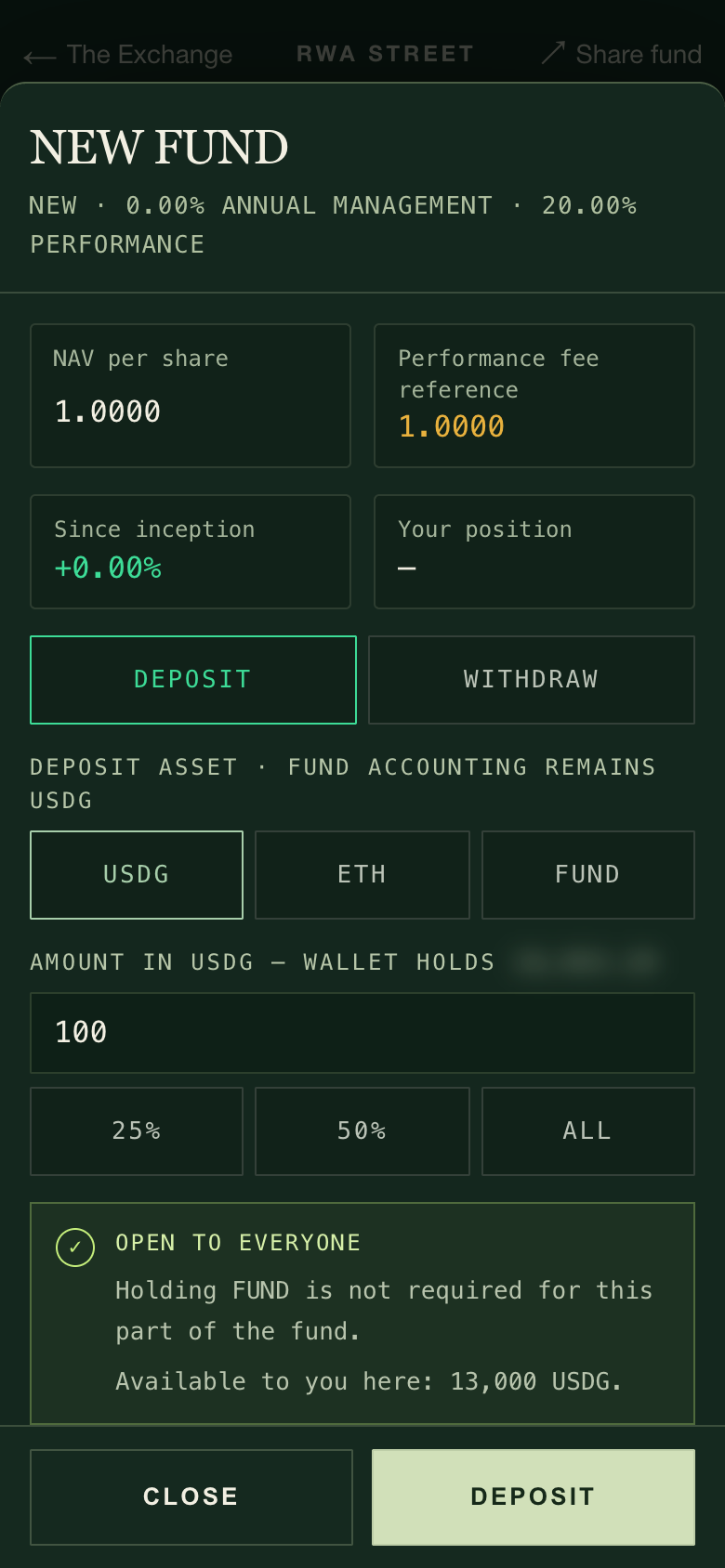
Fill in the ticket
The ticket opens as a sheet from the bottom. Its header and buttons stay put while the middle scrolls.
After opening, with the reader's own 100 USDG typed: the ticket opens as a sheet from the bottom.↗︎
Choose DEPOSIT, then the asset you pay with: USDG, ETH or FUND. An asset that cannot be used right now is greyed out with the reason.
Type an amount, or tap 25%, 50% or ALL of your wallet balance. The ticket checks the fund's remaining room for you before you sign anything.
With USDG, tap DEPOSIT. With ETH or FUND, tap REVIEW CONVERSION first: the ticket shows the estimated USDG, the minimum USDG you will accept, the minimum fund shares and the time the quote expires. If you are happy, tap CONFIRM DEPOSIT.
Approve in your wallet. The first time you pay with a token, your wallet asks for an approval before the deposit itself. When the approval confirms, the site shows Approval confirmed: reopen the ticket, check the amounts and submit the deposit. It is never sent for you automatically.
When the deposit confirms, a receipt lists what you spent, the USDG deposited and the shares you received.
Withdraw
Tap Withdraw in the bar (or WITHDRAW in the ticket), enter the shares to redeem (or tap 25%, 50% or ALL), and tap WITHDRAW. With USDG under You receive, the fund may sell some holdings to raise that USDG; if a sale cannot meet its minimum, the whole withdrawal is reverted and nothing moves. Choose IN KIND instead to take your share of everything the fund holds, with nothing sold: tap REVIEW IN KIND, check each token and the least of each, then CONFIRM IN-KIND WITHDRAWAL. See Withdraw in kind and Safety & exits for every way out of a fund.
Costs, room and protections are the same as on a computer. USDG goes straight in; ETH pays its pool fee and price impact; FUND is sold on PONS for ETH and then converted to USDG, which carries PONS trading costs plus price impact. Quotes expire after about five minutes, your minimums cancel the whole deposit if the conversion falls short, and the contract checks the fund's room again when your transaction runs. The details are in Invest in a fund (steps 3 to 6) and Fees & costs.
On the Registry tab, tap Register a fund. The registration form opens full screen as five steps, one per screen. A progress bar and a line such as Step 2 of 5 · Portfolio sit at the top.
Name & introduction: your fund's name, its share ticker, the manager name and how you invest. You cannot continue without a name and a ticker; the sheet tells you what is missing.
Portfolio: choose assets and their starting weights. Whatever you do not allocate stays in USDG. Only assets that are switched on and priced right now can be picked; see Assets.
Fees: set the management fee (0 to 3% a year) and the performance fee (0 to 40%). Of the performance fee, 70% goes to you and 30% to the platform, paid in fund shares. Fees are fixed once the fund is created.
Seed & capacity: seed the fund with USDG, ETH or FUND and choose how much it can accept, as a multiple of your seed (20, 40, 50, 60, 80 or 100 times).
Review & open: a summary of every choice in five rows (Fund, Manager, Portfolio, Fees and Seed, with capacity), the amounts and the creation burn, then REVIEW & OPEN.
Moving between steps:
The button at the bottom names the next step, for example NEXT · PORTFOLIO. BACK returns one step; on the first step, CANCEL closes the form.
Tap a dot in the progress bar to jump back to any step you have already reached.
If the review finds a problem with your weights or seed, it offers a button such as Fix in Portfolio or Fix in Seed & capacity that takes you straight there.
Rotating the phone keeps you on the same step with the same values.
Before you open:
Opening a fund burns 50,000 FUND. The burn is not an investment and is not returned. If creation fails, the burn reverts with it.
Buying FUND on PONS for the burn carries PONS trading costs plus price impact.
Your wallet may ask for approvals (for example for your seed) before the creation transaction. After an approval confirms, reopen the form, check it and submit.
While registration is closed, the button reads View availability and shows the current status instead of the form.
For the full manager walkthrough, including trading and your profile, see Open a fund.
Turn it sideways
Upright, a line under the street reads Turn your phone sideways to walk the 3D street. It is a suggestion only. Nothing needs landscape, and a phone with rotation locked, or a wallet browser that does not rotate, can do everything upright.
Sideways: the full street with a compact bar.↗︎
Sideways, the street fills the screen and the controls shrink to its edges:
A slim top bar with a back arrow and the name of the place you are in.
A floating navigation pill at the bottom right: STREET, EXCHANGE, REGISTRY and MY OFFICE. On narrow screens it shows icons only.
The place action as a pill at the bottom left, and a short hint at the top (it says TAP where a computer would say click).
Office and trading-floor cards in a panel on the right, with the street beside them.
Tickets and forms open as full-height sheets on the right, with their buttons always on the bottom edge.
The fund directory keeps its table: tap a column heading to sort.
On a fund's page, a Deposit / Withdraw pair floats at the bottom right whenever the page's own investment panel is off screen.
A form keeps the layout it opened with: registration started upright stays in five steps after you rotate, and rotating back returns you to the same step. Your Exchange search and scroll position are kept too.
The 3D trading floor of a fund is available sideways and on a computer. Upright, links to it open the fund's page instead, which has everything you need to invest.
If the 3D street does not load
Some phones and in-app browsers cannot draw 3D (it may be blocked, switched off or short of graphics memory). RWA Street then opens with a still picture of the street in place of the live scene. The labels over the street become ordinary buttons, and every tab, ticket and form works as usual.
Before FUND launches, without 3D: the street is a still image and everything else works.↗︎
If the phone's graphics drop out while you browse, the still picture takes over and the live street comes back when it recovers.
On a phone that struggles to keep up, the street first renders at a lighter resolution and, if needed, becomes a still frame that redraws only when the view changes.
Upright, the street stops drawing while you are on another tab or have scrolled past it, which saves battery.
If the site cannot start at all, the loading screen does not spin forever. It shows one of these messages:
Message
When
"This browser could not open the district."
A part of the site failed to load or start.
"Still opening. The network may be slow."
Nothing has opened after 45 seconds.
Both offer three ways forward:
Try again reloads the page.
Open without 3D opens the site with the still street. You can also bookmark https://www.rwast.app/?render=static to always open it this way.
Read the docs opens this guide.
Tips
Stay in the wallet browser while you sign. If you leave to check something, come back to the same browser. A deposit or creation that is still confirming shows Waiting for your wallet or Transaction pending; tap CHECK STATUS and do not submit the same action again while it is pending.
Use the same wallet browser for a whole action. The site keeps track of a pending transaction in the browser that sent it.
Keep some ETH for gas, including when you pay with ETH.
Your profile works on a phone too. Tap My profile, then sign a message in your wallet. Signing in costs no gas and does not authorize transactions or spending; your wallet must be on Robinhood Chain. Profile photos must be PNG, JPEG or WebP, smaller than 2 MB and at most 4,096 by 4,096 pixels. If your phone saves photos in another format, save a JPEG copy first.
Check addresses in one place. The official FUND address is the one shown on the RWA Street landing page and Street tab once FUND is connected, and the official X account is @RWASTREET↗︎.
Everything is the same underneath. The phone layout only rearranges the screen. Prices, capacity, fees and every transaction follow exactly the same rules as on a computer.
Paying with USDG costs nothing extra. Paying with ETH costs a small pool fee. Paying with FUND carries PONS trading costs, because it is sold on PONS first. Funds charge only the two fees their manager chose at creation, and RWA Street takes nothing from your deposit or your withdrawal.
Pay with USDG
Gas only
Pay with ETH
0.05% pool fee, plus price impact
Pay with FUND
PONS trading costs, then 0.05% and price impact, all included in your estimate
Fund fees
Management 0–3% a year; performance 0–40% of gains above the fund's reference. Fixed for the life of the fund.
Open a fund
50,000 FUND burned, plus gas. Rolled back if creation fails.
Withdraw
No exit fee. Pool fees and price impact only if the fund must sell to pay you.
Every charge you can meet on RWA Street is on this page: the fees a fund charges, the cost of paying with FUND or ETH, the 50,000 FUND creation charge, trading and withdrawal costs, and gas. The table comes first. Worked examples and the fine print follow.
Every cost at a glance
Cost
Who pays
How much
When
Management fee
Everyone holding the fund's shares
0% to 3% a year, chosen per fund; all of it goes to the manager
Builds up every second; settled whenever someone deposits, withdraws, trades or settles fees
Performance fee
Everyone holding the fund's shares
0% to 40% of the gain above the fund's reference; split 70% manager, 30% platform
Only once value per share is more than 0.6% above the reference
Creation charge
The manager opening a fund
50,000 FUND, burned
At creation; it is rolled back if creation fails
Paying with FUND
Whoever pays with FUND
PONS trading costs, then 0.05% for ETH to USDG, plus price impact; your estimate and minimum already include them
At conversion, before the fund receives USDG
Buying FUND on PONS
The buyer
The same PONS trading costs, plus price impact
When you buy, for example to pay the creation charge
Paying with ETH
Whoever pays with ETH
0.05% pool fee, plus price impact
At conversion, before the fund receives USDG
Paying with USDG
Nobody
Nothing
USDG goes straight into the fund
Fund trades
The fund, so every shareholder
The asset's pool fee (typically 0.30% or 1% for stock tokens; ecosystem tokens and memecoins pay their own pool fee plus 0.05% through ETH), plus price impact
Each trade the manager makes
USDG withdrawal
The fund, shared by every shareholder
Nothing if the fund has enough cash; otherwise the pool fees and price impact of the sales it makes to pay you
When you withdraw
In-kind withdrawal
You
No sale and no pool fees. For a fund with a performance fee, your wallet's gas limit must cover about 5.1 million gas plus the token transfers; you are charged only for the gas actually used
When you withdraw in kind
Wind-down conversion
The fund, so every shareholder
Pool fees and price impact, within the 99% (stock tokens) or 97% (ecosystem tokens and memecoins) floors
Only if the platform winds down, after the 7-day notice
Gas
Whoever sends the transaction
A small amount of ETH on Robinhood Chain
Every transaction, including approvals and transactions that fail
Fund fees also keep building up after a fund closes to new deposits and during a platform wind-down. Closing does not switch them off.
Fund fees
Each fund has two fees, and its manager picks both when opening it. The management fee can be set from 0% to 3% a year in steps of 0.25%. The performance fee can be set from 0% to 40% in steps of 5%. The rates are fixed for the life of the fund. Nobody can raise them later, and they stay the same if the fund gets a new manager.
Fees are never taken from your wallet and no cash leaves the fund to pay them. They are paid by creating new fund shares for the people who earn them. Your share count stays the same, but your slice of the fund gets a little smaller. The value your shares show already accounts for fees owed up to that moment.
Management fee
The management fee is a yearly rate on the fund's value, charged a tiny amount at a time. It is charged whether the fund is up or down. All of it goes to the manager.
Worked example. You hold fund shares worth 10,000 USDG. The fund charges 2% a year. Prices do not move for six months. Half a year at 2% is 1%, so your shares are now worth about 9,900 USDG. The other 100 USDG of value now belongs to the manager as new shares.
Performance fee
The performance fee is a share of new gains. Each fund keeps a reference: the highest value per share on which a performance fee was last settled (or the starting value). A fee is taken only when value per share climbs more than 0.6% above the reference. It is then charged on the whole gain above the reference, and the reference moves up to the new value. You never pay twice for the same recovered gain.
The fee is split 70% to the manager and 30% to the platform, both paid in fund shares. The platform's 30% is part of the fee the manager chose, never an extra charge on top.
Worked example: the 0.6% threshold. You hold 10,000 shares. The fund charges 20% and its reference is 1.0000 USDG per share. No management fee, to keep it simple.
Value per share
Above the reference
Fee on your shares
What happens next
1.0050
0.5%
None
The 0.6% threshold is not passed; the reference stays at 1.0000
1.0100
1.0%
20 USDG (20% of your 100 USDG gain)
14 USDG to the manager, 6 USDG to the platform; the reference moves up to 1.0080
Worked example: where a 20% fee goes. For 1,000 USDG of gains above the reference:
Allocation
USDG value
Stays with the fund's shareholders
800
Manager: 70% of the 200 fee
140
Platform: 30% of the 200 fee
60
Performance fees count gains that have not been sold yet. A fund that charges 0% for both fees never charges anything.
Paying with FUND
You can invest in a fund, or seed your own, by paying with FUND. The fund itself only holds USDG, so your FUND is sold on PONS first, then the ETH it raises is swapped into USDG. Only the USDG that arrives buys fund shares.
Selling FUND on PONS carries PONS trading costs, set at FUND's launch and taken before the ETH to USDG step. The ETH to USDG pool then charges 0.05%, and the sale moves the price against you (price impact, explained below). The estimate and the minimums in your review already include all of them.
Worked example. FUND worth 1,000 USDG at the current price:
Step
Amount
Your FUND at the current price
Worth 1,000.00 USDG
Less PONS trading costs
Already in the estimate
Less the 0.05% ETH to USDG pool fee
Already in the estimate
Less price impact
Already in the estimate; larger payments lose more
What the fund receives
About the estimated USDG shown before you sign, and never less than your minimum USDG
While FUND still trades on its PONS launch curve, the conversion estimate is indicative: the curve cannot quote a sale in advance, so the website calculates it. Your minimums still protect you. If the sale would deliver less than your minimum USDG or your minimum fund shares, the whole payment is cancelled and your FUND stays in your wallet.
Paying with FUND is optional. USDG avoids PONS trading costs entirely, and ETH costs only its 0.05% pool fee and price impact. You never need FUND to use a fund's public capacity. If you buy FUND only to pay into a fund, you pay PONS trading costs twice: once when you buy it and again when it is sold for you, plus price impact each time.
Mind your priority balance. Holder priority reads the FUND left in your wallet after your payment. Paying with FUND can drop you below 100,000 FUND and remove your priority allowance. See The FUND token.
Conversion can pause briefly. While PONS moves FUND from its launch curve to its trading pool, FUND payments wait. USDG and ETH keep working.
Converting ETH
When you pay with ETH, it is swapped into USDG in the ETH to USDG pool before it reaches the fund. The pool charges 0.05%, and your swap moves the price a little.
Worked example. ETH worth 1,000 USDG at the pool price becomes about 999.50 USDG before price impact. The fund then issues shares for the USDG that actually arrived.
Converting ETH: the estimate, the minimums and when the quote expires.↗︎
ETH needs no approval, so an ETH payment is a single transaction. Keep some ETH back for gas.
Opening a fund
Opening a fund burns 50,000 FUND. Burned tokens are destroyed for good. The charge is not an investment: it buys no fund shares and you do not get it back when you withdraw your seed.
The burn, your seed and your starting purchases settle together or not at all. If any part fails, the burn is rolled back and your FUND stays in your wallet. You still pay the gas of the failed attempt.
The charge you approve is capped at the amount you reviewed. If the charge for new funds changed before your transaction, the transaction stops rather than burning more.
What opening a fund can cost:
The 50,000 FUND charge. If you buy FUND on PONS to pay it, the purchase carries PONS trading costs plus price impact. Plan to spend a little over 50,000 FUND's worth.
Your seed. A USDG seed goes straight in. An ETH or FUND seed is converted first, with the costs in the two sections above.
Your starting purchases. Each asset you buy with the seed pays its pool fee and price impact, the same as any fund trade.
Gas for the approvals and the creation transaction.
Keep the charge and the seed apart. To seed with 100,000 FUND at a 50,000 FUND charge, you need 150,000 FUND in your wallet, plus ETH for gas.
The review shows each quote, its minimum and the expiry, and says everything settles together or reverts.↗︎The same review lists the one-time 50,000 FUND creation burn on its own line.↗︎
Trading and withdrawal costs
When the manager trades
Every fund trade is a swap between USDG and one asset. The fund pays:
The pool fee of that asset's trading pool. For stock tokens this is typically 0.30% or 1%. Ecosystem tokens and memecoins are traded through ETH, so they pay their own pool's fee plus 0.05% for the ETH to USDG step.
Price impact: a larger order moves the pool price further, so each extra unit costs a little more than the last.
Every trade must also receive at least 99% of the price-feed value for stock tokens, or 97% for ecosystem tokens and memecoins. That floor is the most a trade can lose to fees and impact combined. An order large enough to lose more is refused and nothing moves; split it into smaller orders.
Review the quote and the minimum received before you trade.↗︎
These costs lower the fund's value, so every shareholder shares them in proportion to their shares.
When you withdraw in USDG
Withdrawals always pay USDG, whatever you deposited with. RWA Street charges no exit fee. Fees owed up to that moment are settled first, as with any interaction.
If the fund holds enough USDG, you are paid from it and nothing is sold. If not, the fund sells a slice of every holding, slightly more than needed so the sales cover their own costs; any extra stays in the fund. Each sale must receive at least 99% (stock tokens) or 97% (ecosystem tokens and memecoins) of its price-feed value, or the withdrawal is refused and nothing moves.
Your payout is worked out after those sales, so their pool fees and price impact are shared by you and the shareholders who stay, in proportion to shares. The value your shares show is an estimate, not a guaranteed exit price. Your minimum USDG is the guarantee.
A USDG withdrawal needs working prices and trading routes. If a price is stale or a route cannot be quoted, a USDG withdrawal is refused until it recovers; nothing moves. See Safety & exits.
In-kind withdrawal
An in-kind withdrawal pays your exact share of everything the fund holds, its USDG and each token, instead of selling anything. There is no sale, so there are no pool fees and no price impact. It needs no price, so it works even while prices or routes are down.
Fees owed so far are settled first. If the fund cannot be valued at that moment, only the time-based management fee is settled.
Gas limit. For a fund with a performance fee, your wallet's gas limit must cover about 5.1 million gas plus the token transfers. You are charged only for the gas actually used, which is normally far lower. Your wallet's own estimate finds the right limit.
The one-day hold. Freshly deposited shares wait about a day before they can leave in kind. USDG withdrawals are never held.
If RWA Street winds down
A wind-down starts with a 7-day notice. After it, anyone may convert a fund's holdings into USDG. The USDG stays in the fund for its shareholders; whoever sends the conversion receives nothing and pays their own gas.
The fund bears the pool fees and price impact of those sales. Each sale must receive at least 99% (stock tokens) or 97% (ecosystem tokens and memecoins) of the price-feed value, and at most 20% of a holding can be converted in each clock hour (for example 14:00 to 15:00). Holdings that cannot be priced or sold stay in the fund for in-kind withdrawals. Fund fees keep building up during a wind-down.
How sale floors are measured. The 99% and 97% floors are the launch settings, measured against the price sources the platform has configured. The platform owner can change those sources at once, and can move any asset to an ETH-bridged route with its own limit of up to 5%. Read who can do what in Safety & exits.
Gas
Every transaction on Robinhood Chain (chain ID 4663) costs a small amount of ETH for gas, paid by the wallet that sends it. RWA Street never pays it for you and never adds to it.
Approvals are separate transactions. Paying with USDG or FUND, or approving the creation charge, may first ask you to approve the token. An approval costs gas but moves nothing. Approval alone does not complete a deposit.
ETH needs no approval. An ETH payment is one transaction.
Failed transactions still cost gas. When a transaction is refused (an expired quote, a missed minimum, a full fund, a stale price), everything it tried to move is returned, but the gas it used is spent.
Keep ETH back. When paying with ETH, leave enough for this transaction and the next one.
Profile photos and links are free. Setting a photo or links is a signed message, not a transaction. Your manager nickname and introduction are published on chain from the fund page (or with registration) and cost gas.
Heartbeats are not your cost. RWA Street's own wallets send the small heartbeat transactions that prove the chain is running. Anyone may send one; you never have to.
See the exact cost before you confirm
Every deposit, conversion, creation and trade shows its numbers before you sign.
Enter your amount and open the review. Press Review Conversion when paying with ETH or FUND, Review Trade for a fund trade, and Review & open when opening a fund. The website asks the pools for a live quote. A USDG deposit needs no conversion, so its form shows the protection that applies before you press Deposit.
Read the estimate. Quotes include pool fees and price impact; the FUND estimate also includes PONS trading costs.
Read the minimums. By default the minimum is the estimate less 1%. For a deposit you also see a minimum number of fund shares, which allows another 1% in case the fund's value per share moves before your transaction lands. If the result would fall below any minimum, the whole transaction is cancelled.
Check the expiry. A review lasts 5 minutes. After that, review again for a fresh quote; an expired review cannot be sent.
Approve if asked, then confirm in your wallet. Wait for the receipt: it shows the USDG actually invested and the shares actually received.
What can stop a transaction, and what it costs you:
What happened
What moves
What you lose
The quote expired
Nothing
Nothing; review again
The price moved past your minimum
Nothing
The gas used
The fund has no room for your amount
Nothing
The gas used; the form checks capacity first, but another deposit can take the room before yours lands
An asset's price is stale
Nothing
The gas used, if you sent it anyway; the asset is hidden from purchase until its price recovers
An asset's pool cannot fill close to its price
Nothing
Nothing; the review stops before your wallet is asked. Try a smaller amount
The chain had an outage
Nothing
Actions that need a fund value wait until prices are fresh again
Opening a fund failed at any step
Nothing, and the 50,000 FUND burn is rolled back
The gas used
What is never charged
No entry fee and no exit fee. RWA Street keeps nothing from your deposit or your withdrawal. The deposit route keeps nothing either.
No fee on in-kind withdrawals.
No platform share of the management fee. All of it goes to the manager.
No platform fee on top of the performance fee. The 30% platform share comes out of the fee the manager chose.
No fee changes after creation. A fund's rates are fixed for its whole life.
No charge for holding FUND. Priority access is read from your balance; nothing is staked, locked or charged.
No burn when you invest with FUND. Invested FUND is sold into USDG. Only opening a fund burns FUND.
No lock-up and no early-exit penalty on USDG withdrawals.
No charge for profile photos or links. Publishing a nickname and introduction on chain costs only gas.
No fee for converting a fund in a wind-down. Whoever sends the conversion receives nothing from the fund.
Fund fees are not shared with FUND holders. Holding FUND earns no fees, no staking yield and no buybacks.
A fund holds tokens. You hold its shares. Value per share tracks how the fund is doing; new deposits make the fund bigger without counting as returns.
A fund
A portfolio of tokens and USDG cash, run by one manager wallet
A fund share
Your stake in that one portfolio, held in your wallet
FUND
The separate token that opens funds and gives priority access; it is not a share of any fund
Prices
Checked on every valuation; some checks are per asset, some are shared by every fund
Capacity
Seed × a fixed multiple, with 30% held for FUND holders first
Withdrawals
No switch can pause them; a USDG withdrawal needs valid prices for what the fund holds
Fund, shares and FUND
Three different things share similar names. Keeping them apart makes everything else on this page easier.
Thing
What it is
What it gives you
A fund
A contract on Robinhood Chain that holds USDG and the tokens its manager buys
A portfolio run by one manager wallet, with fees and capacity fixed at creation
A fund share
Your stake in one fund, including its cash, gains and losses
Your part of that fund's value, paid out when you withdraw
FUND
The RWA Street token (name RWA Street, ticker FUND)
The right to open funds (by burning 50,000 FUND) and priority access to reserved room; no claim on any fund's assets
An example portfolio on the Exchange is none of these: it is a target mix with no contract. It takes no deposits and has no balance or return.
Fund shares are tokens in your wallet. You can send them to another wallet; the cost basis used for capacity and any one-day in-kind hold travel with them. Read The FUND token for what FUND does and does not do.
Value per share
Net asset value (NAV) is the USDG value of everything a fund holds: its USDG cash plus each token, valued at the prices described below.
Value per share is NAV divided by the number of shares. A new fund starts at about 1.0000 USDG per share.
Value per share is the number that shows performance. The fund chart follows it, built from recorded observations, so a new fund starts with no history.
Deposits do not change it. You receive shares at the current value per share, after fees owed so far are settled. The fund gets bigger; nobody's return changes.
A withdrawal the fund's USDG cash covers does not change it either. Nothing is sold.
A withdrawal larger than the cash sells holdings. The fund sells the same fraction of every holding. Each sale, after pool fees, can land up to 1% (stock tokens) or 3% (ecosystem tokens and memecoins) below its price-feed value. That cost is shared by everyone in the fund, including the holders who stay.
Fees lower it. Fees are paid by issuing new fund shares to the manager and platform, which dilutes every other share.
The fund holds the tokens it buys. A manager's written target or introduction creates no market exposure by itself, and nothing rebalances automatically. Every trade is between USDG and one token, and a fund can hold up to 16 different tokens at once, plus USDG.
How prices stay honest
A fund's value is only as good as its prices, so every valuation checks that each price is recent and sane. If a check fails, the action that needs it waits rather than using a bad price. Nothing is sold at a guess.
Stock prices come from published price feeds. Ecosystem tokens and memecoins have no such feed, so they are valued from their own trading pool. Every dollar price is converted to USDG using USDG's own published price.
The price rules at launch
Heartbeat
A primary service sends a tiny heartbeat transaction to Robinhood Chain about every 90 seconds; a backup steps in if none has arrived for about 2 minutes. Anyone can send one.
Chain gap
If the newest heartbeat is more than 5 minutes old, the chain counts as having had an outage.
Recovery
When heartbeats resume after an outage, a 1-hour recovery follows. Nothing that needs a price works until it ends.
Stock tokens
A price up to 4 days old is accepted, so weekends and holidays do not freeze funds. After an outage, a stock needs a price published after heartbeats resumed. A stock token whose issuer has paused it counts as unavailable.
USDG
Its price must be at most 25 hours old. After an outage, a USDG price within 0.5% of $1 is still accepted, so USDG does not have to wait for a new one.
ETH
Its price must be at most 25 hours old, and after an outage it must be published after heartbeats resumed. It is used to value ecosystem tokens and memecoins.
Ecosystem tokens and memecoins
Valued at their 30-minute average pool price, counted only from after heartbeats resumed. The pool must have recorded, in the last 30 minutes, a trade that moved its price by at least one tick (the pool's smallest price step) or a change in the liquidity active at its current price; a very small trade may not count. It must also hold a minimum amount of liquidity and trade within 3% of that average.
Every trade and forced sale
Must receive at least 99% of the price value for stock tokens on their direct USDG pool, or 97% for ecosystem tokens and memecoins at launch (their ETH-bridged routes). Otherwise it is refused and nothing moves. A bridged route's limit can be set anywhere up to 5%.
Who can change these
The platform owner can change these settings. See Who can do what.
With immediate effect, the platform owner can set any asset's price age limit, change the pool rules within fixed bounds (an average window of 30 minutes to 1 day, a quiet-pool limit of up to 1 day, and a price band of up to 5%), and move any asset, stock tokens included, to an ETH-bridged pool route whose trading limit it sets, up to 5%. Stock tokens on their direct USDG pool keep a fixed 1% limit built into their trading adapter; moving one to a bridged route replaces that 1% with the bridged route's limit at once, for manager trades and forced sales alike.
The 5-minute gap, the one-hour recovery and the 0.5% USDG band are fixed in the current price contract. Replacing that contract takes 7 days' notice once any fund exists. Details are on Safety & exits.
Over weekends, deposits and withdrawals use the last stock prices, which can be up to 4 days old. If the next opening price is different, that difference falls on the holders who remain. See When a price is unavailable for what the app shows.
Capacity and FUND-holder priority
Every fund has a fixed limit on how much money it can take. It protects the manager's strategy from growing past what it can handle, and it gives FUND holders the first chance at part of the room.
Capacity = the fund's actual seed × 20, 40, 50, 60, 80 or 100. The manager picks the multiple once, at creation. It never changes.
A fund seeded with 1,000 USDG at 20× can take 20,000 USDG
70%30%
Public room, open to everyone70% · 14,000 USDG
FUND-holder reserve30% · 6,000 USDG
The manager's 1,000 USDG seed counts toward the public room.
The reserve opens to everyone 3 days after the public room first fills.
What fills capacity
Capacity counts money put in, not what it is worth today.
The seed counts, and every deposit uses room.
A withdrawal frees the money that was put in for those shares, whatever they are worth now.
Trades, gains, losses and fee shares never fill it.
The manager can withdraw their seed at any time, and capacity stays the same. The seed is not a locked stake.
Who can use the reserve
The reserve is for wallets holding at least 100,000 FUND. Your allowance grows with your balance, in a straight line, up to the whole reserve at 1,000,000 FUND.
Your FUND balance
Share of the reserve you may use
In the 20,000 USDG fund above (6,000 USDG reserve)
Below 100,000
None
0 USDG
100,000
10%
600 USDG
250,000
25%
1,500 USDG
500,000
50%
3,000 USDG
1,000,000 or more
100%
6,000 USDG
A bigger fund scales the same way: at 100,000 USDG capacity the reserve is 30,000 USDG, and 250,000 FUND lets you use 7,500 USDG of it. The reserve is first come, first served, so the room left may be less than your allowance.
Public room is used first. One deposit can take the last of the public room and part of the reserve. If you are not eligible for the reserve part, the whole deposit is refused and nothing moves.
Your balance is read at the moment you deposit, after any FUND you pay with has left your wallet.
Use is counted over the fund's lifetime, per wallet and per fund. Withdrawing, or selling FUND and buying it back, does not reset it.
Only you can spend your allowance. A reserve deposit must be made by the wallet that receives the shares.
Priority is per wallet, not per person. It reads the balance at that moment, so it gives priority, not exclusive access.
The 3-day countdown
The countdown starts the first time the public room fills. The fund page shows how long is left.
Until it ends, only eligible FUND holders can use the reserve.
When it ends, the rest of the reserve opens to everyone, with no transaction needed. Deposits after that count against nobody's allowance.
The countdown never restarts. Withdrawals do not reset it, and the manager cannot restart it. Public room freed by a withdrawal opens to everyone at once; freed reserve room stays with FUND holders until the countdown ends.
A deposit pause does not stop the 3-day countdown. If a fund's deposits are paused for part of those 3 days, FUND holders get that much less priority time.
When the public room is full, the reserve is for wallets holding at least 100,000 FUND until it opens to everyone.↗︎
Each fund has two fees, chosen by its manager at creation and fixed for the life of the fund, even if the manager changes: a management fee of 0–3% a year and a performance fee of 0–40% of gains.
The performance fee uses a fee reference (a high-water mark). It starts at the fund's opening value per share and is only ever raised.
A performance fee is taken only when value per share is more than 0.6% above the reference.
It is then charged on the whole gain above the reference, not just the part past 0.6%.
It is paid in new fund shares: 70% to the manager, 30% to the platform.
The reference moves up to the value per share after the fee. The same gain is never charged twice; after a loss, no fee is taken until value per share climbs back more than 0.6% above the reference.
A 20% performance fee on a rise from 1.00 to 1.10
Value per share now
1.1000 USDG
Fee reference
1.0000 USDG
Gain above the reference
0.1000 USDG
Performance fee, 20% of the gain
−0.0200 USDG
Value per share after the fee, and the new reference
1.0800 USDG
The fee is paid in new shares: 70% to the manager, 30% to the platform. The management fee is left out to keep the numbers round.
A rise to 1.0050 (0.5%) takes no fee, because it is not more than 0.6% above the reference.
Unsold gains count. Gains are measured at the prices above, including tokens the fund has not sold. A memecoin price pushed up in a thin pool can therefore trigger a fee.
When fees are counted. Fees are brought up to date during deposits, withdrawals and trades, or by a separate fee update that anyone can trigger.
The management fee accrues over time, including during losses, while deposits are paused, after a fund closes and during a wind-down. In an in-kind withdrawal while prices are unavailable, only this time-based fee is counted; the performance fee waits for the next valuation.
A fund that charges neither fee is never valued for fees.
Deposits and exits
Paying in. USDG goes in directly. ETH and FUND are converted to USDG first, and the USDG that actually arrives decides your shares.
USDG has no conversion cost, ETH pays its pool fee and price impact, and FUND carries PONS trading costs plus price impact because it is sold on PONS. Fees & costs
While FUND is still on its PONS launch curve, the conversion quote is an estimate. While PONS moves FUND into its trading pool, FUND payments pause.
Your review sets a minimum USDG and a minimum number of shares, and it expires after a short time. If the result would be lower, or the review has expired, the transaction fails and nothing moves.
Taking money out. Nothing can pause withdrawals: no such switch exists for the platform owner or for a manager, in any fund status or platform phase.
In USDG. A withdrawal the fund's cash covers sells nothing. A larger one sells the same fraction of every holding, each sale within the limits above. If any holding cannot be priced, or cannot be sold within its limit, the whole USDG withdrawal is refused and nothing moves. Try again when prices recover, or withdraw a smaller amount.
In kind. The fund contracts also let you take your exact share of the fund's USDG and of every token it holds. Nothing is sold and no price is needed, so it works even while prices are unavailable. Freshly deposited shares wait about a day first.
On the website, choose IN KIND under You receive on the withdraw ticket. While a fund's prices wait, its page offers Withdraw in kind directly.
Four kinds of wallet can act on a fund. This is a summary; the complete list, with the limits that matter for your money, is on Safety & exits.
You, as an investor
Can
Can: Deposit while the fund has room for you
Can: Withdraw your own shares at any time, in USDG or in kind
Can: Send your shares to another wallet
Cannot
Cannot: Change anything about how the fund is run
A fund's manager
Can
Can: Buy and sell switched-on assets for the fund, one trade between USDG and one token at a time, within the price limits
Can: Publish and edit the fund's introduction
Can: Pause and resume new deposits, or close the fund for good (after closing, the manager can only sell toward USDG)
Can: Hand the fund to another wallet at once, with no notice (a direct contract call; the app has no button for it)
Can: Withdraw their own seed at any time; capacity does not shrink
Cannot
Cannot: Withdraw or move other people's shares
Cannot: Move fund assets except by trading
Cannot: Change the fund's fees or capacity, or block any withdrawal
The platform owner (the founder's wallet after launch)
Can
Can: Choose the price sources, pool routes and trading routes every fund uses; changes to a single asset apply immediately
Can: Switch assets on or off for manager trading (a switched-off asset can still leave through withdrawals)
Can: Open or pause new fund registration, and set the creation charge for future funds
Can: Pause and resume new deposits in every fund, or start a one-way wind-down with 7 days' notice
Cannot
Cannot: Transfer, sweep or withdraw a fund's assets: no such function exists
Cannot: Pause withdrawals, or close or reopen an individual fund
Cannot: Change a fund's fees, capacity or manager
Cannot: Cancel a wind-down or shorten its notice
Anyone
Can
Can: Send a heartbeat
Can: Trigger a fund's fee update
Can: After a wind-down notice ends, convert a fund's holdings to USDG, at most 20% of each holding in each clock hour; the USDG stays in the fund
Cannot
Cannot: Receive anything from a fund they do not hold shares in
Administrative ownership of the contracts passes to the founder's wallet after launch, and that wallet accepts it in a second step. For words like NAV, fee reference and heartbeat, see the glossary.
The holder guide08 / 11
The FUND token
Open a fund. Burn FUND. Hold FUND for priority.
AT A GLANCE
FUND is the token that opens funds on RWA Street. Every new fund burns 50,000 FUND, and wallets holding FUND get first access to part of every fund's room.
Token name / ticker
RWA Street / FUND
Issued on
PONS V2, by the founder, on Robinhood Chain
Supply
1,000,000,000, fixed. No one can create more; only burns reduce it.
Burned per new fund
50,000 FUND
Holder priority
30% of every fund's room, from 100,000 FUND held
Trading cost on PONS
PONS trading costs plus price impact, on every buy and every sell
Holder income
None: no fee share, no staking yield, no buybacks
What FUND does
FUND has four jobs on RWA Street. You never need it just to invest: USDG and ETH work without it whenever there is public room in a fund.
01
Open a fund
Every new fund burns 50,000 FUND. The burn opens the fund; it buys no shares.
Every successful fund creation burns 50,000 FUND, permanently. The tokens are destroyed, not sent to anyone. The contracts check that FUND's total supply dropped by exactly 50,000 and that the tokens came from the creator's own wallet; anything else cancels the creation.
The burn is the price of opening a fund. It is not an investment: it buys no fund shares and does not count toward the fund's seed or capacity. Every fund pays its own burn. The website opens one fund per manager wallet, so a second fund is opened from another wallet, with its own seed and another 50,000 FUND burn.
The registration review shows the one-time creation burn on its own line, separate from your investment.↗︎
What happens when you open a fund:
Your wallet approves exactly 50,000 FUND for the burn. This is a separate approval from your seed.
Your wallet approves the seed: USDG, or the FUND you are converting. ETH needs no approval.
You confirm one transaction. It burns the 50,000 FUND, takes in your seed, buys your starting portfolio and registers the fund, all together.
The charge can change for future funds. The platform owner can set a different creation charge for funds opened later. It never charges funds that already exist. The review always shows the live amount before you sign. If the charge ever differs from the reviewed launch amount, the website stops offering new registration and FUND payments until an updated site version is published.
RWA Street burns FUND only when a new fund opens. Deposits, withdrawals, trading and fund gains never burn FUND.
New funds opened
FUND burned
Share of the 1,000,000,000 launch supply
1
50,000
0.005%
10
500,000
0.05%
100
5,000,000
0.5%
1,000
50,000,000
5%
These rows are arithmetic, not forecasts. They assume every fund pays today's 50,000 FUND charge. A smaller supply does not guarantee a higher market price.
Worked example. You want to seed your fund with 100,000 FUND. You need 150,000 FUND in your wallet: 50,000 for the burn and 100,000 for the seed, plus ETH for gas. The website checks that you keep enough for both. The seed reaches your fund as USDG after the conversion costs and price impact, and it must come to at least 1 USDG. Your fund's capacity is set from the USDG it actually receives.
Holder priority
Every fund keeps 30% of its room for FUND holders first. The other 70% is public and open to everyone. Room is counted in the USDG people have put in, not in the fund's current value, so market gains never fill it up.
A fund seeded with 1,000 USDG at 20× can take 20,000 USDG
70%30%
Public room, open to everyone70% · 14,000 USDG
FUND-holder reserve30% · 6,000 USDG
The reserve opens to everyone 3 days after the public room first fills.
Your share of a fund's reserve grows with the FUND in your wallet, in a straight line from 100,000 to 1,000,000 FUND.
FUND left in your wallet after paying
Your share of the reserve
In the 20,000 USDG fund above
Below 100,000
None
Public room only
100,000
10%
Up to 600 USDG
250,000
25%
Up to 1,500 USDG
500,000
50%
Up to 3,000 USDG
1,000,000 or more
100%
Up to 6,000 USDG
Your share is a limit, not a guaranteed place. Other holders can use the reserve first, and when it is gone it is gone.
When the public room is full, the reserve is for wallets holding at least 100,000 FUND. The fund page shows how long until it opens to everyone.↗︎
How the rules work in practice:
Public room is used first. A deposit only reaches the reserve for the part that does not fit in the public room. One deposit can use both.
It is measured after payment. If you pay with FUND, the FUND you spend is sold, so your allowance is based on what is left. The deposit ticket shows this before you sign.
It is per wallet and per fund, for the life of the fund. What you took from a fund's reserve stays counted. Withdrawing, moving your shares, or selling FUND and buying it back does not reset it. If your balance falls later, your remaining allowance falls with it.
Only your own wallet can use it. The reserve is used by the wallet that holds the FUND, depositing for itself.
The 3-day clock. It starts the first time the public room fills. After 3 days, whatever is left of the reserve opens to everyone for good, with no action needed.
Withdrawals do not restart the clock. Public room freed by a withdrawal is open to everyone at once. Reserve room freed before the 3 days end stays for holders until the clock runs out.
A deposit pause does not stop the clock. If the manager or the platform pauses deposits during the 3 days, holders can get a shorter priority window, or none.
Holding is all it takes. FUND is not locked, staked or charged for priority. Because it reads the wallet balance, moving the same FUND to another wallet can give that wallet access too. It is priority for balances, not a one-per-person allocation.
You can pay for fund shares with FUND. The FUND you pay is sold for USDG on PONS, and the fund receives the USDG. It is not burned or locked, and it does not count toward holder priority afterwards.
Selling FUND on PONS carries PONS trading costs, plus price impact. The estimate and the minimums in your review already include them. If you buy FUND only to pay into a fund, you pay PONS trading costs twice: once when you buy it and again when it is sold for you. USDG avoids all of it. Worked example
What to expect when you pay with FUND:
Approve. The first time, your wallet approves the exact FUND amount for the deposit contract.
Review. Select Review conversion. The ticket shows the route (PONS, then ETH, then USDG), the estimated USDG, the minimum USDG, the minimum fund shares and the expiry time.
Confirm before it expires. If the quote expires, review it again. If the final amount would be below either minimum, the whole payment is cancelled and your FUND stays in your wallet. You pay only the gas.
Good to know:
Room is checked in USDG. A fund's room counts the USDG it receives, so the ticket checks your payment against the room left only after the conversion is reviewed.
Estimates change with the market. While FUND is still on its PONS launch curve, the figure is an estimate; your minimums still protect you. Once FUND trades in its pool, the figure is a live pool quote.
FUND payments can pause briefly. While PONS moves FUND from its launch curve to its trading pool, FUND payments are unavailable. USDG and ETH keep working.
The fund must be priced. Like any deposit, a FUND payment needs the fund's prices to be current. See How prices stay honest.
Withdrawals pay USDG, never FUND.
Buying FUND
FUND trades on PONS against ETH on Robinhood Chain. Buy it only through the official address shown on www.rwast.app↗︎, using its View on PONS link.
Cost: PONS trading costs plus price impact. Selling costs the same.
Gas: keep some ETH on Robinhood Chain for gas.
For a new fund: buy enough for the 50,000 FUND burn and, if you seed with FUND, your seed too. See Opening a fund.
Before FUND launches there is no official FUND to buy. Until the landing page shows the address, any token offered as FUND is not the RWA Street token.
What FUND is not
FUND and fund shares are different things. Fund shares are your stake in one manager's portfolio, with its gains and losses. FUND is the platform's token. Holding FUND earns no investment returns.
Its use depends on managers. FUND is burned only when managers choose to open funds on RWA Street. If few funds open, few tokens are burned.
Its price can fall. FUND trades freely on PONS, and each trade carries PONS trading costs.
Check the official address
How to check before you buy:
Type www.rwast.app yourself. Do not follow links from direct messages or replies.
On the landing card, find Official $FUND followed by the address, a COPY button and a View on PONS ↗︎ link. COPY puts the address on your clipboard exactly as shown, ready to paste into PONS or your wallet, and confirms with CA COPIED. It appears only once the contracts have bound FUND, never before. On a computer, the $FUND ↗︎ link in the top bar goes to the same PONS page.
On PONS, confirm the token name RWA Street, the ticker FUND, and the same address. Compare the whole address, not only its first and last characters.
Where the official address appears, with COPY and View on PONS. The address in this picture is an all-zero test address, not FUND: copy the real one only from www.rwast.app.↗︎
The landing card says
What it means for FUND
Fund registration and investing open when FUND launches.
FUND has not launched. No address is shown.
FUND has launched. …
The contracts are being connected to FUND. The address appears as soon as that finishes.
Fund registration opens after contract activation.
The official address is shown. Opening follows automatically.
Fund registration and investing are open.
The official address is shown and everything is open.
New fund registration is paused. Existing funds keep operating.
No new funds open for now, so no FUND is burned. Existing funds keep working.
Deposits and new funds are paused across RWA Street. … (before any fund exists: New funds and deposits are paused across RWA Street for now.)
The platform has paused new deposits and new funds, so no FUND is burned. Once FUND is bound its address stays shown; withdrawals work as usual.
RWA Street is winding down. …
No new funds will ever open, so no more FUND is burned. Once FUND is bound its address stays shown; withdrawals stay open.
FUND could not be verified against the reviewed launch. …
No address is shown. New funds and FUND payments are unavailable. USDG and ETH deposits into existing funds keep working.
Other tokens can use the name or ticker FUND, and some already exist. A matching name is not proof. Only the address on the landing page is official. How opening works step by step is on Is it live?.
If RWA Street winds down
The platform owner can start a one-way wind-down with 7 days' notice. It cannot be cancelled or shortened. From that moment:
No new funds open, so no more FUND is burned. New deposits stop too, so holder priority no longer matters.
FUND is not a claim on fund assets. Winding down pays nothing to FUND holders, and FUND already in wallets is not touched by the RWA Street contracts.
Fund investors keep their exits. They can withdraw in USDG, or take their exact share of every holding in kind. Withdrawals can never be paused.
A temporary platform pause has a similar, reversible effect: while it lasts, no new funds open and no FUND is burned. The full wind-down rules are in Safety & exits.
What funds can buy09 / 11
Assets
AT A GLANCE
42 assets are switched on for funds at launch. The directory lists 194 stock tokens for reference. Only switched-on assets can be bought, and each one is checked on its own before money moves.
Switched on at launch
42: the 35 stock tokens that have price feeds, plus 7 ecosystem tokens and memecoins (PONS, CASHCAT, AI, Index, DELTA, SHROOM and TENDIES)
In the directory
201 entries: 194 Robinhood-issued stock tokens plus the same 7 ecosystem tokens and memecoins. Being listed does not make a token buyable.
Price check
The asset picker offers an asset only while its price is valid. An asset with a stale price is hidden until it recovers.
Pool check
The order review asks the trading pool for a real quote and refuses a purchase the pool cannot fill close to the price.
One at a time
A problem with one asset affects only that asset and the funds that hold it. Everything else keeps working.
Money in and out
Pay in with USDG, ETH or FUND; ETH and FUND are converted to USDG first. Withdrawals pay USDG.
A fund on RWA Street can hold tokenized stocks, ecosystem tokens and memecoins on Robinhood Chain, with the rest kept as USDG cash. This page explains which assets a fund can actually buy, how the site checks each one before money moves, and what happens when a price or a pool stops working.
Switched on vs the catalog
These two numbers answer different questions. Keep them apart. The directory below marks switched-on assets with the badge Enabled at launch and every other entry Catalog only · not buyable.
Switched on at launch
The catalog
How many
42: 35 stock tokens + 7 ecosystem tokens and memecoins
201: 194 stock tokens + the same 7 ecosystem tokens and memecoins
What it means
A fund can buy these, whenever each one passes its price and pool checks
A reference list of token identities and contract addresses
Can a fund buy it?
Yes, subject to the checks below
Only if it is also switched on
Where you see it
The asset picker when you build or trade a fund, and the Enabled at launch tab of the directory below
The All view of the directory below, and Explore stocks & ecosystem tokens in the app
The 194 stock tokens are a snapshot of Robinhood's official issuer catalog↗︎, taken on 20 September 2026. Each entry is a token deployed on Robinhood Chain. The catalog covers those tokens, not every security in Robinhood's brokerage app.
Good to know: switched on does not mean buyable at every moment. Each asset still has to pass its price check and its pool check at the moment you act. The picker always shows what you can pick right now.
SPY and QQQ for the broad market; EWY for South Korea; SGOV for short-term US Treasuries; SLV for silver; USO for oil
Ecosystem tokens
PONS (launchpad), Index (The Index), DELTA
Memecoins
CASHCAT, AI (Artificial Inu), SHROOM, TENDIES
That is 29 company stocks and 6 funds, for 35 stock tokens, plus 3 ecosystem tokens and 4 memecoins.
Choose your positions
You pick positions when you open a fund, and later when you trade. On a phone, this is Step 2 of 5 · Portfolio in the fund setup.
Open the asset picker. The tabs at the top are All, Stocks, Ecosystem Tokens, Memecoins, Cash (USDG) and Your mix with the number you picked. The picker lists only assets whose price is valid right now, and All adds USDG cash, so its count is one more than the switched-on assets that currently have a valid price: 43 results when all 42 do.
Narrow the list with Sector or theme, or type in Find an asset to search by name, symbol or sector.
Tick an asset to add it. A new selection starts at 25%; change it to the weight you want. Weights can use up to two decimal places.
Keep going until your mix looks right. Your search and filters can change freely; your ticks and weights stay.
Pick from assets switched on for funds. The rest stays in USDG.↗︎
Choose Your mix to see only what you picked. The USDG row at the bottom shows the cash reserve: whatever share of your seed you did not allocate.
Your mix: starting weights and the cash left in USDG.↗︎
Continue to the review. The site now asks each trading pool for a live quote. For every asset you see the quoted amount and the minimum received, the cash that remains in USDG, and the time the review expires.
If the review looks right, confirm in your wallet. When you open a fund, the creation charge, your seed, your introduction and every purchase settle in one transaction. If any part fails, the whole transaction is reverted and nothing moves.
The limits:
Up to 16 different tokens at once, plus USDG.
Weights add up to 100% or less. Anything below 100% stays in USDG.
Each asset appears once, with a weight above 0%.
Good to know: starting weights are targets for the first purchase, not a rebalancing rule. Pool fees and price impact move the final quantities a little. After that, the fund does not rebalance itself; the manager decides when to trade.
Two checks: the picker checks prices, the review checks pools
Every asset passes two separate checks before a fund buys it.
1. The picker checks prices. An asset appears in the picker only when it is switched on and its price reads correctly right now. If its price is too old or missing, it disappears from the picker until the price is fresh again. You never have to guess.
2. The review checks pools. A price says what an asset is worth. It does not say whether a pool can sell it to you at that price. So the review asks the pool for a real quote for your exact amount. If the pool would pay out noticeably less than the price says, the review stops and nothing is sent:
Stock tokens must fill at 99% or more of their price value.
Ecosystem tokens and memecoins must fill at 97% or more.
Many stock tokens lack a pool that fills close to their price, especially for larger amounts. At the launch review on 29 September 2026, only 8 of the 35 switched-on stock tokens (AAPL, AMZN, META, MSFT, NVDA, QQQ, SPCX and TSLA) could fill even a 10 USDG test order within 1% of their price: 16 had no pool that could quote, 9 quoted outside the 1% limit, and 2 were waiting for a price published after the last chain outage. Pools change over time, so the review checks again every time. It refuses a purchase rather than let a fund overpay, and it tells you before anything is sent.
The review asks the pool for a real quote. If the pool cannot fill close to the price, the review stops here and nothing is sent.↗︎
If the review says a purchase is outside the fund's price protection, you can:
Lower that asset's weight or the order size, then review again.
Remove that asset from your mix and keep the rest.
Try again later, when the pool has more depth.
The exact wording depends on the asset:
Asset
Refusal
Stock token
Available liquidity is outside the fund's price protection. Reduce the order or try again later.
Ecosystem token or memecoin
Available ecosystem liquidity is outside the fund's price protection. Reduce the order or try again later.
Ecosystem token or memecoin, first step
The first conversion leg is outside the fund's price protection. These purchases go USDG to ETH to the token, and the USDG to ETH step failed its check.
What the review protects
Every quote in a review comes with protections that are enforced on chain, not just shown on screen.
Protection
What it does
Minimum received
Each purchase has a minimum. The site sets it 1.00% below the live quote, and never below the 99% (stocks) or 97% (ecosystem tokens and memecoins) price floor. If the pool pays less, the transaction reverts.
Review expiry
A review is valid for 5 minutes. The expiry time is shown. After it passes, the transaction reverts; review again for fresh quotes.
Live check
If an asset is switched off or its price fails between your review and your confirmation, the transaction reverts rather than buy at a bad price.
All or nothing
When you open a fund, the creation charge, seed and purchases succeed together or not at all.
A reverted transaction still costs a little ETH for gas. Your USDG, FUND and ETH stay in your wallet.
Each asset is checked on its own
Availability is decided per asset. A problem with one asset never switches off the others.
One asset's price goes stale: that asset disappears from the picker. Funds that hold it show Valuation unavailable until its price returns (see below). Funds that do not hold it are unaffected.
One asset's pool cannot be quoted: the picker may still show it, but the review refuses purchases in it. Other assets in the same order review normally.
The price comes back: the asset returns to the picker by itself. Nothing needs to be reinstated.
A few things are shared by every fund, so a problem with them affects everyone at once:
The chain heartbeat. If Robinhood Chain goes more than 5 minutes without one, no fund holding tokens can be valued until prices recover.
The USDG price. USDG is the unit every fund is measured in. If its price cannot be read, actions that need a fund's value wait in every fund that holds tokens; a fund holding only USDG is unaffected.
The ETH price. Every ecosystem-token and memecoin value goes through it, so an old ETH price pauses every fund holding one.
The FUND conversion route. If FUND cannot be converted, paying in with FUND is unavailable. USDG and ETH still work.
If a fund holds an asset that has no valid price, the fund cannot be valued honestly. Instead of guessing, it shows Valuation unavailable where its value per share, return and allocation would be.
When a held asset has no valid price, the fund shows Valuation unavailable. A shareholder can still withdraw in kind.↗︎
While a fund shows Valuation unavailable:
Its holdings and your shares are still visible. Charts keep their history; no new points are added.
Deposits wait. A deposit ticket tells you pricing is unavailable and submits nothing.
USDG withdrawals wait. A USDG withdrawal needs the fund's value to work out what your shares are worth, so it waits too.
The manager cannot trade the fund until pricing is valid.
Other funds carry on. Only funds that hold the affected asset are paused this way.
When the price is fresh again, the fund is valued again automatically. If a ticket was open when pricing failed, close it and reopen it for a fresh review.
Good to know: an in-kind withdrawal needs no price, so it works even now: the fund page offers a shareholder Withdraw in kind below the waiting button. See Withdraw in kind.
How prices are checked
Stock tokens use published price feeds. Ecosystem tokens and memecoins have none, so they are valued from their own pool's 30-minute average, and only while that pool is active and steady. Every rule, with its numbers, is in How prices stay honest.
Deposit assets and fund holdings
What you pay in with and what a fund holds are different things.
Asset or position
Role
USDG
The fund's deposit, cash and withdrawal asset. Unallocated money stays in USDG.
ETH
You can pay in with ETH. It is converted to USDG before it enters the fund, and you pay the pool fee and price impact. Keep some separate ETH for gas.
FUND
You can pay in with FUND. It is sold on PONS for ETH, then the ETH is converted to USDG, which carries PONS trading costs plus price impact (why).
Switched-on stocks, ecosystem tokens and memecoins
The fund's holdings, bought with its USDG and held in its own contract.
Fund shares
Your share of the whole fund: its cash, its holdings, and their gains and losses.
Paying in with ETH or FUND never gives the fund an ETH or FUND position. Deposits after opening arrive as USDG cash; the manager decides when to invest it.
A manager does not need to own any of the portfolio tokens. For example, a 1,000 USDG seed could target NVDA 40%, PONS 30%, CASHCAT 20% and keep 10% in USDG. The fund buys the three positions at creation and keeps the rest as cash. Pool fees and price impact change the final quantities slightly.
Opening a fund also burns a separate 50,000 FUND creation charge. That charge is not an investment and does not buy shares; if creation fails, it is not burned. Buying that FUND on PONS carries PONS trading costs too. See The FUND token and Fees & costs.
Ecosystem tokens and memecoins
These seven tokens are independent projects on Robinhood Chain. They are not issued by Robinhood and have no price feed, which is why they are valued from their pools and why they have a wider 3% trading tolerance than stock tokens.
Token
Name
Group
Identity record
PONS
Pons
Ecosystem token · Launchpads
Official project address, 20 September 2026
Index
The Index
Ecosystem token · DeFi & Indexes
Submitted address with dated project identity, 11 September 2026
DELTA
Delta
Ecosystem token · Other
Submitted address, identity read on chain, 11 September 2026
CASHCAT
Cashcat
Memecoin · Animal Memes
Official project address, 20 September 2026
AI
Artificial Inu
Memecoin · Community Memes
Submitted address, identity read on chain, 11 September 2026
SHROOM
MUSHROOM
Memecoin · Community Memes
Submitted address, identity read on chain, 11 September 2026
TENDIES
TENDIES
Memecoin · Community Memes
Submitted address, identity read on chain, 11 September 2026
All seven are switched on at launch. The symbol on chain for The Index is Index, written exactly that way.
Watch out: memecoin prices can move far and fast. A 3% move away from the 30-minute average is enough to pause a memecoin until it settles, and a fund that holds it shows Valuation unavailable meanwhile. Holding several memecoins means several things that can pause the fund.
Browse the directory
The directory below lists every entry with its full Robinhood Chain contract address and where its identity comes from. It opens on Enabled at launch, the 42 assets a fund can buy. Switch to All to see the full catalog of 201 entries. Search by name, symbol or contract address, or narrow by asset class and sector or theme.
Sectors and themes are RWA Street's own browsing groups. They are not issuer classifications, safety ratings or recommendations.
42enabled at launch (35 stock tokens with price feeds + 7 ecosystem tokens and memecoins)
194stock-token identities in the catalog
201entries in total
Enabled at launch means a fund may hold it. Every other entry is catalog only: listed for reference, not buyable. Whether you can buy an enabled asset right now depends on its price and its trading pool at that moment; the app’s asset picker and order review are the live check. How each asset is checked →
201 assets
Stocks & ETFs
194
Company and fund exposure through Robinhood-issued tokens.
No assets match. Try another name, symbol, contract or category.
Robinhood Chain · 4663. Stock snapshot: 2026-09-20. This directory uses the same asset identities and categories as the app. Categories describe browsing themes, not investment ratings. Source dates and contracts are shown for every entry.
Before you rely on an entry, open its contract address and check it yourself. A ticker alone can be copied by anyone.
Request another asset
Want a token that is not switched on? You can prepare a request from the app.
In the asset picker, open Explore stocks & ecosystem tokens. Entries marked Not enabled have a Prepare listing request button that fills in the address, symbol and category for you.
For a token that is not in the catalog, open Missing an asset? Prepare a listing request and paste its Robinhood Chain contract address.
Choose its category and Sector or theme, and add official project links in Review notes.
Choose Download request draft. A JSON file is saved on your device.
The draft is not submitted, and the token is not listed. There is no in-app submission. A request, a ticker or a copied contract address never grants trading access.
Before a token can be switched on, its identity, contract behaviour, price source, pool depth and exit route all need review.
Who decides what is switched on
The platform owner switches assets on and off for all funds. After launch, ownership passes to the founder's wallet. Changes take effect immediately.
Switching an asset on makes it available to every fund's picker, subject to the checks above.
Switching an asset off stops new purchases in it, and the manager can no longer trade it. A fund that already holds it keeps the position and keeps valuing it.
The owner cannot move, sweep or withdraw any fund's assets.
If the platform ever winds down, the asset list is frozen from the moment wind-down starts. See Safety & exits for everything the owner can and cannot do.
Your money, your exit. This page is a plain, exact account of what protects your money on RWA Street, what can stop, and what never can.
AT A GLANCE
No function sends a fund's assets to the platform owner or to a manager, and nothing can pause withdrawals. A USDG withdrawal needs valid prices and holdings that can be sold; an in-kind withdrawal needs neither. The platform owner can change price sources immediately.
Withdrawals
Can never be paused, by anyone, in any fund status or platform phase
Two ways out
USDG, or in kind: your exact share of the fund's USDG and of every token it holds
On the website
Both: choose USDG or IN KIND on the withdraw ticket
Owner's money powers
None over fund assets: no sweep, rescue or transfer function exists
Owner's price powers
Chooses the price sources and trading routes every fund uses, with immediate effect
Manager can
Pause deposits, close the fund for good, trade within price limits
Platform can
Pause new deposits everywhere (reversible), or wind down with 7 days' notice (one-way)
Withdrawals: two ways out
Every fund on RWA Street has two ways out. Neither can be switched off.
USDG
In kind
What you get
USDG only
Your exact share of the fund's USDG and of every token it holds
Is anything sold?
Only if the fund's cash is short; then the same fraction of every holding is sold
No. Nothing is sold.
Does it need prices?
Yes, for every holding
No
Does it need the pools to trade?
Yes, whenever something must be sold
No
Waiting time
None
Freshly deposited shares wait about a day
Fees
Brought up to date at the current value
Brought up to date first; if the fund cannot be valued, only the time-based management fee
Minimums
A minimum USDG you review
A minimum for each token, if you set one
A USDG withdrawal, step by step:
If the fund holds enough USDG to pay you, it pays you from that cash. Nothing is sold and no pool is touched.
If it does not, the fund sells the same fraction of every holding, a little more than it needs, and pays you from the proceeds. The cost of those sales is shared by you and the holders who stay.
Each sale must receive at least 99% of the price-feed value for stock tokens, or 97% for ecosystem tokens and memecoins. If any one sale cannot, the whole withdrawal is refused and nothing moves except your gas.
Your review sets a minimum USDG. If the result would be lower, or the review has expired, the transaction fails and nothing moves.
An in-kind withdrawal burns your shares and hands you your slice of everything: the fund's USDG and each token it holds, rounded down. Nothing is priced, nothing is sold, so a missing price, a quiet pool or a broken trading route cannot block it. The full rules are in Withdraw in kind.
Your shares are ordinary tokens, and nothing can pause sending them to another wallet either.
Price checks
A fund's value is only as good as its prices, so every valuation checks that each price is recent and sane. If a check fails, the action that needs it waits instead of using a bad price. Nothing is ever sold at a guess.
In short:
Stock tokens use published price feeds, accepted for up to 4 days so weekends do not freeze funds.
Ecosystem tokens and memecoins use their own pool's 30-minute average, only while the pool is active and steady.
The chain itself must be running: small heartbeat transactions prove it. After a gap of more than 5 minutes, funds wait at least an hour and for fresh prices.
Every trade and forced sale must receive at least 99% (stock tokens) or 97% (ecosystem tokens and memecoins) of the price-feed value, or it is refused and nothing moves.
When a fund holds anything that fails its check, its value cannot be checked: its page names the asset ("Deposits and USDG withdrawals for this fund wait for a current NVDA price") beside a disabled Waiting for a current price button, and offers a shareholder Withdraw in kind below it. Until the price is valid again:
deposits into that fund wait;
USDG withdrawals from that fund wait;
most trades by its manager wait;
an in-kind withdrawal still works.
When a held asset has no valid price, the fund shows Valuation unavailable. A shareholder can still withdraw in kind.↗︎
Each asset is checked on its own. An asset whose price is stale is hidden from purchase until its price recovers, and only funds that hold it are affected; every other fund keeps working. An asset whose pool cannot fill close to its price stays in the list but is refused at review (see Pools can refuse). A fund that holds only USDG needs no price at all.
A few checks are shared by every fund that holds tokens: the heartbeat, the hour after an outage, and the USDG price. If one of those fails, every such fund waits together. Funds holding an ecosystem token or a memecoin also depend on the ETH price.
After a network restart the site stays open. A price published before a pause could be out of date by the time the chain resumes, so none is trusted: the contracts wait one hour after heartbeats resume, then for each price to be published again. During that time a notice under the top bar says what is waiting and, during the hour, the earliest time it can reopen, in your local time. That time is a lower bound: after it, each price must be published again before the actions that need it open, which can take longer for a price that updates rarely. The Street, the fund directory, fund pages, the example portfolios, your profile and these docs keep working. Only actions that need a price wait, each with its reason beside it:
fund registration and trades;
deposits into, and USDG withdrawals from, a fund that holds tokens. Its page says Not before about and the time, and names the assets whose prices must update.
A fund that holds only USDG needs no price, so its deposits and withdrawals stay open. An in-kind withdrawal never waits for prices: the notice says so, and a shareholder's fund page offers Withdraw in kind under the waiting button (on a phone, beside it in the bar at the bottom; see Use it on your phone).
After a network restart: what waits, the earliest time it can reopen in your local time, and what still works. The notice goes away by itself.↗︎The same pause on a phone, seen by a shareholder: the fund waits for its prices, and Withdraw in kind works now.↗︎
Before FUND opens, or while no fund is registered, nothing reopens: the notice says only that live prices return after the safety pause.
If Robinhood Chain does not answer, the site still opens: the Street, the example portfolios, the asset directory, your profile and these docs work, fund data appears as soon as the network answers, and the page keeps trying by itself. A fund page that holds an asset without a current price names that asset beside its disabled button.
Pools can refuse
A valid price is not enough to trade. The pool that would fill the trade must also be able to pay close to that price.
At review. Every buy or sell is quoted against the pool before you sign. If the pool cannot fill near the price, the review stops, nothing is sent to your wallet and no approval is spent.
At execution. If the price moves between review and execution, the minimum you reviewed protects you: the transaction fails and nothing moves except gas.
For managers. A large order moves the pool further than a small one. If an order is refused, split it into smaller ones.
For USDG withdrawals. The sales a withdrawal makes follow the same floors (99% for stock tokens, 97% for ecosystem tokens and memecoins). A thin pool can refuse a large withdrawal that a small one would pass.
Every order is quoted against its pool before you sign. If the pool cannot fill close to the price, the review stops here and nothing is sent.↗︎
The asset directory lists 194 stock-token issuer identities, but only switched-on assets can be bought, and even a switched-on asset can be unavailable for a while. See Assets.
Who can do what
This is the complete list. The platform owner is the founder's wallet after launch.
You, as an investor
Can
Can: Deposit while the fund is open and has room for you
Can: Withdraw your own shares at any time, in USDG or in kind
Can: Send your shares to another wallet
Cannot
Cannot: Change anything about how the fund is run
A fund's manager
Can
Can: Buy and sell switched-on assets for the fund, one trade between USDG and one token at a time, within the price floors
Can: Pause and resume new deposits into their fund
Can: Close their fund for good; after that, only sell toward USDG
Can: Publish and edit the fund's introduction
Can: Hand the fund to another wallet at once, with no notice
Can: Withdraw their own shares like any holder
Cannot
Cannot: Block, delay or pause any withdrawal
Cannot: Reopen a closed fund, or buy after closing or during a wind-down
Cannot: Move fund assets except by trades whose proceeds return to the same fund
Cannot: Withdraw other people's shares, or change the fund's fees or capacity
The platform owner (the founder's wallet after launch)
Can
Can: Choose the price feeds and pool routes every fund uses, set any asset's price age limit, change pool rules within fixed bounds, and move any asset to an ETH-bridged pool route whose trading limit it sets, up to 5%, all with immediate effect. Stock tokens on their direct USDG pool keep a fixed 1% limit; a stock moved to a bridged route takes that route's limit instead
Can: Replace the whole price contract or trading router for every fund, with 7 days' notice once any fund exists
Can: Switch assets on or off for manager trading
Can: Open or close new fund registration, and set the creation charge for future funds
Can: Set the routes that convert incoming ETH and FUND to USDG (your reviewed minimums still apply)
Can: Pause and resume new deposits in every fund and the opening of new funds
Can: Start a one-way wind-down with 7 days' notice
Cannot
Cannot: Transfer, sweep, rescue or approve any fund asset: no such function exists
Cannot: Pause withdrawals or share transfers: no such switch exists
Cannot: Close, pause or reopen an individual fund
Cannot: Mint or burn fund shares directly, or change a fund's fees, capacity, manager or fee reference
Cannot: Cancel a wind-down, restart it or shorten its notice
Cannot: Receive the USDG raised by wind-down conversions: it stays in the fund
Cannot: Change the code of a fund that already exists
Anyone
Can
Can: Send a heartbeat
Can: Trigger a fund's fee update
Can: After a wind-down notice ends, convert a fund's holdings to USDG, at most 20% of each holding in each clock hour
Cannot
Cannot: Receive anything from a fund they hold no shares in
Switching an asset off stops its manager from buying or selling it. It does not trap the asset: it can still leave through USDG withdrawals, wind-down conversions and in-kind withdrawals.
The owner is a trusted party. Settings that fix a broken price feed have to take effect quickly, so price feeds, routes and limits are not delayed. Only a swap of the whole price contract or trading router is delayed; see Venue change delay.
Venue change delay
A fund prices its holdings through one price contract and trades through one trading router. Together they are its venue, and every fund uses the same one.
Once any fund exists, the owner can only propose a new venue. The proposal is public on Robinhood Chain.
It can take effect no earlier than 7 days later, and only when the owner applies it. Until then the owner can cancel it. A new proposal replaces the old one and restarts the 7 days.
During those 7 days every holder can leave, including in kind, which needs no price.
Once a wind-down starts, venue changes are frozen and any proposal waiting is cancelled.
Fund status
Every fund is in one of three states. Only its manager can change it, and a new manager inherits it.
Status
Deposits
Withdrawals
Manager trading
Can it change back?
Open
Yes, while there is room
Yes
Buy and sell
The manager can pause or close it
Deposits paused
No
Yes
Buy and sell
Yes, the manager can resume
Closed
Never again
Yes
Sell toward USDG only
No, closing is permanent
Pausing stops new deposits and nothing else. Trading, fees and every exit carry on.
Closing is for a manager who wants to end a fund cleanly. The fund never takes another deposit, and its manager can only sell holdings for USDG. Holders leave whenever they like. The manager can still hand the fund to another wallet and edit its introduction.
Fees keep running. A paused or closed fund keeps charging its management fee, and its performance fee on real gains. Closing does not stop fees.
The FUND-holder countdown keeps running. A pause does not stop the 3-day clock after which a fund's reserved room opens to everyone.
The fund page and your tickets show a fund's status; the directory shows the same in short (PAUSED, CLOSED, WINDING DOWN, CONVERTING):
Badge
What it means for you
Deposits paused
The manager has paused new deposits. You can still withdraw.
Deposits paused · platform
The platform has paused new deposits in every fund. You can still withdraw.
Closed — withdraw only
The manager has closed the fund for good. It only sells toward USDG. You can still withdraw.
Platform wind-down on (date)
RWA Street is winding down. No new deposits. You can still withdraw.
Platform wind-down · converting to USDG
After the notice, anyone can convert holdings to USDG. You can still withdraw in USDG or in kind.
When a fund stops taking deposits, its invest button reads Withdraw for a shareholder, and the reason sits in place of its capacity. A connected wallet without shares sees the button greyed out; before you connect a wallet it also reads Withdraw, so a shareholder can connect and leave. The ticket opens on WITHDRAW with USDG or IN KIND. Managers find PAUSE DEPOSITS, RESUME DEPOSITS and CLOSE FUND on the FUND STATUS card in My Office. Closing asks you to type the fund's ticker, because it cannot be undone.
A closed fund takes no deposits. Its shareholders can withdraw at any time.↗︎
How a manager pauses or closes a fund is in Open a fund.
Platform pause
In an emergency the owner can stop new money everywhere at once.
What stops: new deposits into every fund, and the opening of new funds. A fund opening that is refused rolls its 50,000 FUND burn back.
What carries on: withdrawals in USDG and in kind, manager trading, fees and share transfers.
It can be lifted. The owner can resume deposits later. It cannot be used once a wind-down has started.
It is not the same as closing registration. Closing registration only stops new funds from opening; existing funds keep taking deposits.
While it lasts, a notice under the top bar and the landing page say deposits and new funds are paused and withdrawals work as usual, every fund shows Deposits paused · platform, and the Registry explains why registration waits.
Platform wind-down
If RWA Street ever ends, it ends in a fixed, public order that the owner cannot speed up.
The owner starts the wind-down. It is one-way: it cannot be cancelled, restarted or shortened.
From that moment: no new deposits, no new funds and no more FUND burns. Every fund can only sell toward USDG. Asset listings and the venue (which price contract and router the funds use) are frozen, and registration can never reopen. Price sources, age limits and route limits inside the current price contract and router can still be changed at once, and conversion floors are measured against them (see Who can do what).
The 7-day notice. You can withdraw in USDG (while prices are valid) or in kind, or stay. Managers can sell holdings for USDG.
After the notice, anyone may convert a fund's holdings to USDG. Each conversion sells part of one holding. The USDG stays in the fund for its shareholders; whoever sends it receives nothing and pays their own gas.
Conversions are paced. In each clock hour (for example 14:00 to 15:00), at most 20% of a holding can be sold. A full clock hour leaves at least 80% of a position, and a day converts about 99.5% of it. Because the limit resets on the hour, two steps can fall close together across the hour boundary.
Each sale has a floor. It must receive at least 99% (stock tokens on their direct USDG pool) or 97% (ecosystem tokens and memecoins at launch) of the price value, or it is refused. A route the owner moves to an ETH bridge carries its own limit, up to 5%.
Unsellable holdings stay. A holding that cannot be priced or sold stays in the fund, and every holder can still take their share of it in kind. Other holdings are unaffected.
You leave whenever you choose. Once holdings are converted, a USDG withdrawal pays from the fund's cash with no sale.
During a wind-down, the date conversions can start is shown everywhere.↗︎After the notice, anyone can convert a fund's holdings to USDG. The USDG stays in the fund.↗︎
From the start of the wind-down, a notice under the top bar gives the local date and time conversions can begin, and every fund shows Platform wind-down on that date. After the notice, a fund's page shows Convert holdings to USDG. It lists each holding with about how much USDG 20% of it would raise now and a CONVERT button; a holding that cannot be sold says why and stays for in-kind withdrawals, one converted this hour shows when the next step opens, and one the network did not answer for shows Not checked until you close and reopen the panel. Each conversion sells part of one holding for USDG, within the floors above. You receive nothing from it and pay the gas; it only helps the fund's holders. The receipt shows what was sold and that the USDG stayed in the fund.
FUND is not a claim on fund assets, and a wind-down pays nothing to FUND holders. See The FUND token.
Withdraw in kind
An in-kind withdrawal pays you your exact share of everything the fund holds.
What you get. For each asset, the fund's balance times your shares divided by all shares, rounded down: its USDG and each of its tokens (a fund holds at most 16 tokens plus USDG). The last holder receives every balance in full.
Nothing is sold and no price sizes the payout. It works while prices are unavailable, while pools are quiet and in every fund status and platform phase.
Fees first. Fees owed so far are settled before you leave. If the fund can be valued, both fees are settled as usual. If it cannot be valued, only the time-based management fee is settled and the performance fee on gains since the last valuation is not charged to you. A fund that charges no performance fee is never valued for this.
The one-day wait. Freshly deposited shares wait about a day before they can leave in kind. Shares that are no longer waiting go first. Recent deposits share one waiting time, weighted by shares, so a second deposit within the day moves it a little later. If someone sends you recently deposited shares, their wait comes with them in the same weighted way, so a small transfer can extend it only a little. USDG withdrawals are never held.
Tokens you cannot receive. If a token cannot be sent to your wallet (for example, its issuer has paused transfers), you can choose to leave your share of it behind. It then belongs to the holders who stay.
Your minimums. You can set a minimum for each token. If any payout falls short, the whole withdrawal fails and nothing moves. Each pair must name USDG or a token on the fund's holdings list (positions(); a token the fund has sold out of can stay listed at zero). A positive minimum on a token you leave behind fails, and a pair naming any other token fails the whole call.
Deadline. A request past its deadline fails and nothing moves.
Capacity. Leaving in kind frees room in the fund exactly like a USDG withdrawal.
Gas. When the fund charges a performance fee, the transaction's gas limit must cover about 5.1 million gas plus the token transfers, so that fees are settled properly. Let your wallet estimate it. You pay only for the gas actually used, which is usually far lower.
No fee. There is no charge for leaving in kind.
On the website:
Open the fund and select Deposit / withdraw (Withdraw when the fund takes no deposits), then WITHDRAW. While the fund's prices wait, select Withdraw in kind below the waiting button instead.
Under You receive, choose IN KIND instead of USDG.
Enter the shares to redeem, or choose 25%, 50% or ALL, and select REVIEW IN KIND.
Read the review: every token you will receive with the least of each, how fees are settled, and, for a fund that charges a performance fee, the gas note. If some of your shares come from a deposit in the last 24 hours, it says until when they wait, in your local time.
If a token failed a transfer test to your wallet, it shows a box. Tick it to leave your share of that token in the fund, or come back later; nothing is sent until you decide.
Select CONFIRM IN-KIND WITHDRAWAL, confirm in your wallet and wait for the receipt. It lists the shares redeemed, each token received and each token's contract address, to add it to your wallet.
In kind: your share of every holding, with nothing sold.↗︎The receipt lists each token you received, with its contract address for your wallet.↗︎
Using the fund contract directly
The website covers in-kind withdrawals and a manager's pause and close. A handover to another manager has no button, and some holders prefer to call the contract themselves.
You want to
Function
Who can call it
Withdraw in kind
redeemInKind
Any holder, for their own shares
Pause or resume new deposits
setDepositsPaused
The fund's manager
Close the fund for good
closeFund
The fund's manager
Hand the fund to another wallet
setManager
The fund's manager
Bring the fund's fees up to date
accrue
Anyone
Three steps
Find the fund's address. Open the fund page on www.rwast.app and scroll to the bottom: the line Fund contract: shows the full address. The link that Share fund copies contains the same address, after fund=. Always start from the fund page, never from a message or a reply.
Open it on the explorer. Go to robinhoodchain.blockscout.com↗︎, paste the address into the search box and check that the page shows the fund's name and share ticker. Open the Contract tab, choose Write contract, select Connect wallet there and connect the wallet that holds the shares (or, for manager functions, the manager wallet) on Robinhood Chain (4663).
Fill in the function and confirm. Find the function by name, fill in its fields as described below, select Write and confirm in your wallet. Every call is an ordinary transaction and costs gas in ETH. A call that is not allowed (for example, a manager function from another wallet) fails and nothing changes. When it confirms, the website shows the result by itself.
No Write contract tab? Then the fund's source is not published on the explorer. Any wallet tool that can call a contract function by its signature works the same way. The signatures are redeemInKind(uint256,address,address,address[],(address,uint256)[],uint256), setDepositsPaused(bool), closeFund(), setManager(address) and accrue().
Fields for an in-kind withdrawal (redeemInKind)
redeemInKind: withdraw in kind. It burns your shares and sends you your exact share of the fund's USDG and of every token it holds.
Field
What to enter
shares
How many fund shares to redeem, in the share token's smallest unit. Fund shares have 6 decimals, so 25 shares is 25000000. To leave completely, use your full balance: on Read contract, balanceOf with your address shows it in the same unit.
receiver
Your own wallet address: where the tokens go.
owner
Your own wallet address: whose shares are burned.
forfeit
Tokens you choose to leave behind, as a list of addresses. Normally none: enter []. Only list a token your wallet cannot receive (for example, one whose issuer has paused transfers); your share of it then stays with the other holders.
minimums
The least you accept of each token, as a list of (token address, amount) pairs. Enter [] for none. Each pair must name USDG or a token on the fund's holdings list (positions(); a token the fund has sold out of can stay listed at zero). A positive minimum on a token you listed in forfeit fails, because you receive none of it. If a payout would be lower, or a pair names any other token, the whole call fails and nothing moves.
deadline
A time, in Unix seconds, after which the call fails. Use a time a little in the future, for example 30 minutes from now.
The one-day wait. Freshly deposited shares cannot leave in kind yet. On Read contract, inKindHold with your address shows how many shares are waiting and until when (Unix seconds).
Gas. If the fund charges a performance fee, the call needs a gas limit of at least about 5.1 million plus the transfers. Let your wallet estimate it. If you must set it by hand, allow at least 5.1 million plus about 100,000 for each token the fund holds. You pay only for the gas actually used.
Fees. Fees owed so far are settled first, as described in Withdraw in kind.
Manager functions. Call them from the manager wallet.
setDepositsPaused: enter true to pause new deposits or false to resume them. Withdrawals, trading and fees carry on.
closeFund: no fields. It cannot be undone. Check the fund address twice first.
setManager: enter the new manager's wallet address. It takes effect at once, with no acceptance step, and only the new wallet can hand it back. Check the address character by character.
What works in each state
Platform
Fund
Deposits
USDG withdrawal
In kind
Manager buys / sells
Convert to USDG (anyone)
Operating
Open
Yes
Yes
Yes (after the one-day wait)
Yes / Yes
No
Operating
Deposits paused
No
Yes
Yes
Yes / Yes
No
Any phase
Closed
No
Yes
Yes
No / Yes
Only after the wind-down notice
Paused
Open or deposits paused
No
Yes
Yes
Yes / Yes
No
Wind-down notice (7 days)
Any
No
Yes
Yes
No / Yes
No
After the notice
Any
No
Yes
Yes
No / Yes
Yes
In every row, a USDG withdrawal that needs a sale still needs valid prices and a pool that can buy close to them, and a deposit still needs room and valid prices.
Risks
Read these before you invest. Every one of them is real.
Your fund can lose money
A fund's value moves with the prices of what it holds, and memecoins can move a long way quickly. Nothing is guaranteed: not a return, not a floor, not the manager's skill. A manager's photo, introduction and links are not verified.
USDG withdrawals can wait
A USDG withdrawal that needs a sale waits when any holding has no valid price or cannot be sold close to it. Memecoin and ecosystem-token pools pause more often than stock prices. In kind still works.
The owner controls prices
The platform owner chooses the price sources and routes, and can change them at once. A mistake or a malicious setting could stop USDG withdrawals, cause sales below fair value or create fees on gains that are not real. See Who can do what.
Deposits at a days-old stock price
A stock-token price is accepted for up to 4 days, so over a weekend or holiday deposits and withdrawals use the last published price. If the real market has moved, whoever deposits or withdraws at that price gains or loses at the expense of the other holders. The one-day wait on in-kind exits stops quick in-and-out trades, but not a deposit at an old price. A platform pause over long market closures can prevent this.
The pause clock keeps running
Pausing deposits does not stop a fund's 3-day FUND-holder countdown. If a fund is paused through that window, its reserved room opens to everyone anyway.
Fees after a close
A closed fund, and every fund during a wind-down, keeps charging its management fee. Holders who stay are diluted by it.
Wind-down conversions sell at the floor
Conversions can sell up to 1% (stock tokens) or 3% (ecosystem tokens and memecoins) below the price-feed value on each step, and a days-old stock price can miss a market move.
Tokens outside the fund's holdings
Tokens the fund does not hold, sent to it without a trade (including any new token a corporate action might hand out), are not part of its value and are not paid out, in USDG or in kind. USDG, or a token the fund already holds, sent straight to a fund simply adds to that balance: it counts in the fund's value and is paid out like the rest.
Stock tokens received in kind follow their issuer's rules
The issuer of a stock token can pause, block, burn or upgrade it. Only Robinhood account holders can redeem a stock token for the underlying share.
Stock-token multipliers
Stock-token prices assume each feed already includes the token's corporate-action multiplier, as Robinhood and Chainlink document. For the stocks switched on at launch, the largest multiplier was about 1.005, so a feed that left it out would undervalue that stock by about 0.5% at most.
In-kind gas
An in-kind withdrawal from a fund with a performance fee needs a high gas limit. Some wallets or contract accounts that cap gas low may not be able to send it.
The chain and the contracts
Funds live on Robinhood Chain. If the chain stops, funds wait until heartbeats and prices resume. Deployed fund contracts cannot be changed by anyone, which also means a flaw in them cannot be patched.
FUND is not a claim on funds
Holding FUND gives creation rights and priority access to reserved room. It earns no fees, no staking yield and no buybacks, and it is not a claim on any fund's assets. Trading FUND on PONS carries PONS trading costs plus price impact; see Fees & costs.
Quick answers to the questions people ask most, each with a link to the full explanation, and a glossary of every term the guides use.
Is it live?
Opening happens automatically once FUND launches. The landing page at www.rwast.app shows where things stand.
Do I need FUND?
No. USDG or ETH is enough to invest in the part of a fund that is open to everyone.
What does it cost?
Gas, the fund's own fees and market costs. Paying with FUND adds PONS trading costs at conversion.
Can I get out?
Nobody can switch withdrawals off. A USDG withdrawal needs valid prices; an in-kind withdrawal does not.
Is my money safe from RWA Street?
No function moves a fund's assets to the platform. The owner does choose the prices every fund uses.
Words
A glossary from Approval to Wind-down
Getting started
Is RWA Street live?
The website is published and you can walk the Street, read these guides and set up your profile. Fund creation and investing open automatically once FUND launches and the RWA Street contracts are connected to it, typically within about 10 minutes.
The landing page at www.rwast.app↗︎ shows where the launch stands. During an emergency deposit pause or a platform wind-down it says so instead, and a notice under the top bar says what still works. The whole sequence is on Is it live?
Does the website change when FUND launches?
No new site version is needed. The site reads its status from Robinhood Chain (chain ID 4663), and a tab you already have open updates by itself.
Opening can take longer than 10 minutes while PONS moves FUND from its launch curve to its trading pool.
What are the example portfolios on the Exchange?
Until real funds take every desk, the Exchange fills empty desks with a few example portfolios marked EXAMPLE. Each is a target mix and fee terms only. There is no fund behind it, you cannot deposit, and it has no balance or returns.
On the trading floor, real funds take the desks and the board one by one and the examples step aside. In the fund directory, on a computer or a phone, the examples always stay under their own Examples switch; the directory opens on them only while no fund is registered. See Example portfolios on the Exchange.
Who runs the funds?
Independent managers. Anyone holding 50,000 FUND for the creation burn, plus a seed of at least 1 USDG, can open a fund, choose its mix and set its fees. RWA Street provides the contracts and the website; it does not pick or approve managers.
What can a fund hold?
The assets switched on for trading: 42 at launch, made up of the 35 stock tokens that have price feeds and 7 ecosystem tokens and memecoins (PONS, CASHCAT, AI, Index, DELTA, SHROOM and TENDIES). A fund can hold up to 16 different tokens at once, plus USDG cash. See Assets.
Why can't I buy a token I found in the asset directory?
The directory lists 201 entries for reference, including 194 stock-token identities from the issuer's list. Only the 42 switched-on assets can be bought.
Switched on is not the same as buyable at every moment. The portfolio picker shows an asset only while its price is valid, and the order review refuses a purchase when the asset's pool cannot fill it close to that price. Try a smaller amount or another asset.
Is a manager with a photo or an X link verified?
No. Nicknames, photos and X or FOMO links are supplied by the wallet owner. They do not prove identity or skill, and they are not an endorsement by RWA Street. Check the manager's wallet address and the fund's actual holdings.
Why does a new fund have no track record?
A fund's chart is built from values recorded after it opens, so a new fund starts with no history. Check how long a chart covers before you compare two funds' returns.
FUND
Where do I find the official FUND address?
Only on the landing page at www.rwast.app↗︎, shown as Official $FUND once the contracts are connected to it. Its token name is RWA Street and its ticker is FUND. Other tokens use the same name or ticker, so compare the whole address. See Check the official address.
The COPY button beside the address copies it exactly as shown. It appears only after the contracts have bound FUND; before that, and whenever the token cannot be verified, there is no address to copy.
What do FUND holders get?
Two things: the right to open funds by burning 50,000 FUND, and priority access to the part of every fund reserved for FUND holders (from 100,000 FUND held).
FUND holders receive no fee revenue, no staking yield and no buybacks. FUND is not a claim on any fund's assets. See What FUND is not.
Do I need FUND to invest?
No. You can invest with USDG or ETH in the part of any fund open to everyone, which is 70% of its room. Wallets holding at least 100,000 FUND can also use the other 30%, and that part opens to everyone 3 days after the public room first fills.
What is the difference between FUND and fund shares?
FUND is the platform token: it opens funds and gives priority. Fund shares are your stake in one manager's portfolio, with its gains and losses. Holding FUND earns no investment returns and gives no claim on any fund.
What does it cost to buy or sell FUND?
Trading FUND on PONS carries PONS trading costs plus price impact. The same applies when FUND is sold for you, for example when you pay into a fund with FUND; there, the estimate and the minimum you review already include them. See Fees & costs.
How much FUND is there?
A fixed 1,000,000,000. No one can create more. Every new fund burns 50,000 FUND, which reduces the supply; burns do not guarantee a price.
Is the 50,000 FUND burn an investment?
No. It is the charge for opening a fund. It buys no shares and does not count toward the seed or the fund's room. If registration fails, nothing is burned and you lose only the gas.
Can the creation charge change?
The platform owner can set a different charge for funds opened later; it never applies to funds that already exist. The review always shows the live amount, and if the charge rises after you review it, the transaction is cancelled instead of burning more than you approved.
If the charge on chain ever differs from the reviewed 50,000 FUND, the website stops offering new registration and FUND payments until an updated site version is published, and the landing page reads "FUND unavailable". USDG and ETH deposits into existing funds and all withdrawals keep working.
Investing
What does investing cost?
RWA Street adds no entry or exit fee. You pay gas in ETH, the fund's management and performance fees, and market costs whenever tokens are converted or traded.
Paying in USDG costs only gas. Paying in ETH adds the pool fee and price impact. Paying in FUND adds PONS trading costs at conversion, plus price impact. Every cost is on Fees & costs.
How much can I put into a fund?
Every fund has a size limit: its seed times a multiple the manager chose (20× to 100×). 70% is open to everyone and 30% is first reserved for FUND holders. The deposit ticket shows Available to you here before you sign. See Capacity and FUND-holder priority.
Why was my deposit refused?
Usually the amount is above your available room: the fund is full, or what is left is the FUND-holder reserve. The ticket tells you before you sign, and your wallet is never asked.
If someone else's deposit used the last of the room just before yours, the contract refuses yours when it runs. Nothing moves, and you lose only the gas.
A deposit also waits while the fund cannot be valued (Valuation unavailable), and it is refused if the manager has paused deposits or closed the fund, or the platform has paused deposits.
Why did my ETH or FUND payment fail?
The review sets a minimum USDG and a minimum number of shares, and it expires after about five minutes. If the conversion would pay less, or the review has expired, the conversion and the deposit are undone together. Nothing moves, and you lose only the gas. Review again and confirm sooner.
While PONS moves FUND from its launch curve to its trading pool, paying with FUND is paused. Use USDG or ETH meanwhile.
Why is a fund showing "Valuation unavailable"?
One of its holdings has no usable price right now. Usually that is a memecoin or ecosystem token whose pool has gone 30 minutes without a trade that moved its price or a change in its active liquidity, holds too little liquidity, or has moved more than 3% from its 30-minute average. It can also follow a chain outage, while prices recover.
Deposits and USDG withdrawals for that fund wait until the price is usable again. Funds that do not hold the asset keep working. See How prices stay honest.
What happens after a chain outage?
Small heartbeat transactions reach Robinhood Chain about every 90 seconds. If none arrives for more than 5 minutes, no fund holding tokens can be valued. When they resume, funds wait one more hour.
After that hour, each stock waits for a price published after the outage, which can mean the next trading day, and each memecoin needs a fresh 30-minute average. USDG within 0.5% of $1 does not have to wait.
The site stays open throughout. A notice under the top bar says what is waiting and, during the hour, the earliest time deposits, trades and USDG withdrawals can reopen, in your local time; a fund's button reads Not before about that time. After that time each price still has to update, so a fund can wait longer for an asset whose price updates rarely. Browsing, fund pages and your profile work as usual, and withdrawals in kind still work: a shareholder's fund page offers Withdraw in kind under the waiting button. See Price checks.
How are fund fees charged?
Both fees are paid by creating new fund shares, so they show up as a slightly lower value per share, not as a charge to your wallet. The management fee (0–3% a year) builds up over time and goes to the manager.
The performance fee (0–40%) is taken only when value per share is more than 0.6% above the fund's fee reference, and then on the whole gain above it; the reference then moves up. It is split 70% to the manager and 30% to the platform. See How the performance fee is counted.
Can a manager change the fees after I invest?
No. A fund's fees and its size limit are fixed when it opens.
Can the manager trade anything they like?
Only switched-on assets, one trade between USDG and one token at a time, up to 16 tokens at once. Every trade must receive at least 99% of the price-feed value for stock tokens, or 97% for ecosystem tokens and memecoins. The introduction describes an approach; it does not limit what the manager trades.
Can I send my fund shares to another wallet?
Yes. Fund shares are tokens in your wallet and can be sent like any other token. Nobody can pause share transfers.
Withdrawals and safety
Can I always withdraw?
No one can switch withdrawals off: not the platform owner, not the manager, in any fund status or platform phase. There are two ways out.
In USDG. If the fund's cash covers you, nothing is sold. A larger withdrawal sells the same slice of every holding, and each sale must receive at least 99% (stock tokens) or 97% (ecosystem tokens and memecoins) of the price-feed value. If any holding cannot be priced or sold within that limit, the whole withdrawal is refused and nothing moves. Try again later, or withdraw a smaller amount.
In kind. The fund contracts also pay your exact share of the fund's USDG and of every token it holds. Nothing is sold and no price is needed, so it works even while prices are unavailable. Freshly deposited shares wait about a day first.
On the website, choose IN KIND under You receive on the withdraw ticket. While a fund's prices wait, its page offers Withdraw in kind under the waiting button, and on a phone beside it in the bar.
There is no function that sends a fund's assets to the platform owner or to a manager, and nobody can move your shares without your approval. A manager can only trade the fund's assets, within the price limits.
But the platform owner chooses the price sources and trading routes every fund uses. Changes to a single asset apply immediately; replacing the whole price source takes 7 days' notice once any fund exists. A wrong or malicious setting could make USDG withdrawals fail, force sales at bad prices or create performance fees on gains that are not real. In-kind withdrawal uses no price, so it keeps working. See Who can do what.
What does it mean when a fund is closed?
The manager can pause new deposits and resume them later, or close the fund for good. A closed fund never takes deposits again, and its manager can only sell holdings for USDG.
You can still withdraw at any time. Management and performance fees keep building up after a fund closes. If the fund gets a new manager, it stays closed.
The fund shows Deposits paused or Closed — withdraw only, and its button reads Withdraw for shareholders.
What happens if RWA Street winds down?
The platform owner can start a one-way wind-down with 7 days' notice, which cannot be cancelled or shortened. From that moment, deposits and new funds stop for good and every fund can only sell toward USDG.
After the 7 days, anyone can convert a fund's holdings to USDG, at most 20% of each holding in each clock hour. The USDG stays in the fund; the person converting receives nothing. Holdings that cannot be sold stay in the fund.
You can withdraw throughout, in USDG or in kind. FUND is not a claim on fund assets, so a wind-down pays nothing to FUND holders. See Platform wind-down.
From the start, the landing page says RWA Street is winding down, a notice under the top bar gives the local date and time conversions can begin, and every fund shows Platform wind-down on that date. After the notice, each fund page offers Convert holdings to USDG.
Can the platform pause deposits?
Yes. The platform owner can pause and resume new deposits in every fund, and the opening of new funds. Withdrawals and manager trades continue during a pause. A pause does not stop a fund's 3-day holder-reserve countdown. While it lasts, a notice under the top bar and the landing page say so, and every fund shows Deposits paused · platform.
What happens if a manager hands the fund to someone else?
A manager can hand the fund to another wallet at once, without notice. The fees, size limit and status stay the same, the new manager trades the fund, and the fund's photo becomes the new manager's profile photo. The old manager's nickname stops showing at once; the introduction stays, marked as published by a previous manager, until the new manager publishes one. If you do not want the new manager, you can withdraw.
Can a manager take their seed back?
Yes, at any time, like any other holder. The fund's size limit does not shrink when they do.
What if the website goes down?
Your shares and the fund's assets are held by the fund contracts on Robinhood Chain, not by the website. The website is a way to read and use them; a website outage does not move or lock anything.
Opening a fund
What do I need to open a fund?
50,000 FUND for the creation burn, a seed of at least 1 USDG (paid in USDG, ETH or FUND), ETH for gas, and a wallet on Robinhood Chain. A profile is optional. See Open a fund.
What happens if registration fails?
The burn, the seed and the starting purchases succeed or fail together. If any part fails, nothing is burned and nothing moves; you lose only the gas.
Can I open more than one fund?
The website opens one fund per manager wallet: if your wallet already manages a fund, the Registry takes you to My Office. To run a second fund, open it from another wallet, with its own seed and its own 50,000 FUND burn. A profile photo belongs to a wallet, so each wallet's fund shows that wallet's photo.
Can I pause or close my fund?
Yes. You can pause new deposits and resume them later, or close the fund for good, after which you can only sell holdings for USDG. Your investors can withdraw at any time either way. See Pause or close your fund.
Wallets and phones
Which wallets work?
Browser-extension wallets on a computer, and the built-in browser of a wallet app on a phone. There is no QR-code connection. Signing in to My profile needs a standard wallet with Robinhood Chain (4663) selected; smart-contract wallets cannot sign in, and on another network the site asks you to switch and sign in again.
My wallet says "Switch your wallet to chain 4663". What do I do?
Add Robinhood Chain to your wallet (chain ID 4663), switch to it and connect again. The site does not add or switch the network for you. The settings are in Add Robinhood Chain to your wallet.
My wallet says "Wallet account changed. Reconnect before transacting".
You switched accounts in your wallet. Connect again before you confirm anything.
Do I need ETH if I pay in USDG?
Yes. Every approval, deposit and withdrawal is a transaction on Robinhood Chain, and gas is paid in ETH.
Why does my wallet ask for an approval first?
An approval lets a contract take a set amount of one token from your wallet, for example the USDG you are depositing. It is a separate, small transaction. ETH needs no approval.
Can I use my phone?
Yes. Open www.rwast.app inside your wallet app's built-in browser. Held upright, the site has four tabs at the bottom (Street, Exchange, Registry and My Office), and tickets open as sheets from the bottom of the screen.
Turn the phone sideways to walk the 3D street. If your phone cannot show 3D, the site shows a still picture of the street and everything else works. See Use it on your phone.
Glossary
Plain meanings for the words used across these guides.
Approval
A wallet transaction that lets a contract take a set amount of one of your tokens, for example the USDG you are about to deposit.
Capacity
A fund's size limit: how much money can be paid in, counting what was paid in rather than market gains. Also called the fund's room.
Capacity multiple
The number the manager picks (20, 40, 50, 60, 80 or 100) that sets capacity as seed × multiple.
Catalog entry
A token listed in the asset directory for reference. Only switched-on assets can be bought.
Chain ID 4663
The number that identifies Robinhood Chain in your wallet's network settings.
Chain outage
A gap of more than 5 minutes without a heartbeat. Funds holding tokens cannot be valued until prices recover.
Creation burn
The 50,000 FUND destroyed when a new fund opens. It is the charge for opening a fund, not an investment.
Ecosystem token
A token native to Robinhood Chain, other than a stock token, that funds can hold, such as PONS.
Example portfolio
A target mix and fee terms shown on an empty Exchange desk and in the fund directory's Examples list, marked EXAMPLE. It is not a fund: no deposits, balances or returns.
Fee reference
The value per share a fund must beat, by more than 0.6%, before a performance fee is taken. It moves up each time the fee is taken. Also called the high-water mark.
FUND
The RWA Street platform token (token name RWA Street, ticker FUND), issued on PONS V2. It opens funds and gives priority access; it is not a fund share.
Fund share
Your stake in one fund's whole portfolio, including its cash, gains and losses.
FUND-holder reserve
The 30% of every fund's capacity kept first for wallets holding at least 100,000 FUND. It opens to everyone 3 days after the public room first fills.
Gas
The small ETH fee Robinhood Chain charges for every transaction, including approvals and failed attempts.
Heartbeat
A tiny transaction sent to Robinhood Chain about every 90 seconds to show the chain is running. Anyone can send one.
In kind
A withdrawal that pays your exact share of the fund's USDG and of every token it holds, with nothing sold and no price needed.
Management fee
A yearly fee of 0–3%, set by the manager, that builds up over time and is paid to the manager in new fund shares.
Memecoin
A community token with no published price feed. Funds value it from its own trading pool, so it pauses more often than a stock token.
Minimum received
The least a conversion, trade or withdrawal must pay out. If the result would be lower, the transaction is undone and nothing moves.
NAV
Net asset value: everything a fund holds, cash and tokens, valued in USDG.
Official address
The one FUND contract address shown on the landing page at www.rwast.app. A matching name or ticker elsewhere is not proof.
Performance fee
A share of gains (0–40%, set by the manager), taken only above the fee reference and split 70% to the manager and 30% to the platform, in new fund shares.
PONS
The trading venue on Robinhood Chain where FUND is issued (PONS V2) and traded. Trading FUND on it carries PONS trading costs. PONS is also the name of its own token, one of the three ecosystem tokens a fund can hold.
Price feed
A published price that the contracts read for a stock token, USDG or ETH. Sometimes called an oracle.
Price impact
How much your own trade moves a pool's price against you. Bigger trades in thinner pools move it more.
Public room
The 70% of a fund's capacity open to everyone from the start.
Quote expiry
The time a review stops being valid, about five minutes after you ask for it. After that, review again.
Robinhood Chain
The network RWA Street runs on (chain ID 4663). Gas is paid in ETH.
Seed
The money a manager puts into a new fund when opening it, at least 1 USDG. It sets the fund's capacity and can be withdrawn like any holding.
Sell-only
A state in which a fund's manager can only sell holdings for USDG: after the fund is closed, or during a platform wind-down.
Standard wallet
A wallet controlled directly by a private key (an externally owned account), as opposed to a smart-contract wallet. Needed to sign in to My profile.
Stock token
A token on Robinhood Chain that tracks a listed company, ETF or commodity fund, issued by its issuer, which can pause it.
Switched-on asset
An asset the platform has enabled for manager trading. 42 are switched on at launch.
USDG
A dollar stablecoin on Robinhood Chain. Funds keep their accounts in USDG and pay USDG withdrawals in it. It is not a bank deposit.
Valuation unavailable
Shown when at least one of a fund's holdings has no usable price. Deposits and USDG withdrawals for that fund wait.
Value per share
A fund's NAV divided by the number of fund shares. Deposits and withdrawals happen at this price.
Venue
The set of price sources and trading routes the contracts use. Replacing it as a whole takes 7 days' notice once any fund exists.
Wind-down
A one-way shutdown of the platform. After 7 days' notice, anyone can convert fund holdings to USDG inside each fund, while investors keep every way out.